Why Cloud AI Agents Can't Run Android Emulators — and How to Work Around It

Cloud AI Agents can't run Android emulators due to nested virtualization limits — here are the workarounds.
Cloud AI Agents cannot run hardware-accelerated Android emulators because their sandboxed environments lack KVM and nested virtualization support. This article explains the technical root cause — from CPU virtualization extensions to TCG fallback performance — and presents three practical alternatives: cloud device testing services like Firebase Test Lab, KVM-enabled CI environments like GitHub Actions, and hybrid Agent architectures that separate AI reasoning from hardware-dependent execution.
The Problem: Getting Cloud Agents to Automatically Test Android Apps
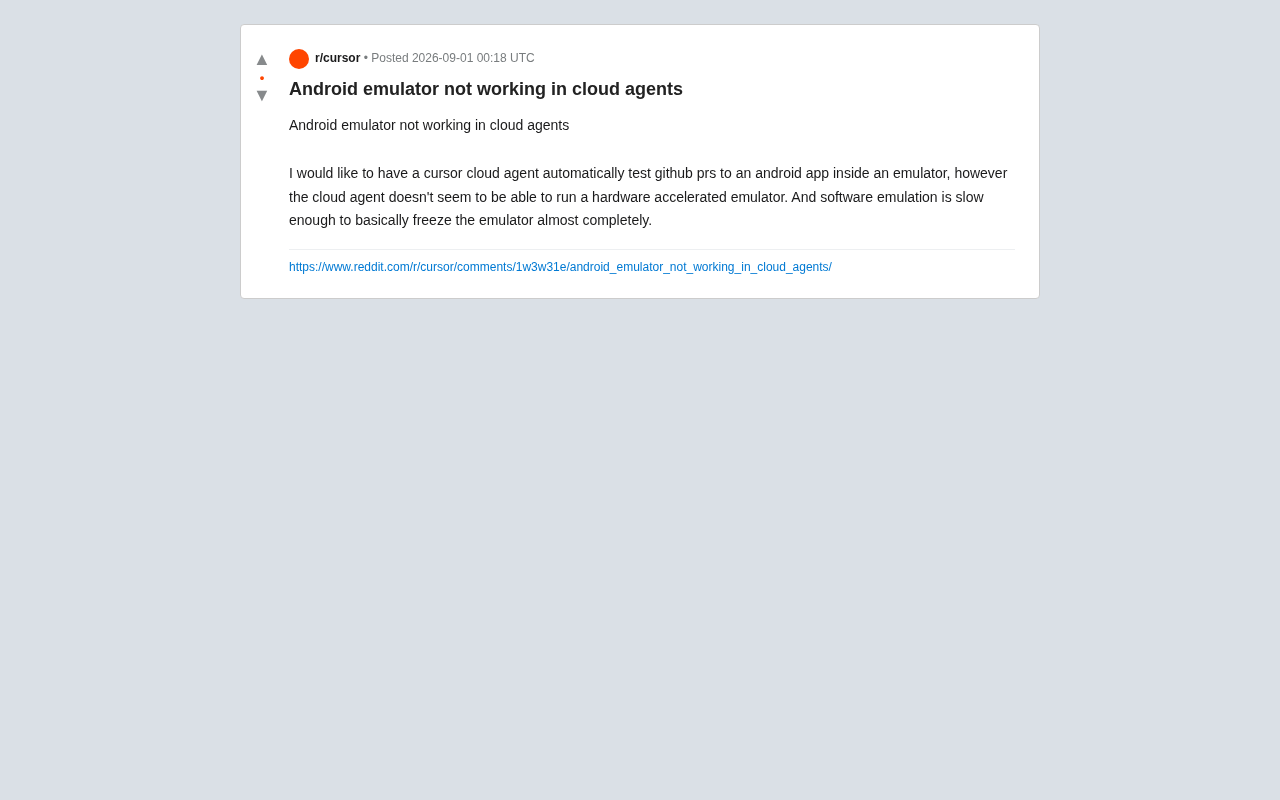
As AI coding assistants like Cursor and Claude Code introduce "cloud Agent" capabilities, more and more developers are looking to offload repetitive CI/CD tasks to them. A typical request surfaced on Reddit: a developer wanted Cursor's cloud Agent to automatically test GitHub PRs submitted to an Android app by spinning up an emulator to verify changes.
The envisioned workflow was straightforward — the AI Agent pulls the code, compiles it, launches an Android emulator, runs UI tests, and reports results, creating a fully automated feedback loop. Reality, however, delivered a cold splash of water: cloud Agents simply cannot run hardware-accelerated Android emulators. And the fallback option — pure software emulation — is so slow it's "practically frozen," rendering the emulator essentially unusable.
This seemingly niche problem actually exposes a critical shortcoming in current cloud AI Agent infrastructure.
Why Android Emulators Won't Run in the Cloud
The Fundamental Dependency on Hardware Acceleration
The performance bottleneck of the Android Virtual Device (AVD) comes down to the fact that it needs to emulate an entire ARM or x86 Android system. To bring emulator performance close to that of a real device, Google provides a hardware acceleration solution based on KVM (Kernel-based Virtual Machine) for Linux environments, along with HAXM/Hypervisor.Framework and other technologies for other platforms.
KVM is a virtualization module built into the Linux kernel since version 2.6.20. It transforms the Linux kernel itself into a Type-1 (bare-metal level) Hypervisor. It works by leveraging hardware virtualization extensions provided by modern CPUs — Intel's VT-x and AMD's AMD-V instruction sets. These instruction sets add a new privilege level at the CPU layer (VMX root/non-root mode), allowing most Guest OS instructions to execute directly on the physical CPU without software translation. This means code running inside a virtual machine can achieve near-native performance. For the Android emulator, KVM acceleration is Google's officially recommended solution for Linux environments and the default acceleration backend in Android Studio.
All these acceleration technologies share a common prerequisite: they need access to the host machine's CPU virtualization extensions (such as Intel VT-x or AMD-V). Cloud Agents, however, typically run inside a container or virtual machine that has already been virtualized.
Nested Virtualization: The Inescapable Technical Hurdle
The crux of the problem is this — you're trying to run a virtual machine (the Android emulator) inside another virtual machine (the cloud Agent environment). This is called nested virtualization.
The core challenge of nested virtualization is that the outer Hypervisor needs to correctly pass through or emulate the CPU's virtualization extension instructions (such as Intel's VMCS structure) to the inner Guest. Starting with the Haswell architecture, Intel added hardware-level support for VMCS Shadowing technology, significantly reducing the performance overhead of nested virtualization. On the cloud provider side, Google Cloud's N1/N2 series instances support nested virtualization but require manual activation; AWS bare metal instances (e.g., .metal types) natively support it, but standard instances do not; Azure's Dv3/Ev3 series supports nested Hyper-V. However, these capabilities are almost never exposed to lightweight containerized Agent sandboxes, because enabling nested virtualization means granting tenants near-Hypervisor-level control, posing serious security risks such as VM Escape.
Most cloud Agent containerized environments disable nested virtualization by default for security and cost reasons, and may not even expose the /dev/kvm device node. Without KVM support, the Android emulator can only fall back to pure software CPU instruction translation mode (TCG), where performance typically drops by a factor of 10 or more — starting an emulator takes several minutes, and running UI tests becomes intolerably slow.
Specifically, TCG (Tiny Code Generator) is QEMU's built-in pure software CPU instruction translation engine. It works through dynamic binary translation (DBT): translating blocks of Guest ARM/x86 instructions into Host native instructions and caching the results for improved subsequent execution efficiency. Even so, according to Google and community benchmarks, Android emulator CPU performance under TCG mode is typically only 5%-10% of KVM-accelerated mode, with graphics rendering severely limited as well. An emulator that cold boots in under 30 seconds with KVM can take 5-10 minutes or longer under TCG mode. For CI scenarios that require repeatedly starting emulators and running UI tests, this performance level is essentially unusable.
This is exactly the predicament the Reddit poster encountered: it's not a configuration issue — it's a fundamental gap in infrastructure capabilities.
Three Viable Alternatives
While running a hardware-accelerated emulator directly inside a cloud Agent is extremely difficult, the underlying need is far from unsolvable. The following approaches are worth serious consideration.
Option 1: Use Cloud-Based Real Device Testing Services
The most reliable approach is to outsource "running the emulator" to a dedicated cloud device testing platform:
- Firebase Test Lab: Google's official service providing real and virtual device farms that integrate directly into CI pipelines. You can submit APKs and test cases via the command line.
- BrowserStack App Automate / AWS Device Farm: These offer extensive real device resources and support mainstream testing frameworks like Espresso and Appium.
Firebase Test Lab's architecture is worth a closer look. It maintains a large number of physical Android devices and pre-configured virtual devices (running on Google's own KVM-accelerated environment) in Google's data centers. Developers submit a test matrix through the gcloud CLI or Firebase console — specifying the APK file, test APK (e.g., Espresso test package), target device models, and Android version combinations. Test Lab supports three testing modes: Instrumentation tests (running developer-written Espresso/UI Automator test cases), Robo tests (AI-driven automated UI exploration), and Game Loop tests (special loop testing for games). After testing completes, it returns detailed reports including test pass rates, screenshots, video recordings, performance metrics, and crash logs. Its key advantage is that physical devices can expose hardware compatibility issues that emulators cannot reproduce.
Have the cloud Agent handle APK compilation and trigger test tasks, while delegating actual execution to these platforms. This sidesteps the nested virtualization limitation while delivering test results closer to real-world user conditions.
Option 2: Choose a CI Environment That Supports KVM
If you insist on building your own Android emulator testing environment, consider managed platforms that explicitly support nested virtualization:
- GitHub Actions Linux runners support KVM under certain configurations (via
--enable-kvm). The community-maintainedreactivecircus/android-emulator-runneris an Action designed specifically for this scenario. - GitLab CI paired with runners that support nested virtualization can also achieve this.
- Self-hosted runners on bare metal or cloud instances with nested virtualization enabled.
Regarding reactivecircus/android-emulator-runner, it's one of the most popular Android emulator CI Actions on GitHub. Its core value lies in encapsulating all the complexity of launching a hardware-accelerated Android emulator on a GitHub Actions Linux runner. Its workflow includes: detecting and enabling KVM support (GitHub-hosted Linux runners are based on Azure's Standard_DS2_v2 instances, which support nested virtualization and expose /dev/kvm), downloading and installing the specified Android system image, creating the AVD configuration, launching the emulator in headless mode, waiting for the emulator to fully boot (by polling the boot_completed property), disabling animations to improve test stability, and finally executing the user-specified test script. It's worth noting that while macOS runners also support hardware acceleration (via Hypervisor.Framework), they cost 10x more than Linux runners, so the community generally recommends Linux runners with x86_64 system images for the best cost-efficiency.
The core idea is to break the "cloud Agent + emulator" combination into a two-stage flow: "cloud Agent triggers → dedicated CI environment runs emulator tests."
Option 3: Hybrid Agent Architecture
A more advanced approach is to let the AI Agent serve solely as the "decision-maker and orchestrator." The Agent handles understanding PR intent, writing or modifying test cases, and analyzing test reports, while delegating the heavy lifting of emulator execution to external nodes with hardware acceleration capabilities. This aligns with the current trend in Agent engineering — AI handles reasoning, specialized infrastructure handles execution.
This architectural philosophy stems from core design patterns in modern AI Agent engineering — ReAct (Reasoning + Acting) and tool calling (Tool Use/Function Calling). Under this paradigm, the LLM plays the role of the "brain," responsible for understanding task objectives, formulating execution plans, parsing intermediate results, and making decisions; while concrete actions are carried out by calling external tools (APIs, CLI commands, third-party services). This Separation of Concerns architecture offers several key advantages: the LLM doesn't need to possess all execution capabilities — it only needs to know when to call which tool; execution environments can be flexibly configured based on task requirements (e.g., routing to GPU nodes when GPU is needed); and failure handling and retry logic can be intelligently decided by the Agent rather than hardcoded. Anthropic's MCP (Model Context Protocol) and OpenAI's Function Calling are both technical implementations of this paradigm, providing AI Agents with standardized tool-calling interfaces that make integration with external execution environments more standardized and extensible.
The Deeper Lesson: Understanding the Capability Boundaries of Cloud Agents
The value of this case study extends far beyond "Android emulators." It reminds us that while current cloud AI Agents excel at code comprehension, generation, and refactoring, they still have clear boundaries when it comes to tasks requiring specialized hardware capabilities:
- GPU-accelerated machine learning model training;
- Nested virtualization scenarios like running emulators or containers within containers;
- Privileged access for low-level system operations.
These scenarios are often strictly restricted in standardized cloud Agent sandboxes due to security isolation and resource cost considerations. When designing automation workflows, developers need to assess task dependencies on underlying hardware capabilities upfront, rather than assuming the Agent is "omnipotent."
For vendors, this also points to clear product improvement directions: whether to enable nested virtualization, whether to expose /dev/kvm, whether to offer GPU instances — these decisions directly determine how broad a range of development scenarios cloud Agents can cover. Mobile development is a massive market, and whoever can be the first to solve these "heavy execution" pain points will carve out a unique position in the AI programming tools competition.
Conclusion
This brief plea for help on Reddit reflects the real-world barriers that AI programming tools inevitably encounter as they evolve from "coding assistants" to "end-to-end automation." The inability to run a hardware-accelerated Android emulator isn't a bug — it's an inherent constraint of current cloud sandbox architecture.
In the short term, the most pragmatic strategy is divide and conquer: let the AI Agent do what it does best — reasoning and orchestration — and hand emulator execution off to Firebase Test Lab, AWS Device Farm, or a KVM-enabled dedicated CI environment. In the long run, as cloud Agent infrastructure gradually opens up more low-level capabilities, the vision of "letting AI automatically test your Android app" will eventually become a reality within reach.
Related articles

9 AI Subscription Plans Compared: The Real Cost Per 100M Tokens Revealed
Bilibili creator tests 9 AI subscription plans from Volcano, Alibaba, Tencent, Baidu, Zhipu, Xiaomi, MiniMax and more, converting them all to real cost per 100M tokens, breaking down fixed-quota vs. three-tier coefficient billing and how caching, time-of-day discounts, and window limits affect actual quota.

Vibe Coding for Beginners: Expressing Intent Instead of Handwriting Code
What is Vibe Coding? A 137-episode Bilibili course defines it: the core is expressing intent, not writing code. This article analyzes Vibe Coding's productivity logic, target audience, and entry expectations to help beginners decide if it's worth learning.

LangChain Beginner's Guide: An Agent Development Roadmap from LangGraph to Deep Agents
Clarify the encapsulation relationship among LangChain, LangGraph, and Deep Agents, and master the learning path and selection logic for agent development frameworks—suitable for beginners in large model development.