WorkBuddy Beginner's Guide: A Complete Workflow Walkthrough for the Domestic Codex Alternative

WorkBuddy is a domestic Codex alternative that executes real office tasks, not just chat.
WorkBuddy is a domestic AI tool modeled after OpenAI Codex, offering a similar interface with a much lower barrier to entry — no complex setup, minimal hardware requirements, and a free tier. Its core value lies in going beyond conversation to directly integrate with popular Chinese office software and execute complete tasks like organizing materials, generating documents, and analyzing spreadsheets. The article highlights a common mistake: treating this powerful tool as a simple chatbot. A companion Blue Book and tutorial series cover installation, case breakdowns, Skill customization, and industry applications to help beginners build a complete workflow mindset.
What Is WorkBuddy: A Domestic Alternative to Codex
If you're only going to seriously learn one AI tool this year, WorkBuddyAd deserves a spot at the top of your list. In short, it can be understood as a domestic alternative to Codex — sharing a similar interface layout and interaction logic, but with additional optimizations tailored for users in China.
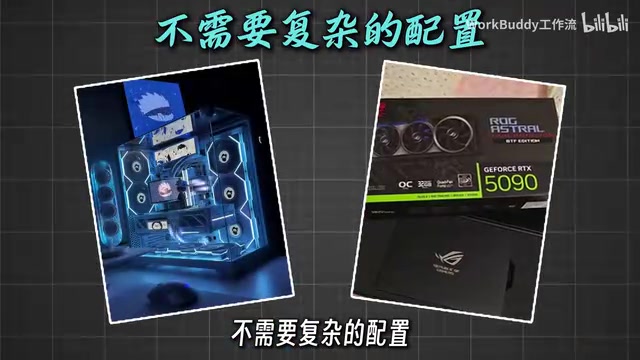
The biggest difference lies in the barrier to entry. WorkBuddy requires no complex environment setup, places minimal demands on hardware, runs smoothly on a standard office computer, and offers a free usage tier so newcomers can get started at zero cost. For users who want to try AI tools but get stuck at the installation and configuration stage, this is a significant reduction in friction.
Codex is the code and task automation model released by OpenAI, and also the underlying technology behind tools like GitHub Copilot. Its core capability is understanding natural language instructions and directly generating executable code or action sequences — turning "describe what you need" into "automatically get it done." Because Codex products face access barriers in China, require overseas payment methods, and have primarily English interfaces and documentation, the practical cost of actually using them is quite high. WorkBuddy is positioned precisely to address this gap — sharing the same core logic of "instruction-driven task execution," but moving the barrier to entry, interface language, and supported software ecosystem into an environment that domestic users are far more familiar with.
Core Value: Not Just Chatting — Actually Getting Work Done
Many AI tools operate purely at the conversational layer, but WorkBuddy differentiates itself by directly integrating with the office software commonly used in China. Tasks that used to require constant switching between multiple applications can now potentially be handled entirely through a single unified interface.
Its capabilities cover several high-frequency use cases: organizing materials, generating documents, analyzing spreadsheets, and handling large volumes of repetitive operations. In other words, it functions more like a work assistant that can actually execute tasks, rather than just a chat window. For people whose time is consumed by tedious office workflows, this "unified entry point + automated execution" model is precisely what sets it apart from ordinary chatbots.
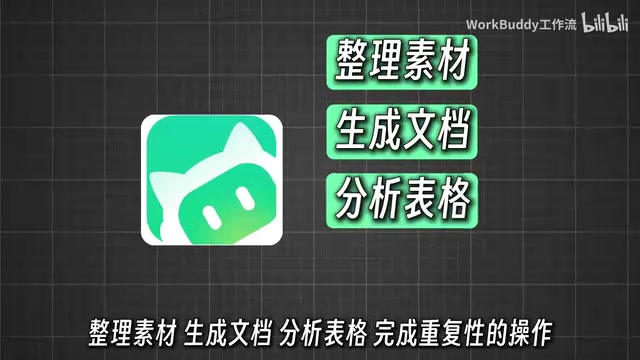
"Integrating with commonly used domestic office software" means WorkBuddy can actually interact with mainstream tools like WPS, DingTalk, Feishu, and WeCom — not just generate a block of text in a dialog box for you to copy and paste yourself. The distinction is this: traditional AI chat tools deliver "a response," while tools with genuine task-execution capabilities deliver "a completed action result." This leap from "generating content" to "executing actions" is the key dividing line between AI tools as "information assistants" and their evolution into "work agents (AI Agents)." The concept of AI Agents has been widely discussed in the industry in recent years. Their defining characteristic is the ability to perceive context, plan sub-tasks, and execute them step by step — rather than simply responding to individual queries.
The Most Common Mistake: Using a Powerful Tool as a Chat Window
One pattern worth watching out for: many people open WorkBuddy and end up just asking it a few casual questions. The tool clearly has strong capabilities, yet it ends up being used as nothing more than an ordinary chat window — which is a real waste.
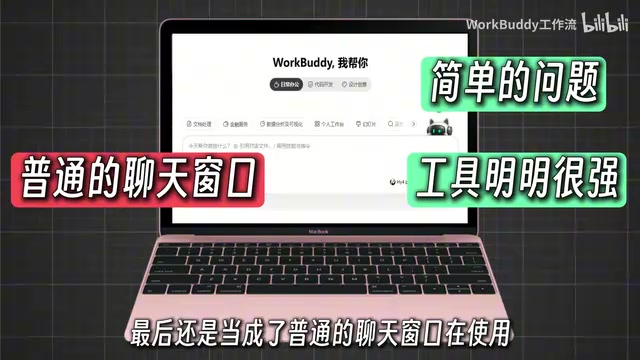
The root cause usually isn't that the tool isn't powerful enough — it's that the user lacks a systematic understanding of how to build workflows around it. The value of an AI tool isn't in "what it can answer," but in "what complete tasks it can handle for you." If you stay at the Q&A level, you'll never reach its true productivity ceiling. Unlocking WorkBuddy's real potential requires developing a process mindset that covers everything from breaking down requirements and assigning tasks to verifying results.
Learning Resources: Tutorial + Blue Book
Addressing the common pain point of "bought the tool but can't get it working," this tutorial series is practice-oriented and designed to take complete beginners from getting started all the way to mastering the full workflow.
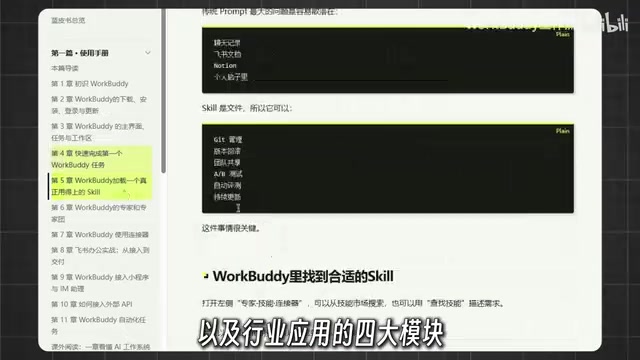
Alongside the course itself, there's a companion Blue Book that covers four major modules:
- Installation Guide: Solving environment and configuration issues on day one
- Case Breakdowns: Understanding the tool's usage logic through real-world scenarios
- Skill Customization: Learning how to extend capabilities to fit your own needs
- Industry Applications: Understanding how to deploy the tool across different contexts
Also included are eight commonly used Skills, plus hands-on practice materials you can work through right away.
Practical Advice for Beginners
The biggest trap in learning tool-based skills is "saving it = mastering it." Once you have the tutorials and materials, the most effective approach is to follow along and actually do it — run through every Skill and case study hands-on, so the tool genuinely becomes embedded in your daily work rather than gathering dust in your bookmarks.
Going from zero to proficient isn't about memorizing every feature — it's about whether you can make WorkBuddy a real part of your workflow. Once you develop the habit of handing off repetitive tasks to it, the time and energy you reclaim is the greatest return this toolset has to offer.
Related articles

Amphibious Transforming Drone: Beyond 100x Power Savings, What Are the Real Needs?
Is the amphibious transforming drone just a gimmick? Starting from the 100x power difference of the M4 Morphobot, explore real application scenarios and thesis topic ideas, analyzing boundary conditions where pure drones and pure ground robots both fail.

Warhound Raises $200 Million: Genetically Engineered "War Dogs" Paired with Anduril Gear
Warhound raises $200M, backed by Ben Lamm and Palmer Luckey, to genetically engineer dogs for military and law enforcement use and equip them with Anduril gear. This article analyzes its technology direction, funding logic, and ethical controversy.

Claude API Comes to Google Cloud: IAM Integration and SDK Access Guide
Anthropic hosts the full Claude API on Google Cloud with IAM-controlled permissions and unified billing. This guide covers the Vertex AI and Anthropic-hosted entry points, IAM role configuration, and SDK access.