WorkBuddy Beginner Tutorial: From Installation to AI Agent in Practice

WorkBuddy, an easy-to-use Chinese AI Agent, turns AI from consultant to digital employee with low barriers and ecosystem compatibility.
The article contrasts chatbots with AI Agents: the former only give advice, while the latter directly operate the computer to execute tasks. Using WorkBuddy as an example, it offers one-click installation, deep integration with Chinese office tools like WeCom, 2,000 free credits on registration plus 100 daily, and one-click deployment of Experts and Skills—making it more suitable for non-technical Chinese users than Codex. The accompanying course spans four sections with 28 knowledge points, plus a Blue Book and 12 common Skills, teaching users to "give commands" rather than "ask questions." It also notes that Agents involve open permissions and data security, requiring users to assess privacy boundaries when connecting office tools, and that the Codex pricing info may have changed.
Why You Need a "Digital Employee" Rather Than a Chatbot
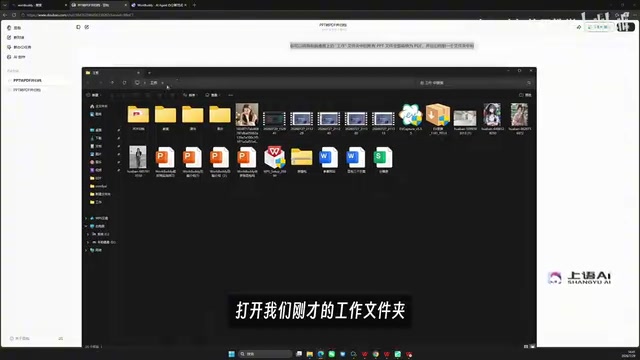
Over the past few years, most AI assistants have stayed at the "you ask, I answer" level. When you pose questions to tools like Doubao or ChatGPT, they offer suggestions, but you still have to do the actual work yourself. A Bilibili creator made an intuitive comparison in a recent tutorial: when asked to convert all the PPTs in a desktop "Work" folder to PDF and archive them, Doubao could only reply "here's how you could do it..." without executing anything directly. Switch to WorkBuddyAd, paste in the same prompt, and it automatically creates an archive folder and completes the format conversion—no manual intervention required.
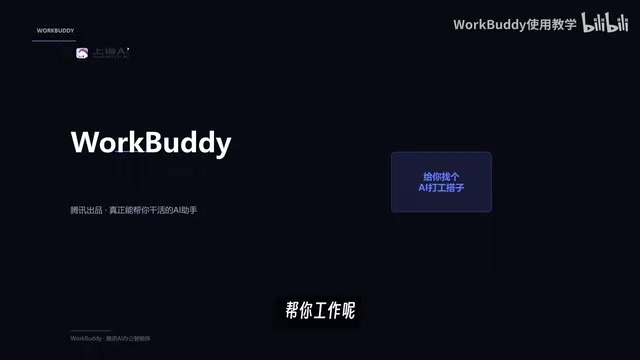
The core of this difference lies in product positioning. WorkBuddy is an AI Agent—it can directly operate your computer, like an employee who follows instructions. The creator put it this way: traditional chat assistants are consultants who only offer ideas; WorkBuddy is an employee who does the work. This "management-style" approach to using AI is precisely the key to efficiency gains.
AI Agent differs fundamentally from traditional chatbots in technical architecture. Chatbots are built on large language models, and their primary capability is understanding natural language and generating text replies—they belong to "conversational AI." AI Agents add planning, tool invocation, and execution capabilities on top of this: they can break user goals into subtasks, autonomously call operating system APIs, file management interfaces, or third-party services to complete operations, and adjust strategies based on feedback during execution. Simply put, a chatbot is a "brain," while an Agent is a "brain + hands and feet." Current mainstream Agent implementations include ReAct (reasoning-action loops), Function Calling, and multi-agent collaboration frameworks. WorkBuddy is a desktop-level Agent designed for personal computers.
Why WorkBuddy Is the Go-To Entry-Level Agent for Chinese Users
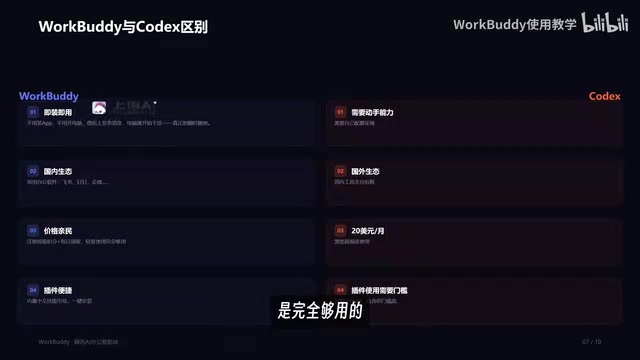
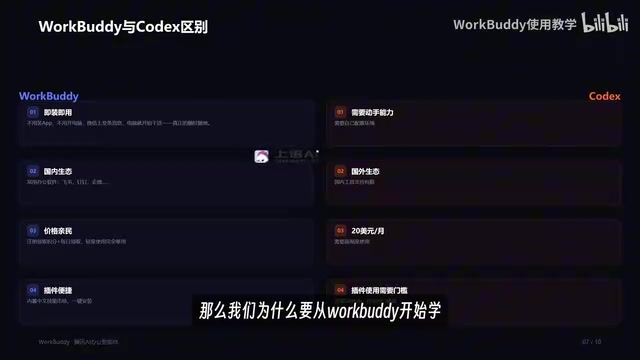
WorkBuddy isn't the only agent of its kind on the market—Codex, Lobster, and others are also agent-form products. But the creator spent nearly three months refining this course precisely because of WorkBuddy's friendliness to Chinese users. According to the analysis, its advantages concentrate in four dimensions.
Out-of-the-Box, Zero Configuration Barrier
WorkBuddy is "install and use." Search for the official website in your browser, click download, and deploy to your computer with one click—no command line or environment configuration needed throughout. Codex, by contrast, requires users to configure the environment themselves, which isn't friendly to those unfamiliar with programming. The creator said plainly in the video: it doesn't matter if you can't code, and it doesn't matter if you've never touched AI—just follow along and you'll get started.
The environment configuration mentioned here typically refers to installing programming language runtimes (such as Python or Node.js), package managers, dependency libraries, and setting API keys. For developers this is routine, but for ordinary users, the command-line interface and error messages constitute a significant barrier. WorkBuddy's "one-click deployment" model essentially encapsulates these configuration tasks within the installer, so users can complete deployment without touching a terminal. This product design approach is common in consumer software, but still uncommon in the AI Agent space, because Agents usually require high system permissions and flexible runtime environments, making encapsulation difficult.
Deep Connection to China's Office Ecosystem
WorkBuddy has built-in "connectors" that can be authorized to access WeCom, common office software, and other mainstream Chinese tools. Once connected, it can directly help you reply to messages and summarize weekly reports based on chat records. Because Codex is from an overseas ecosystem, its support for Chinese tools is naturally limited. The creator called this "the most killer feature, the one link no other agent can replace."
Connectors are standardized interfaces through which AI Agents call external services. They act like authorization intermediaries: users grant the Agent permission to access specific applications (such as WeCom, Feishu, DingTalk) via protocols like OAuth, and the Agent can then read messages, send notifications, or pull data within the authorized scope. The security boundary of a connector depends on authorization granularity—the risk difference between read-only and read-write permissions is significant. China's office ecosystem is self-contained, and overseas Agents (like Codex) lack official interface adaptations for these platforms. WorkBuddy's built-in connectors directly integrate with mainstream Chinese tools—this is the technical basis for its "irreplaceable" advantage, but it also means users need to carefully manage authorization scope.
Extremely Low Cost, Nearly Free for Light Use
Registration grants 2,000 credits, plus 100 credits claimable daily. For light users, these credits are more than enough. Compared to Codex's $20 per month with a high-intensity usage requirement, WorkBuddy's pricing strategy is clearly more accessible. The creator emphasized in the demo that it's "completely sufficient."
One-Click Installation of Experts and Skills
WorkBuddy offers two types of extensions: "Experts" and "Skills." Experts are preset roles—if you need a Xiaohongshu operations expert, for instance, click to summon one. Skills are tool plugins that deploy to your computer with one click. While Codex is open-source and flexible, it relies on the GitHub ecosystem and has a higher usage barrier. The creator's summary: hire a digital employee at low cost, and with a low learning curve and high compatibility with Chinese office software, upgrade AI from Q&A-style to management-style.
Skill, in the Agent context, refers to a reusable module that encapsulates a specific task workflow, typically including prompt templates, tool invocation logic, and output format definitions. A "weekly report generation" Skill might include a series of steps: reading chat records, extracting key information, and formatting according to a template. Expert is a higher-level role preset—essentially a combination of a set of Skills and system prompts, used to constrain the Agent's behavior within a specific domain (such as Xiaohongshu operations or data analysis). This "skill marketplace" model lowers the barrier for users to customize Agents—no need to write prompts or code from scratch; one-click installation gives you a debugged capability package. Codex's open-source ecosystem is more flexible but requires users to have some technical ability to filter and configure.
What Exactly Does This Course Teach?
The creator divides the entire content into an introductory section, a "luanli" section, an advanced section, and an industry section (the original narration says "luanli," which is likely a speech-to-text error for "lili" — resume/case studies — or "anli" — case studies), totaling 28 knowledge points. From installation and configuration to real office cases and advanced workflows, every step has hands-on demonstrations. The accompanying "Blue Book" covers four major areas: installation, case breakdowns, Skill customization, and industry implementation, plus 12 commonly used Skills.
The core logic of the course isn't teaching you how to "ask" but how to "give commands." The question the creator poses at the start of the video is worth every AI user's consideration: in your work, does the AI you commonly use play the role of consultant or employee? If the answer is consultant, then Agent tools like WorkBuddy are the direction to try next.
A Bit of Critical Thinking
The tutorial itself leans toward hands-on lead generation and doesn't dwell much on WorkBuddy's underlying logic. An Agent directly operating your computer means open permissions; when connectors authorize tools like WeCom, users must weigh data security and privacy boundaries themselves. Also, the "$20 per month for Codex" mentioned by the creator was information at the time of course production—actual prices may change, so refer to the official website. For those wanting to transition from chat-style AI to automated office work, this free tutorial plus Blue Book combination does provide a low-cost starting point.
One-line Summary
WorkBuddy, an easy-to-use Chinese AI Agent, turns AI from consultant to digital employee through low barriers and ecosystem compatibility.
Related articles
 Tech Frontiers
Google Omni 1.2 Flash: 15-Second AI Video at Just $0.07 per Second
Google DeepMind releases Gemini Omni 1.2 Flash: 15-second video, 720p at $0.07/sec (30% cheaper), multi-turn editing without regeneration, draft upscaling to 4K.
 Tech Frontiers
No AI Ghostwriting: Writer's Quarter Reinvents Novel Writing with a Visual Workbench
The Writer's Quarter is an AI-free novel writing and planning tool that unifies character building, story planning, and manuscript writing in one visual workbench. This article analyzes its positioning, target users, and differentiated value amid the rise of AI writing tools.
 Tech Frontiers
Fleeep: A Unified Inspiration Collection Notes App for Creatives
Fleeep is a notes app for creatives that unifies screenshots, bookmarks, saved posts, and inspiration into one calm, cross-device, offline-capable space. This article analyzes its positioning, differentiation, and target users.