WorkBuddy in Action: A Full Breakdown of Desktop AI Agent Automation for Office Work and Shopping

Tencent WorkBuddy tested: strong execution on standard tasks; aesthetic tasks require human-AI collaboration.
Tencent WorkBuddy is a desktop AI agent that can take over the browser, invoke local software, and connect WeChat, Feishu, DingTalk, and Baidu Netdisk for cross-platform task loops. Shopping tests show standard tasks (price comparison, model filtering) work well with autonomous search and reused login state, while aesthetic tasks (finding a Chinese-style lamp) rely on communication and training. Technically it bridges browsers via OpenCLI, needs user logins, and reuses sessions. AI pre-filtering cuts manual selection costs, but subjective aesthetics remain a short-term weakness—start with standard tasks and layer on cross-app workflows.
Tencent's WorkBuddy, a desktop-level AI agent, is trying to turn "AI doing your work" from a concept into an everyday operation. Unlike ordinary large models that stay at the conversational level, it can directly take over the browser, invoke local software, and connect with domestic ecosystems such as WeChat, Feishu, DingTalk, and Baidu Netdisk, completing a full loop from file organization to cross-platform task execution. In a 256-episode deep-dive series, a Bilibili creator calls it "the Chinese version of Codex"—zero configuration, scan a QR code and go, more like an assistant that understands plain human language than a hardcore tool that requires fiddling with your environment.
WorkBuddy's Core Capability: From Chatting to Doing
WorkBuddyAd positions itself as a "doer." Ordinary AI gives you suggestions; it operates the interface directly. In the video, the creator demonstrates four core use cases: automatically extracting files from WeChat groups and consolidating them into Excel; pulling materials from Baidu Netdisk to generate a Feishu weekly report; batch-renaming and categorizing hundreds of messy files; and using voice messages on mobile WeChat to remotely invoke desktop software and export data. It can also read dozens of pages of PDFs, extract key data, and generate a PPT outline, or monitor spreadsheet updates and automatically send daily reports via WeCom. What these scenarios share is that they are cross-application, highly repetitive, and require login state and local permissions—exactly the gap between traditional RPA and pure cloud-based AI.
Shopping Test: The Boundary Between Standard Tasks and Aesthetic Tasks
The creator tested WorkBuddy's real execution with two shopping cases. The first was finding "high-quality, good-looking power banks," where the AI independently completed searching, price comparison, and listing candidates with no human intervention throughout. The second was finding "a cultural-creative desk lamp under 200 yuan with Chinese-style aesthetics"—a deliberately vague task.
In terms of workflow, the user creates a new task and directly issues a natural-language instruction. WorkBuddy bridges to the browser via OpenCLI (Google Chrome requires installing this plugin; domestic browsers usually need no extra configuration), automatically opens Taobao and JD.com pages, and reuses the user's existing login state.
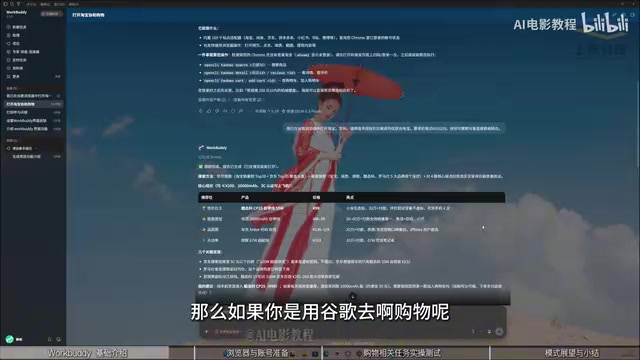
In the desk lamp task, the AI kept changing search terms, browsing product pages, and taking screenshots to confirm the actual style of the items, ultimately filtering nine valid datasets from ten candidate groups and locking in an 88-yuan Jingdezhen blue-and-white porcelain desk lamp. From this, the creator draws a key conclusion: for standard tasks (clear price, cost-effectiveness, model comparison), AI performs very well because there is a definite answer; aesthetic tasks, by contrast, depend heavily on communication and training—pure AI may not understand your preferences, making human-AI collaboration more suitable.

RPA (Robotic Process Automation) refers to using software robots to simulate human operations on graphical interfaces to complete repetitive, rule-based business processes, such as data entry, form filling, and cross-system data transfer. Traditional RPA usually requires pre-orchestrated fixed scripts, has weak adaptability to interface changes and exceptions, and often relies on enterprise-grade deployment. Desktop agents like WorkBuddy can be seen as an evolved form of RPA: it replaces script orchestration with natural-language understanding, handles unstructured tasks with the reasoning capabilities of large models, and retains the ability to directly control local software and browser interfaces. The key difference is that RPA emphasizes determinism and auditability, while AI agents emphasize generalization and interactivity—the former suits back-office batch operations, the latter suits front-office, cross-application, judgment-requiring lightweight tasks.
Browsers and Login State: The Practical Details of Desktop Agents
WorkBuddy's shopping demo reveals two engineering details. First, it relies on a browser automation channel: Google Chrome requires OpenCLI as a bridge, while domestic browsers basically work out of the box. Second, Taobao and JD.com accounts must be logged in by the user; the AI does not bypass identity verification, but it can reuse an already-logged-in session. This means the capability boundary of a desktop agent is limited by the configuration of the local environment, not the model itself. The creator also notes that Taobao may require re-login once a day, and such trivial maintenance still needs manual intervention for now.

OpenCLI is a bridging tool that connects command-line instructions with browser automation protocols. Its role is to let external programs (such as WorkBuddy) control browser behavior programmatically—for example, opening pages, clicking elements, extracting text, and taking screenshots. It is usually implemented based on Chrome DevTools Protocol or similar browser remote debugging interfaces, so it requires the browser to enable the corresponding debugging port or install a companion plugin. For ordinary users, the existence of OpenCLI means a desktop agent does not need to embed a complete browser engine; instead, it reuses the browser the user uses daily, along with its login state, plugins, and bookmarks, thereby reducing resource usage and making operations more realistic. But this also brings compatibility issues: different browsers support automation interfaces to varying degrees—Google Chrome requires an extra plugin, while some domestic browsers have preconfigured or simplified the relevant settings.
AI Filtering Logic in the Age of Information Overload
Behind this test lies a bigger question: as product information becomes severely excessive and the mental cost of manual selection keeps rising, handing standardized filtering to AI is becoming feasible. The creator's view is that in the future, most product selection can be done by AI first, with humans only responsible for final confirmation. But subjective dimensions such as aesthetics, style, and emotional preference remain AI's weak spot in the short term—it can search for "Chinese-style," but it is hard for it to judge which lamp truly matches the "Chinese-style" in your mind. WorkBuddy's value is not in replacing judgment, but in compressing time-consuming steps like information gathering, cross-platform navigation, and preliminary screening into a matter of minutes.
For users who want to get started, the path offered by the video is: first complete a standard task (such as comparing products within a specified price range), then gradually layer on cross-application workflows (such as pulling data from Netdisk → generating a weekly report → sending via WeCom). The 256-episode course covers 15 high-frequency practical projects and is suitable for breaking down task types one by one rather than watching linearly from the beginning.
One-line Summary
Tencent WorkBuddy tested: strong execution on standard tasks, aesthetic tasks require human-AI collaboration.
Paragraph Summary
Tencent WorkBuddy is a desktop-level AI agent that can directly take over the browser, invoke local software, and connect with domestic ecosystems such as WeChat, Feishu, DingTalk, and Baidu Netdisk to complete cross-platform task loops. Through shopping tests, the article shows its capability boundaries: standard tasks (such as price comparison and model filtering) perform well, with AI able to search independently, compare prices, and reuse login state; aesthetic tasks (such as finding a Chinese-style desk lamp) depend on communication and training and require human-AI collaboration. Technically, WorkBuddy relies on OpenCLI to bridge the browser—Google Chrome requires a plugin—and accounts must be logged in by users themselves, though sessions can be reused. The article argues that AI pre-filtering can reduce the cost of manual selection under information overload, but subjective aesthetic judgment remains a weak spot in the short term, and suggests users start with standard tasks and gradually layer on cross-application workflows.
Related articles

M&M's Spent Millions Replacing Artificial Blue Dye — Why Is It So Hard?
Mars spent millions trying to replace artificial blue dye in M&M's with spirulina, but thick material clogs pipes and residue risks mold, forcing a full production-line rebuild. Here's the engineering behind the reformulation.
Teammate Wanted for Meta Global AI Developer Hackathon: Computer Vision & Medical AI
A Reddit developer seeks teammates for the Meta Global AI Developer Hackathon, focusing on computer vision and medical AI. This article analyzes the track logic, skills-complementarity needs, and topic selection strategy behind this teaming signal.
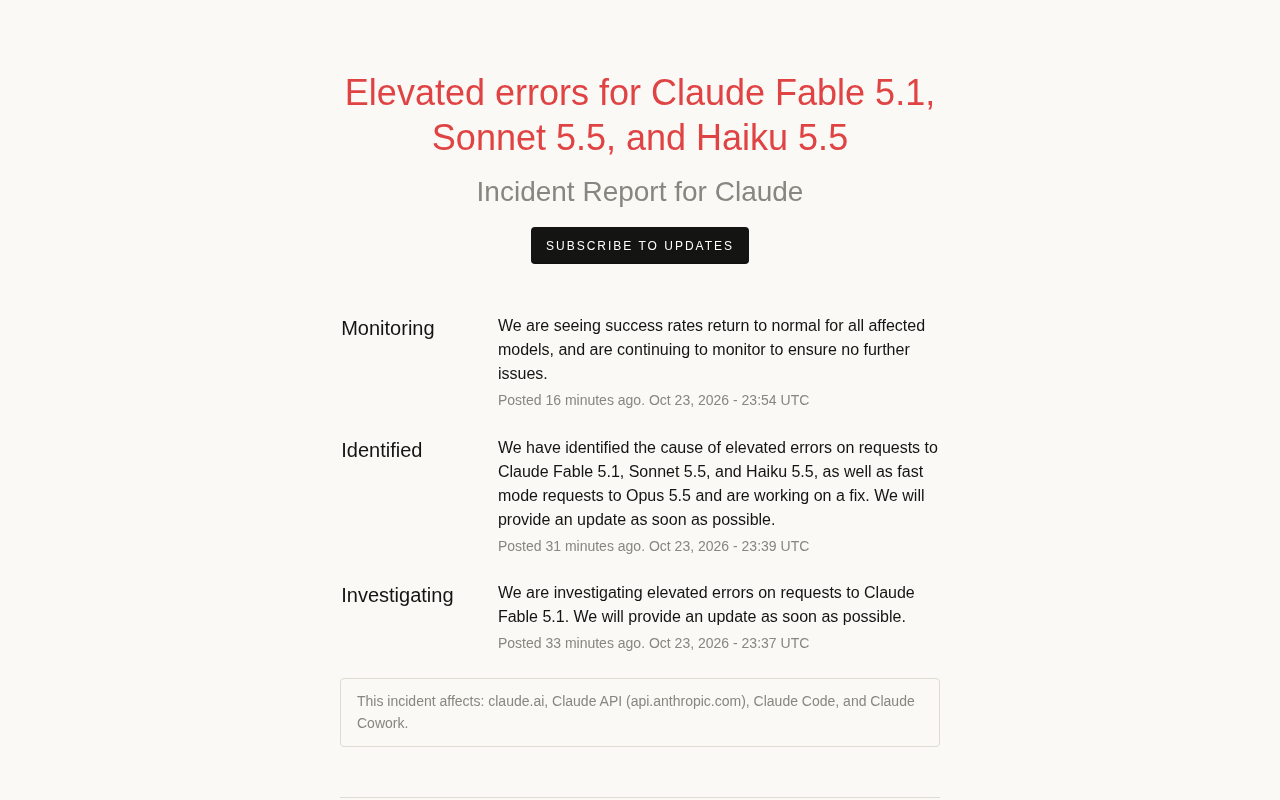
Multiple Claude Models Hit by Errors: A Postmortem of Fable 5.1, Sonnet 5.5, and Haiku 5.5
Claude Fable 5.1, Sonnet 5.5, Haiku 5.5, and Opus 5.5 fast mode saw elevated errors; Anthropic identified and resolved the issue in 17 minutes. This postmortem covers the timeline, the technical reasons for the multi-model cascading failure, and practical lessons for retry and degradation strategies.