WorkBuddy Practical Tutorial: Building a Personal Office Automation Workbench from Zero
A Bilibili tutorial shows how ordinary people can use WorkBuddy to build an agent workbench, turning AI from consultant to executor.
The article is based on a Bilibili creator's tutorial video and systematically introduces how ordinary people can build a personal agent workbench with WorkBuddy. It presents a four-layer structure of AI implementation: large models, engineering layer (harness), agent entity layer, and platform-layer products, with WorkBuddy in the platform layer. By comparing Doubao and WorkBuddy on a 'PPT to PDF' instruction, it shows that chat tools only give suggestions while agents can directly execute local operations. The tutorial has ten lessons and about twenty-eight knowledge points, covering installation, multimodal skills and connectors, and automation, with no coding required. It also reminds readers to rationally view monetization rhetoric and pay attention to permission and security boundaries.
In an era where AI tools emerge endlessly, most people still treat large models as "consultants"—ask them questions, they give advice, but the work still has to be done by yourself. In a recent tutorial video, a Bilibili creator put forward a more radical view: for ordinary people, building a personal workbench with intelligent agents is the most realistic path to a leap in efficiency today. The video uses WorkBuddy as the core tool, from concept breakdown to hands-on demonstration, fully showing how a zero-basis user can make AI truly "take action" and operate a computer.
From Large Models to Workbench: Understanding Agents Through a Four-Layer Structure
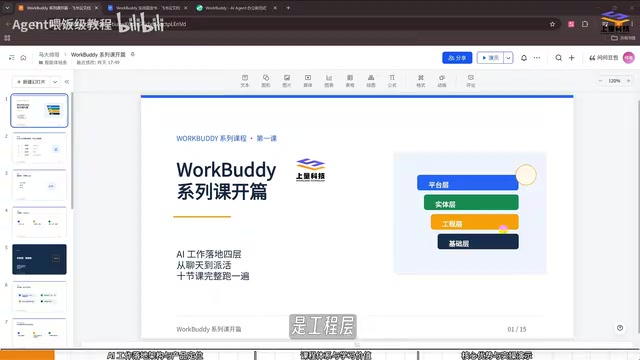
At the beginning of the course, the creator provides a clear framework that breaks down the implementation of AI in work scenarios into four layers. The bottom layer is the large model (LLM), responsible for language understanding, reasoning, and generation; models such as MiniMax, DeepSeekAd, and Zhipu all belong to this layer. Above it is the engineering layer—various "harnesses" that give the model capabilities such as context, memory, tool calling, permission assessment, and loop orchestration. Above that is the entity layer—digital employees that can independently complete tasks, i.e., agents. The top layer is platform-layer products, and WorkBuddy belongs to this layer.
This layering explains a common confusion: why, despite both being large models, the experience of direct chat and using an agent to do work differs so greatly. According to screenshots shown by the creator, the various "harnesses" in the engineering layer are exactly the key middleware that turns a model from "able to talk" into "able to do things."
The creator mentions that platform-layer products besides WorkBuddy include Codex, Alibaba Wukong, and others, but WorkBuddy has recently had the highest market share in China because it is integrated with Tencent ecosystem tools (WeChat, Tencent Docs, Tencent Meeting, etc.), adapts to mainstream domestic office software, requires no complex configuration, and can be used for free. These features make its threshold for domestic users significantly lower than similar overseas products.
Harness is a core concept in agent engineering, referring to a layer of software infrastructure wrapped around a large model. Its role is similar to equipping the model with "senses" and "limbs": through tool-calling interfaces, the model can read and write files, execute code, and access the network; through memory modules, the model can retain context across conversations; through permission assessment, the system can limit the scope of the model's operations; through loop orchestration, the model can repeatedly adjust strategies based on execution results until the task is completed. Without a harness, a large model is just a text generator; with a harness, it has the ability to act in a real environment. Differences in harness design across products directly determine the reliability, security, and upper limit of task complexity of agents.
Consultant vs. Executor: The Essential Difference Between Doubao and WorkBuddy
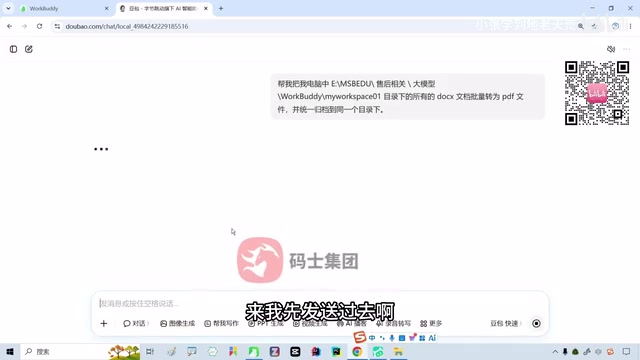
The most persuasive part of the video is a comparative demonstration. The creator gives Doubao an instruction: "Convert all the PPT files on my computer into PDFs." Doubao's response is to tell the user how to convert them—it can only provide operational steps and cannot execute directly. The creator's summary is straightforward: Doubao is a consultant, not "hands."
When the same instruction is given to locally installed WorkBuddy, it begins actual execution: first searching the computer for PPT files, installing the corresponding harness, attempting to call Office and WPS for processing, switching to alternatives when one method fails, and finally generating nine PDF files and opening a preview. Throughout the process, the user only needs to issue instructions and confirm results.
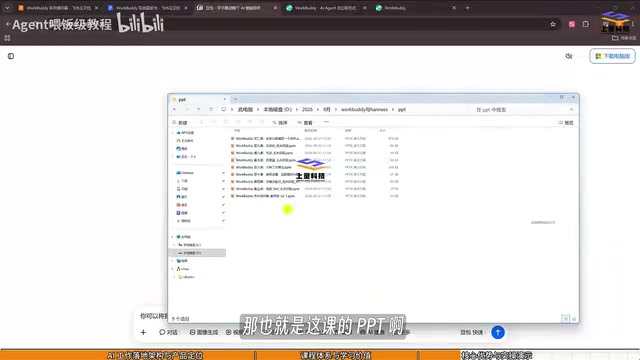
The value of this demonstration is not in "converting PDFs" itself, but in validating a path: agents can take over processes that originally required manual clicking, switching software, and repetitive operations. The creator estimates that perhaps 60% or more of daily work is repetitive content, and freeing up this time is the true value of agents.
Multimodal expert skills are an advanced capability mentioned in the WorkBuddy tutorial, meaning that agents can not only process text but also understand and operate multiple information forms such as images, audio, and video. In actual office scenarios, this means agents can recognize tabular data in screenshots, read the contents of scanned PDFs, and perform corresponding operations based on image information. Compared with single text models, multimodal skills allow agents to cover more real work processes, such as extracting to-dos from meeting recordings or generating documents from design drafts. Such skills are usually integrated into the workbench as plugins or modules, and users can enable them as needed.
Course System: Ten Lessons Covering Twenty-Eight Knowledge Points
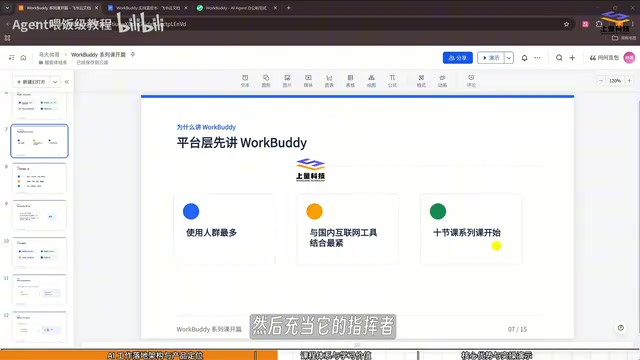
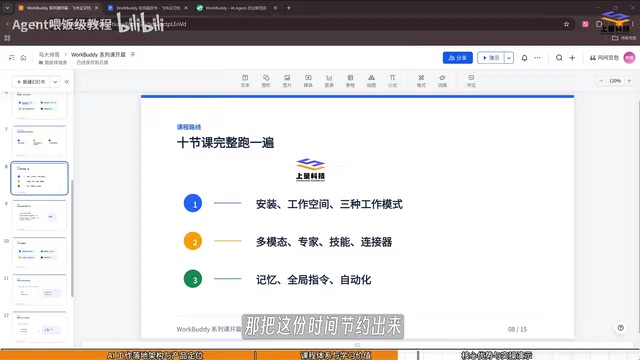
This tutorial is designed by the creator as ten lessons and about twenty-eight knowledge points, divided into three parts: installation, workspace, and work modes of WorkBuddy; use of multimodal expert skills and connectors; automation-related content, including global instructions, memory, and automation processes. The overall path goes from basic operations to real office cases and then to advanced workflows, emphasizing that "it's okay if you don't know programming," because no coding is involved throughout.
The creator also mentions some more imaginative advanced directions, such as connecting WorkBuddy to home cameras for housework management, or deploying WorkBuddy on multiple computers to let them collaborate on tasks. These contents are placed in a continuously updated resource library.
Supporting materials include a practical blue book, twelve common Skills, and case practice materials, which the creator says can be obtained by leaving a comment in the comment section. It should be noted that this kind of "resource package + tutorial" combination is common in knowledge videos; readers should judge whether they need it based on their own needs and should not feel urgency because of marketing language.
A Rational View: Who WorkBuddy Is Suitable For and Who It Is Not
From the course content, WorkBuddy is positioned as an agent workbench for daily office scenarios, and roles such as finance, product managers, programmers, and teachers can all find corresponding scenarios. Its advantages are concentrated in three points: local execution, integration with domestic toolchains, and a low barrier to entry. For office workers troubled by repetitive operations who do not have programming skills, such tools are indeed worth trying.
However, expressions in the video such as "earn ten thousand in a week" and "double your savings in three months" are typical traffic-driven rhetoric and have no direct causal relationship with the tool's own capabilities. Agents can improve efficiency, but monetization paths depend on personal business ability, and readers need to separate this out themselves.
Another point worth noting is the permission boundary. Letting an agent operate a local computer, read files, and call office software means it needs a considerable degree of system permission. The video does not discuss permission control and security isolation in depth. In actual use, it is recommended to first verify on a small scale in a non-critical environment, then gradually expand the scope of automation.
The direction represented by WorkBuddy—the "platform-layer agent workbench"—is clear: AI is moving from conversational assistant to task executor. For ordinary users, now is a window period for low-cost trial and error—getting one specific small process running is more meaningful than saving a bunch of tutorials.
Connector is a component in an agent platform used to connect to external services, equivalent to a "plug" between the agent and various software systems. In WorkBuddy's scenario, connectors allow the agent to directly operate tools such as WeChat, Tencent Docs, and Tencent Meeting without the user manually switching applications. The existence of connectors greatly expands the scope of the agent: without connectors, the agent can only operate in the local file system; with connectors, it can complete composite tasks across applications, such as extracting attachments from emails, uploading them to cloud documents, and generating share links. The richness and stability of connectors are important indicators for evaluating the practicality of an agent platform.
One-line Summary
A Bilibili tutorial shows how ordinary people can use WorkBuddy to build an agent workbench, turning AI from consultant to executor.
Paragraph Summary
The article is based on a Bilibili creator's tutorial video and systematically introduces the path for ordinary people to build a personal agent workbench with WorkBuddy. It first presents a four-layer structure of AI implementation: large models, engineering layer (harness), agent entity layer, and platform-layer products, with WorkBuddy belonging to the platform layer. By comparing Doubao and WorkBuddy in handling the instruction "convert PPT to PDF," it shows that chat tools can only provide suggestions, while agents can directly execute local operations. The tutorial consists of ten lessons and about twenty-eight knowledge points, covering installation, multimodal skills and connectors, and automation processes, with no programming background required. The article also reminds readers to view the monetization rhetoric in the video rationally and to pay attention to the permission and security boundary issues brought by agents operating local computers.
Related articles
WorkBuddy in Practice: Building AI Agent Automated Workflows and File Batch Processing
WorkBuddy hands-on tutorial: using a real case of batch Word-to-PDF conversion and archiving, it shows how an AI Agent goes from understanding requirements to autonomously executing tasks, covering authorization, credit consumption, and result acceptance, and analyzes its applicable boundaries.

AI + Cybersecurity in Practice: From Getting Started with Agents to Using Intelligent Agents to Find Vulnerabilities
Bilibili AI + cybersecurity tutorial explained: treat AI as a tool rather than a replacement, from Agent building and MCP invocation to real-world Web vulnerability practice, clarifying AI's role in penetration testing and the judgment practitioners must have.

Four-Stage Learning Roadmap for Embodied AI: From ROS to VLA in Practice
A complete embodied AI learning roadmap in four stages covering Python/C++ and Linux basics, ROS communication, perception and control (MoveIt2, Nav2, Gazebo/Isaac Sim), imitation and reinforcement learning, VLA models, plus hands-on projects and portfolio building—ideal for developers who want to enter the field systematically.