Zed Editor Releases v1.29.1-pre Pre-release Version

Zed releases v1.29.1-pre patch-level pre-release; regular users advised to wait for official version.
Zed editor released v1.29.1-pre pre-release on GitHub, commit hash dcfc7ee, tagged by zed-zippy, commit message "Bump to 1.29.1 for @JosephTLyons". This is a patch-level iteration after 1.29.0, typically meaning fixes rather than new features; "Bump" commits often only change version numbers or build config. The commit passed GitHub verified signature with GPG key ID B5690EEEBB952194, reflecting supply chain security awareness. The release page provides 2 build assets but no changelog, requiring commit history or release notes. The article recommends daily Zed users stick with stable versions; pre-releases suit those verifying bug fixes early, willing to give feedback, or testing compatibility in isolated environments.
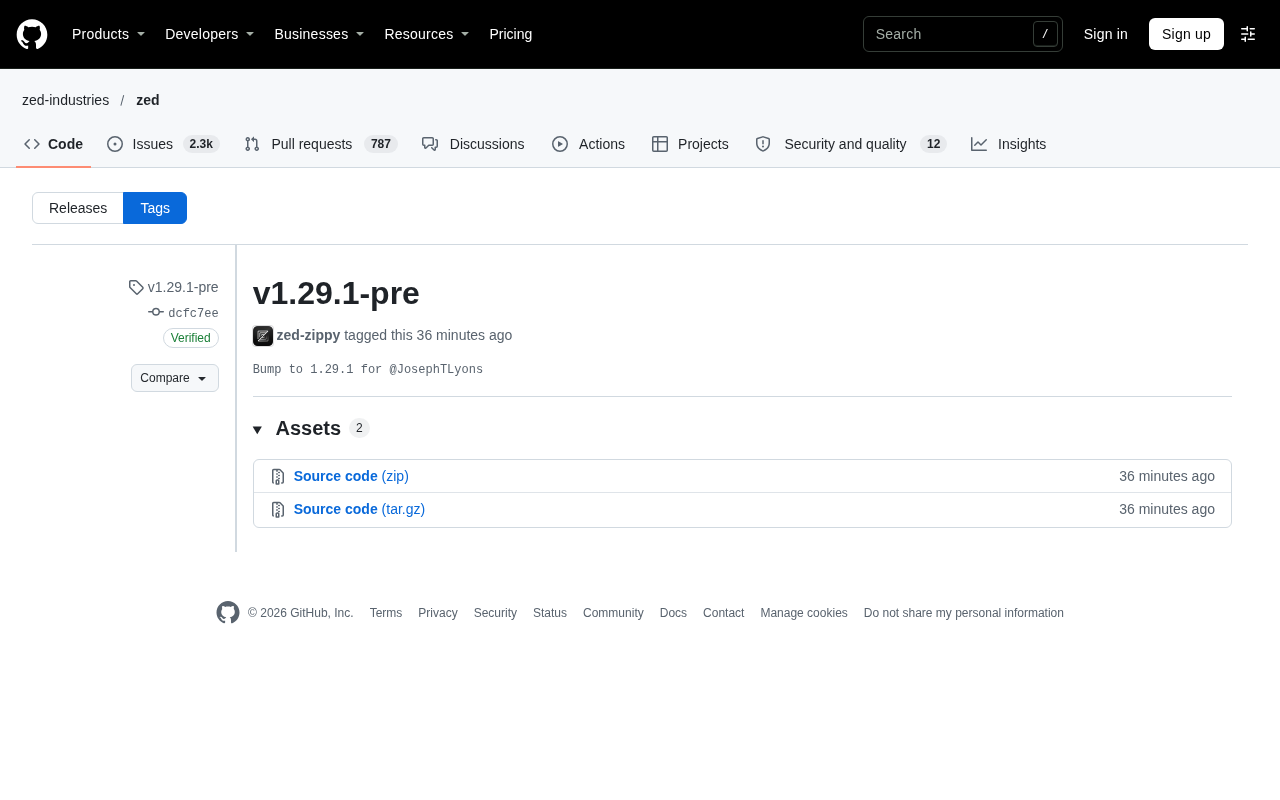
Zed editor has released the v1.29.1-pre pre-release version on GitHub, with commit hash dcfc7ee. This is a patch-level pre-release tag, tagged by contributor zed-zippy, with the commit message "Bump to 1.29.1 for @JosephTLyons".
What the Version Number Tells Us
From the tag naming, we can see this is a pre-release version of 1.29.1. The version number jumps from 1.29.0 to 1.29.1, which is a patch-level iteration, typically meaning fixes rather than new features. The word "Bump" in the commit message confirms this—such commits often only change the version number or build configuration, rather than introducing large code changes.
You might not have noticed the commit signature status: this commit was created on GitHub.com and passed GitHub's verified signature verification, with GPG key ID B5690EEEBB952194. For open source projects, signature verification is one part of supply chain security, helping downstream users confirm the authenticity of the code source.
Semantic Versioning (SemVer) and patch iterations
Modern software version numbers generally follow Semantic Versioning (in the form MAJOR.MINOR.PATCH). The MAJOR field increments when there are incompatible API changes, the MINOR field increments when features are added in a backward-compatible manner, and the PATCH field increments only when backward-compatible bug fixes are made. Therefore, the jump from 1.29.0 to 1.29.1 conventionally means the interface and behavior remain compatible, with a focus on bug fixes. It's worth noting that many desktop applications don't strictly follow SemVer, so the actual changes should still be based on release notes.
The meaning of "Bump" commits
In open source collaboration, Bump version to x.y.z is a conventional commit message, usually generated by release scripts or automation tools, only modifying the version field in manifest files (such as Cargo.toml, package.json) or build configuration, often accompanied by the creation of a new tag, and typically containing almost no business logic changes. When you see such commits, there's no need to expect code-level changes—the actual fix content should be found in preceding feature commits.
Git commit signatures and supply chain security
Git supports signing commits and tags with GPG, SSH, or S/MIME keys, and GitHub verifies signatures and displays the Verified badge and key ID in the interface. Signatures solve the problem of "this code was indeed committed by the person holding that private key, and the content hasn't been tampered with", which is a fundamental part of software supply chain security—especially in scenarios where upstream code is automatically pulled as dependencies, it can prevent man-in-the-middle replacement or repository impersonation. However, signatures only prove source and integrity, not that the code has undergone security auditing; if keys are leaked or maintainer accounts are compromised, signatures can also be misused.
How to use pre-release versions
The -pre suffix indicates this is a pre-release version, aimed at users willing to try new things and help with testing, rather than those seeking stability for production environments. The Zed team adopts this release cadence to collect feedback and discover regression issues before the official version goes live.
Looking at the asset list on the release page, this release provides 2 build artifacts. The specific changelog is not expanded on that page; followers need to check the repository's commit history or release notes to learn the full fix content.
Pre-release versions and release channels
Besides -pre, common pre-release identifiers include alpha, beta, rc (release candidate), etc., typically arranged in increasing order of stability: alpha has incomplete features, beta has basically complete features but still has known defects, and rc is a candidate for the official release with only critical fixes. Semantic Versioning specifies that versions with pre-release identifiers have lower precedence than the same-numbered official version (1.29.1-pre < 1.29.1), and package managers generally won't automatically select them when satisfying version ranges. Many projects also provide multi-channel mechanisms like stable/beta/nightly, allowing users with different risk preferences to choose what they need.
Recommendations for Zed users
If you rely on Zed in your daily development, it's recommended to continue using the stable version and upgrade after 1.29.1 is officially released. Pre-release versions are more suitable for the following scenarios: wanting to verify in advance whether a certain bug has been fixed, being willing to provide feedback to the community, or doing compatibility testing in an isolated environment.
As a high-performance code editor built with Rust, Zed maintains a high frequency of version iterations. This small-step, fast-paced release strategy also means users need to pay attention to the specific content of each patch, rather than simply skipping version numbers.
Zed's technical positioning
Zed is an open source code editor created by the original team behind Atom and Tree-sitter, written in Rust, using the GPUI self-drawn rendering framework, focusing on low-latency input and GPU-accelerated rendering, with native support for real-time multi-user collaborative editing. Its version iteration pace is fast, with patch versions often containing performance optimizations and crash fixes, so paying attention to the specific content of each patch is indeed of practical value for heavy users.
One-line Summary
Zed releases v1.29.1-pre patch-level pre-release; regular users are advised to wait for the official version.
Paragraph Summary
Zed editor has released the v1.29.1-pre pre-release version on GitHub, with commit hash dcfc7ee, tagged by zed-zippy, with the commit message "Bump to 1.29.1 for @JosephTLyons". From the version number, this is a patch-level iteration after 1.29.0, typically meaning fixes rather than new features; "Bump"-type commits often only change the version number or build configuration. This commit passed GitHub verified signature verification, with GPG key ID B5690EEEBB952194, reflecting the open source project's attention to supply chain security. The release page provides 2 build assets, but does not expand the changelog; you need to check commit history or release notes. The article recommends that users who rely on Zed daily continue using the stable version; pre-release versions are more suitable for scenarios like verifying bug fixes in advance, being willing to provide feedback, or doing compatibility testing in an isolated environment.
Related articles

Zed Editor Releases v1.29.2: Observations on a Routine Version Iteration
Zed editor releases patch v1.29.2, version bump by @JosephTLyons, commit verified via GitHub signature. This article covers the release's basic info, what a patch version means, and practical upgrade advice for users.

Anthropic IPO Questioned: Hacker News Debates Timing of Going Public
A Hacker News post titled "Just say no to Anthropic's IPO" sparks debate on the timing of Anthropic's public listing and AI capitalization, touching on valuation bubbles and mission independence.

Hands-On with the Genie 4 World Model: Directing Worlds in Real Time Like a Puppeteer
Google DeepMind's Genie 4 world model in depth: Special Guest X's hands-on demo of real-time scene direction via prompts, custom interactive apps in Project Genie, and prompts-as-seeds reproducibility.