Agent Skills Explained: A Five-Level Evolution from Prompt to AI Expert

A five-level breakdown of how AI capabilities evolve from simple prompts to fully encapsulated Agent Skills.
This article traces the evolution of human-AI interaction across five levels — from unstructured prompts to mature Agent Skills — and explains the four components that make a Skill (skill.md, metadata, reference, script). It also clarifies how Skills differ fundamentally from MCP (tools/hands vs. experience) and Workflow (dynamic logic vs. fixed pipelines), showing why configuring AI with Skills is far more powerful than simply chatting with it.
From Chatbot to Dev Assistant: The AI Capability Divide
Most people still interact with AI by typing one message at a time and manually fixing bugs. But power users have long moved on to configuring AI — mounting pre-packaged professional capability units that generate API code conforming to team coding standards along with full documentation in a single step, boosting efficiency by an order of magnitude.
The core difference between these two approaches is the concept this article breaks down: Agent Skills. A Skill isn't just a prompt — it's the "ultimate form" of AI capability at its mature stage. To truly understand it, we need to trace the evolution of human-AI interaction.
This article is organized into four sections: the five-level evolution of human-AI interaction, the composition and nature of Agent Skills, the complete workflow, and how Skills fundamentally differ from MCP and Workflow.
Five Levels of Evolution: The Complete Arc of Human-AI Interaction
One thing to keep in mind throughout: all Agent capability evolution is, at its core, an evolution in how humans interact with AI. From basic Prompts to mature Skills, there are five distinct levels.
What is an Agent? An Agent is one of the core concepts in AI — referring to an AI system that can perceive its environment, make autonomous decisions, and take actions to achieve goals. Unlike traditional passive-response AI, an Agent is goal-directed, autonomous, and capable of continuous interaction. In the era of large language models (LLMs), an Agent is redefined as: an autonomous execution system that uses an LLM as its core reasoning engine, combined with memory, tool-calling, and planning capabilities. The five levels below show clearly how Agent maturity emerges from layering these building blocks on top of one another.
Level 1: Prompt — From Vague Requests to Structured Constraints
When people first start using AI, they type something like "write me a resume" — and get back a mess of inconsistent formatting and off-topic content. The fix is to add rules and constraints to the prompt, upgrading to a structured Prompt: set a Role (e.g., senior resume optimization expert), a Task (e.g., write a resume for an operations role), and Rules (e.g., must follow the STAR framework).
What is the STAR Framework? The STAR framework is a widely used narrative structure in behavioral interviews, consisting of four dimensions: Situation, Task, Action, and Result. It originated in talent evaluation systems at consulting firms like McKinsey. In resume writing, STAR replaces vague descriptions with concrete data and action details — for example, transforming "responsible for user growth" into "Against a backdrop of declining overall Q3 metrics (S), took ownership of new user acquisition targets (T), optimized landing page conversion funnels and A/B tested 12 variants (A), achieving a 23% increase in registration conversion rate (R)." This structured approach also works naturally as a constraint rule for AI-generated resumes.
With structured constraints in place, output controllability improves dramatically.
Level 2: Command — Locking In Efficiency
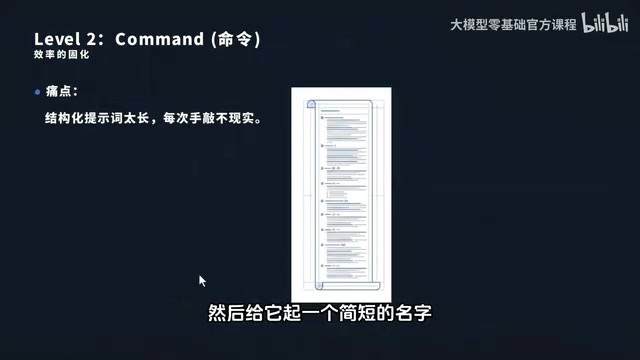
Structured Prompts are great, but typing hundreds of characters of role, task, and rules every time isn't practical. The solution is to save common prompts as files and give them short names — like /resume. From then on, typing the shortcut command calls the entire prompt in one shot, making reuse frictionless.
Level 3: System Prompt — Establishing Top-Priority Instructions
As conversations grow longer and context accumulates, AI tends to "forget" previously established rules. The solution is to embed core rules in a System Prompt — like the common .cursorrules and CLAUDE.md files. The key mechanism is priority assignment: System Prompts sit at the highest priority, while messages in the chat window are User Prompts. No matter how complex the context gets, the AI always defers to the system prompt first, preventing instruction drift.
Level 4: Metadata — Smart Labels for On-Demand Loading
Work involves many different scenarios (writing resumes, analyzing data, writing code), and stuffing everything into one context window wastes tokens and fragments the AI's attention.
Tokens and Context Windows: Why On-Demand Loading Matters A token is the basic unit that large language models use to process text — roughly 1–2 tokens per English word and 1–2 tokens per Chinese character. The context window refers to the maximum number of tokens a model can process in a single pass, and it's one of the core constraints on AI capability. GPT-4 supports up to 128K tokens; Claude 3 supports up to 200K tokens. Token count not only determines how much information the AI can "remember" — it also directly affects API costs: more tokens consumed means higher fees. This is exactly where Metadata's on-demand loading shines: lightweight labels do precise matching first, and only after confirming intent does the system load the full capability package, avoiding the resource waste of loading everything into context at once.
The solution is Metadata: instead of sending the full capability content upfront, you send just the labels for each capability and let the AI decide which one to load. When a user says "write a resume," the AI sees the ResumeWriter label and loads that capability — precise and cost-efficient.
Level 5: Reference and Script — Expanding Capability Without Limits
The final level expands the AI's capability boundary through "progressive disclosure," and consists of two parts: Reference (the AI progressively reads relevant documents, data, and materials as needed) and Script (the AI can directly execute code to perform data analysis, generate files, call APIs, and more). At this stage, the AI is no longer just a chatbot — it has the complete blueprint of an Agent.
The Composition and Nature of Agent Skills
Here's a precise, memorable definition: A Skill is an encapsulated, dynamically callable unit of professional capability for AI.

A complete Skill consists of four parts:
- skill.md: The core entry point — the system prompt — defining the role, execution rules, and core logic;
- metadata: Smart routing labels used for intent matching, telling the AI when to invoke this Skill;
- reference: Reference materials, data assets, and industry standards the Skill relies on;
- script: Execution scripts that allow the Skill to directly call tools, run code, and complete real-world operations.
Packaged together, these four components form a complete, reusable, professional capability system that covers data, tools, and methodology. It is far more than just a prompt.
The Complete Skill Workflow: Resume Writing as an Example
Many people know Skills are powerful but don't understand how the full loop — from request to output — actually works. The complete flow is: metadata matching → Skill loading → data retrieval → tool execution → result output.

- User submits a request: The user types "help me write a resume" in the client and sends it;
- Metadata matching: The client sends only the metadata labels of all Skills to the model, which determines the best match — precisely identifying the "Resume Writing" Skill;
- Load core files: The system automatically loads
skill.md, providing the model with the system prompt, role definition, and execution logic; - Read reference materials and run scripts: The model reads the reference (resume templates, STAR framework guidelines, job requirements) and executes scripts to pull the user's past project history and apply standardized formatting;
- Output results: The model integrates everything and returns a complete, well-formatted resume to the user.
The entire flow is driven automatically by the Skill, with no manual intervention required — and that is exactly the core value of Skills.
Clearing Up the Concepts: How Skills, MCP, and Workflows Fundamentally Differ
Skill vs MCP: The Brain's "Experience" vs. Its "Hands"
MCP (Model Context Protocol), along with tools and plugins, essentially gives the AI brain a set of "hands" — it only answers the question of "what can be done": what files can be read, what APIs can be called, what data can be retrieved. It provides tools, but no experience — it doesn't know when to use them or how to combine them.
What is MCP? MCP (Model Context Protocol) is an open standard protocol released by Anthropic in November 2024, designed to standardize how AI models connect with external data sources and tools. Before MCP, every AI application needed to build custom integrations for each tool — an extremely high maintenance burden. MCP uses a client-server architecture and defines a unified communication specification, allowing AI models to access external resources like file systems, databases, and APIs through a standard interface. It's been called the "USB-C port" of the AI world. The key to understanding MCP: it solves the connection problem — how the model reaches tools. Skills solve the usage problem — when and with what strategy to combine those tools.
Agent Skills, by contrast, are fundamentally "experience" — a complete, actionable methodology: specifying when to use which tool, how to combine multiple tools, and how to handle exceptions.

Here's an analogy: MCP gives you scissors, a pen, and paper (tools/hands), while a Skill teaches you how to use those tools step by step to produce a standard resume template. Without hands, ideas can't be executed. Without experience, hands are just useless tools. The two are complementary — neither works without the other.
Skill vs Workflow: Dynamic Logic vs. a Fixed Assembly Line
Workflows (like n8n, Coze, etc.) are fundamentally fixed orchestrations — the execution sequence is locked in at design time: what happens in step one, how branches jump — all of it hardcoded. The moment a request falls outside the preset scope, the process breaks.
The Technical Nature of Workflow Tools n8n is an open-source workflow automation tool that supports visual node-based orchestration and connects to hundreds of services. Coze is a ByteDance AI bot-building platform that supports combinations of plugins, workflows, and knowledge bases. The shared technical foundation of these tools is the Directed Acyclic Graph (DAG) — the input/output types of each node and the execution order are fully determined at design time. In computer science terms, a Workflow's execution path is deterministic: the same input always produces the same execution path. A Skill, by contrast, is model-driven: the execution path is dynamically inferred by the LLM based on real-time semantic understanding, and the same request in different contexts may follow completely different execution paths. This is both the source of its flexibility and the root of its unpredictability.
Skills are model-driven by nature — there's no fixed execution path. The AI determines the flow dynamically based on real-time needs. If the user wants an entry-level resume, the Skill follows entry-level logic; if they want a resume for a senior executive changing careers, it switches automatically. A Workflow is like a factory assembly line that produces only one model; a Skill is like a seasoned expert with ten years of experience who can craft a tailored solution for any unique problem.
Summary: Building from Novice to Expert, Step by Step
From Prompt to Skill, it's a progressive construction process:
- In the beginning, using AI is like randomly ordering food and hoping for the best;
- A structured Prompt is like writing notes on your order — "medium spice, add fried egg, no cilantro" — the AI stops guessing;
- Command saves your most-used setups as fixed combos, one tap away;
- System Prompt cranks up the priority so the AI never forgets or drifts;
- Metadata applies dedicated labels for on-demand loading — efficient and cost-effective;
- Reference and Script turn the AI into a seasoned expert who brings their own full toolkit.
At its core, the journey from Level 1 to Level 5 is the AI evolving from a helpless novice to an independently capable expert — and ultimately into a fully encapsulated Agent Skill.
The emergence of Agent Skills represents a qualitative shift in human-AI interaction: before, we were just "talking to AI"; now, we are "configuring AI's professional capabilities." Encapsulating prompts, data, tools, and methodology into reusable Skills transforms AI from a general-purpose chat companion into a specialist agent for specific domains — this is both the true core value of Skills and the central direction toward which AGI deployment is heading.
Key Takeaways
Related articles

FDE Forward Deployment Engineer: A New Species in the AI Era and Practical Implementation Analysis
What is an FDE Forward Deployment Engineer? This article analyzes FDE's Palantir origins, why it became popular in the AI era, learning paths for fine-tuning and Agent development, and practical pitfalls in enterprise deployment such as verifying fine-tuning value and changing requirements.

OpenCode Complete Beginner's Guide: From Installation to Hands-On Practice
OpenCode complete beginner's guide: detailed walkthrough of desktop, command-line, and WSL installation methods, analysis of its dual role as Agent coding assistant and chat assistant, plus core configuration, model selection, and real user experience review.

FDE Forward Deployed Engineer: A Complete Guide to AI's Hottest New Role
A complete guide to FDE (Forward Deployed Engineer): from Palantir's origins to OpenAI and Anthropic practices, core differences from regular engineers, skill requirements, and career transition advice.