AI Movie Studio 2: In-Depth Analysis of the Open-Source AI Filmmaking Workstation
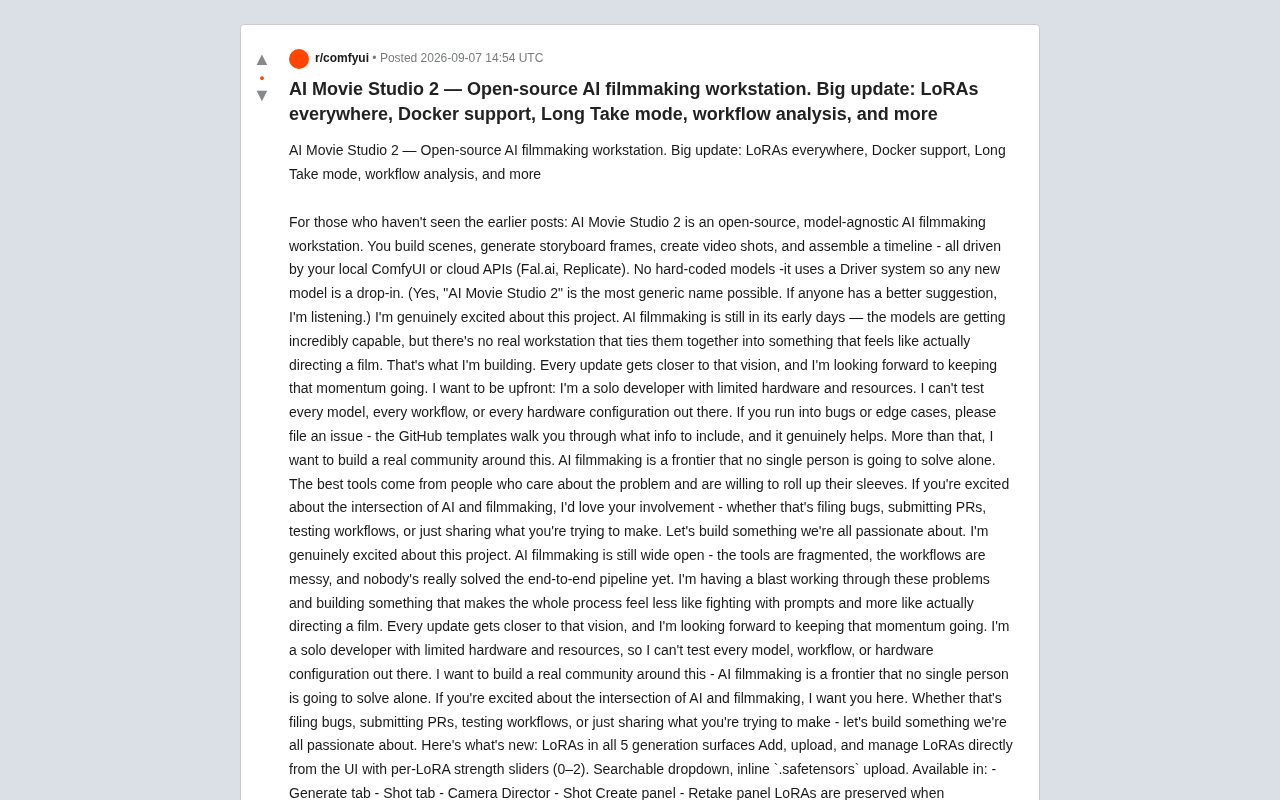
Open-source model-agnostic AI filmmaking workstation with LoRA support, Long Take mode, and Docker deployment
AI Movie Studio 2 is an open-source, model-agnostic filmmaking workstation that integrates scene building, storyboard generation, and timeline assembly. This update brings LoRA support across all five generation interfaces, experimental Long Take mode for extended shots, Docker one-click deployment, and ComfyUI workflow model analysis—addressing real workflow friction points while maintaining architectural flexibility.
What is AI Movie Studio 2: A Director-Grade Open-Source AI Film Workstation
In today's era of rapid advancement in AI video generation technology, we have increasingly powerful models—from Wan Video to LTX Video, the capabilities of individual models are already astonishing. But an awkward reality remains: there still isn't a workstation that truly connects these capabilities and makes you feel like you're "directing a film." Tools are scattered, workflows are chaotic, and no one has managed to build a complete end-to-end production pipeline.
AI Movie Studio 2 was created to fill precisely this gap. It's an open-source, model-agnostic AI filmmaking workstation. Users can build scenes, generate storyboard frames, produce video shots, and finally assemble them on a timeline into a finished piece—the entire workflow can be driven by local ComfyUI or connected to cloud APIs like Fal.ai and Replicate.
The core design philosophy centers on its Driver system: no hardcoded model dependencies, meaning any newly released AI video generation model can be integrated as a plug-and-play component. Model-agnostic architecture is a software design paradigm that completely decouples the application logic layer from the underlying AI model implementation. In traditional AI video tools, applications are often deeply bound to specific models, with input formats, inference parameters, and output processing all hardcoded into the application. Switching models requires rewriting substantial amounts of code. The Driver system, by defining a unified abstraction layer, allows different models to be integrated as plugins—each Driver only needs to implement the standard interface (such as input parameter mapping, inference calls, output format conversion) to be recognized and invoked by the system. This means when the industry releases new video generation models, users don't need to wait for official updates; they just need to write a lightweight adapter to immediately try it in their own workflow, and can even choose the most suitable generation engine for different shots within the same project. This architectural foresight is what distinguishes it from many closed AI video tools.
Five Major Highlights of This AI Movie Studio 2 Update
LoRA Coverage Across All Five Generation Scenarios
The most practical improvement in this update is extending LoRA support to all five generation interfaces: the Generate tab, Shot tab, Camera Director, Shot Create panel, and Retake panel.
LoRA (Low-Rank Adaptation) is a parameter-efficient fine-tuning technique proposed by Microsoft Research in 2021. Its core principle is to inject low-rank decomposition matrices (typically only 0.1%–1% of the original model's parameters) alongside the pretrained model's weight matrices, achieving directional adjustments in style or concepts by training only these small matrices without modifying the original model weights. LoRA files are typically stored in .safetensors format, ranging from tens to hundreds of MB in size, far smaller than complete models' tens of GB. In AI filmmaking scenarios, LoRA's value is particularly prominent: creators can train character-specific LoRAs to maintain character consistency, train cinematography-style LoRAs to unify the film's visual tone, or train scene-atmosphere LoRAs to quickly reuse art direction.
Users can directly add, upload, and manage LoRAs from the UI. Each LoRA comes with an independent strength slider (0–2 range, where 0 means no effect, 1 is standard strength, and values above 1 amplify stylistic features but may introduce artifacts), plus a searchable dropdown menu and inline upload for .safetensors files.
More importantly, LoRA configurations are written into the "generation recipe" and saved across sessions—meaning when regenerating shots, previously set LoRAs won't be lost. For AI filmmaking that pursues stylistic consistency, this is a crucial detail.
Long Take Mode: Breaking Through Single Clip Duration Limits
The experimental Long Take mode solves a long-standing pain point in AI video generation—limited single clip duration. This feature generates continuous long takes exceeding single clip limits by performing keyframe interpolation and chaining between multiple FLF2V segments.
FLF2V (First-Last-Frame-to-Video) is a video generation paradigm where users provide the starting and ending frame images, and the model automatically generates the transition video content between the two frames. Unlike traditional T2V (text-to-video) or I2V (image-to-video), FLF2V significantly improves controllability and narrative coherence through explicit start-end constraints. Long Take mode leverages precisely this characteristic: decomposing a long take into multiple keyframe nodes, generating an FLF2V segment between each pair of adjacent keyframes, then seamlessly stitching these segments together.
Users can define keyframes through images, prompts, or a combination of both:
- Pure prompt keyframes will first automatically generate images via T2I before interpolation
- Each keyframe's prompt describes "what happens by this frame"
- Finally, segments are stitched together via ffmpeg and stored as a complete shot
ffmpeg is an open-source audio/video processing library, essentially the industry-standard command-line multimedia processing solution, capable of efficiently performing lossless video segment concatenation, format conversion, and encoding operations.
The technical challenge of keyframe interpolation chaining lies in maintaining motion continuity, lighting consistency, and stylistic unity between segments—if the motion direction at the end of one segment doesn't align with the beginning of the next, viewers will perceive an obvious jump. This is why the developer candidly states this feature is still experimental: it may fail mid-generation without retry mechanisms. The developer recommends pairing it with LTX Video 2.3 or Wan Video for best results, as these two models have demonstrated better first-last frame adherence in FLF2V tasks.
Docker One-Click Deployment: Goodbye Complex Environment Configuration
Thanks to a community contributor's PR, AI Movie Studio 2 now supports Docker deployment. Docker is an operating system-level virtualization technology that packages applications and all their dependencies into a standardized, portable unit called a container. Environment configuration for AI projects has always been a headache for developers and users: Python version conflicts, CUDA driver mismatches, Node.js version discrepancies, missing system-level dependencies—a typical AI video tool might simultaneously depend on Python 3.10+, Node.js 18+, CUDA 12.x, and various system libraries.
Now with just one command docker compose up --build, then opening http://localhost:3000, you can use it. ComfyUI runs on the host machine (requires GPU), the backend container accesses it via host.docker.internal:8188, data persists through bind mounts, and the service binds only to the local 127.0.0.1 address. Notably, AI Movie Studio 2's Docker solution keeps ComfyUI running on the host rather than inside a container, because GPU passthrough in Docker still presents compatibility challenges, especially with inconsistent behavior across different operating systems and driver versions, while host.docker.internal is a cross-platform DNS resolution mechanism provided by Docker Desktop for container-internal access to host services.
This improvement directly eliminates the previous deployment barrier of "simultaneously wrestling with Python, Node, and three terminal windows," significantly lowering the onboarding threshold for new users.
Engineering Details That Enhance Creative Efficiency
ComfyUI Workflow Model Analysis Feature
For users working with custom ComfyUI workflows, a common frustration is "why won't this workflow load?" To understand this problem, you first need to know how ComfyUI works: ComfyUI is a node-based graphical interface AI generation workflow engine that breaks down the entire generation process into a visualized node graph—each node represents an operation step (such as loading models, encoding prompts, sampling denoising, decoding output, etc.), with nodes passing data between them through connections. This design gives users complete control over the generation pipeline, allowing construction of arbitrarily complex workflows. ComfyUI workflows are stored in JSON format, containing all node configurations and model reference information, while ComfyUI by default provides API services via WebSocket on port 8188, allowing external applications to submit workflow execution requests and receive generation results through this interface.
The new version adds workflow JSON analysis functionality in Settings: after pasting a custom workflow, the app automatically parses every model referenced within it—including checkpoints, LoRAs, VAEs, CLIP, UNets, ControlNets, upscaling models, etc.—and compares each one with the local ComfyUI instance, displaying "found/missing" status. Missing models directly provide an upload button pointing to the correct subdirectory.
This type of feature may seem insignificant, but it precisely addresses a high-frequency friction point in actual use. In practice, a complex video generation workflow might simultaneously reference over a dozen different model files scattered across checkpoints, loras, vae, clip, and other subdirectories—manually troubleshooting missing models one by one is an extremely time-consuming process. It reflects the developer's deep understanding of real creative workflows: a good AI filmmaking tool must not only generate but also reduce time spent "fighting with the tool."
Other Experience Optimizations
This update also includes numerous detail refinements:
- Driver dropdown auto-refresh: After registering or deleting custom workflows, model dropdown menus update instantly without page refresh
- Scene deletion cleanup: Deleting a scene correctly removes all related shots, storyboard frames, and video files from disk, with two-step confirmation to prevent accidental deletion
- GitHub Issue templates: Added customized bug report and feature request templates for the project, including generation configuration fields (model, LoRA, workflow, backend mode) and backend log sections, facilitating high-quality issue submission
Tech Stack and Open-Source Collaboration Philosophy
The project uses a modern tech stack: Next.js 14, React Three Fiber, Tailwind, and Zustand on the frontend; FastAPI on the backend; project data currently uses local JSON file system storage (planned migration to PostgreSQL). The entire project is open-sourced under the AGPLv3 license.
AGPLv3 (GNU Affero General Public License v3) is one of the strictest open-source licenses in the GNU GPL series. Compared to standard GPLv3, AGPLv3 adds a crucial "network interaction clause": if users provide services to others over a network based on AGPLv3 code (i.e., SaaS model), they must also disclose their modified source code. This clause specifically closes the "SaaS loophole" in GPLv3—where companies could use and modify GPL code to provide online services without distributing software and thus without open-sourcing. Choosing AGPLv3 means anyone can freely use, modify, and distribute the project, but if someone builds a commercial SaaS service based on it, they must likewise open-source their modified version. This license choice protects community contributors' labor and prevents large companies from free-riding without giving back to the community.
Notable is the developer's stance. As an independent developer with limited hardware and resources, he candidly admits he cannot test all model, workflow, and hardware configuration combinations, thus particularly emphasizes the importance of community collaboration. "AI filmmaking is a frontier field that no single person can conquer alone," he calls on community members to jointly advance the project by submitting bugs, contributing PRs, testing workflows, and even sharing their own creations.
Conclusion: A Systematic Approach to AI Filmmaking
AI Movie Studio 2 represents not just another AI video tool, but a more systematic creative approach: rather than chasing the capability ceiling of individual models, build an open-source workbench that can integrate, orchestrate, and direct these capabilities. Its model-agnostic architecture, cross-session generation recipes, and meticulous handling of workflow friction points all point toward the goal of "letting creators focus on directing rather than prompt engineering."
The developer revealed that the next step will be releasing a complete workflow video demonstration—from scene creation to finished timeline. For creators and developers interested in the intersection of AI and filmmaking, this rapidly iterating open-source project deserves continued attention and participation.
Related articles

9 AI Subscription Plans Compared: The Real Cost Per 100M Tokens Revealed
Bilibili creator tests 9 AI subscription plans from Volcano, Alibaba, Tencent, Baidu, Zhipu, Xiaomi, MiniMax and more, converting them all to real cost per 100M tokens, breaking down fixed-quota vs. three-tier coefficient billing and how caching, time-of-day discounts, and window limits affect actual quota.
Vibe Coding for Beginners: Expressing Intent Instead of Handwriting Code
What is Vibe Coding? A 137-episode Bilibili course defines it: the core is expressing intent, not writing code. This article analyzes Vibe Coding's productivity logic, target audience, and entry expectations to help beginners decide if it's worth learning.

LangChain Beginner's Guide: An Agent Development Roadmap from LangGraph to Deep Agents
Clarify the encapsulation relationship among LangChain, LangGraph, and Deep Agents, and master the learning path and selection logic for agent development frameworks—suitable for beginners in large model development.