Andrew Ng Teams Up with Anthropic: A Complete Walkthrough of the Claude Code Hands-On Tutorial

Andrew Ng and Anthropic launch a Claude Code short course on best practices and hands-on projects.
The article introduces a Claude Code short course launched by Andrew Ng in partnership with Anthropic on DeepLearning.AI, taught by Eddie Sjovic. It reviews AI-assisted programming's evolution from code completion to autonomous execution, emphasizing that Claude Code can work continuously for minutes and support parallel instances. Core best practices include pointing to relevant files, describing requirements clearly, and extending capabilities via MCP servers. The course connects features like plan mode, thinking mode, parallel sessions, memory management, and GitHub integration through three progressive projects: a RAG chatbot, Jupyter e-commerce data analysis, and converting a Figma design into a frontend. It also reveals Claude Code's simple architecture: relying only on a few file-operation tools, no semantic index, driven by autonomous reading and .md notes, with the codebase remaining fully local.
Claude Code is Anthropic's high-autonomy coding assistant. Andrew Ng has partnered with Anthropic on the DeepLearning.AI platform to launch a short course, taught by Anthropic's Eddie Sjovic, that systematically explains how to use Claude Code and its best practices. Andrew Ng calls it his current favorite coding assistant, and says it has significantly boosted productivity for himself and other developers. The course starts from the tool's underlying principles, covers advanced usage such as parallel sessions, Git Worktrees, and MCP servers, and ties together the core concepts through three hands-on projects.
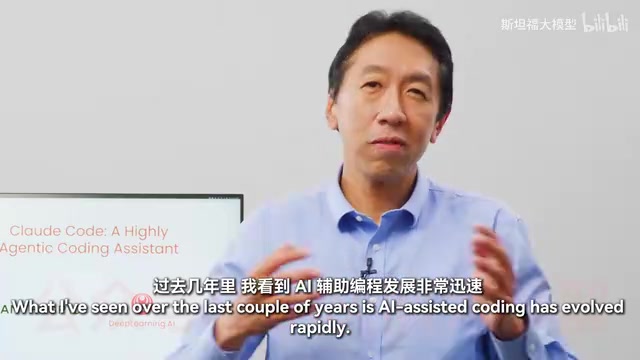
Claude Code's Positioning: From Completion to Autonomous Execution
At the start of the course, Andrew Ng reviews the evolution of AI-assisted programming: from early days when users occasionally asked models code questions, to GitHub autocomplete, and on to increasingly autonomous coding tools. When Claude Code launched, it took autonomy up a notch — after a user sets a task, it can keep working for several minutes or even longer. Today, some developers orchestrate multiple Claude instances at once, having them work on different parts of a codebase in parallel.
This leap in capability brings new collaboration challenges: how to coordinate multiple parallel sessions, and how to provide sufficiently clear context for each task. These best practices have yet to be widely mastered. The course's goal is precisely to systematize this experience and help both existing users and newcomers alike gain productivity improvements.
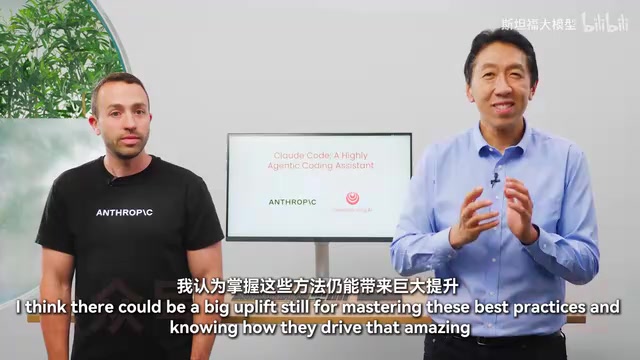
Core Best Practice: Clear Context Is the Key to Efficiency
Eddie Sjovic emphasizes that the key skill in using Claude Code is providing clear context. This specifically involves three aspects:
- Point to relevant files: Explicitly tell Claude Code which files it needs to look at, so it doesn't blindly search through the entire codebase.
- Describe functionality and requirements clearly: Spell out the feature you want to implement and its boundary conditions, reducing the cost of back-and-forth clarification.
- Extend capabilities with MCP servers: Connect external tools and data sources through MCP (Model Context Protocol), letting Claude Code's capability boundaries expand with the ecosystem.
This approach is applied repeatedly across the course's three hands-on projects, forming a reusable workflow.
MCP (Model Context Protocol) is a standardized protocol proposed and open-sourced by Anthropic, used to let large language model applications connect to external tools, data sources, and services in a unified way. It uses a client-server architecture: Claude Code acts as the client and accesses file systems, databases, APIs, design tools, and more through interfaces exposed by MCP servers (such as tool calls, resource reads, and prompt templates). Developers don't need to write separate adapter code for each integration — they just launch the corresponding MCP server to extend Claude Code's capability boundaries. This protocol reduces the fragmentation of tool integration and also allows the community ecosystem to quickly accumulate reusable connectors.
Three Hands-On Projects: From RAG Chatbot to Figma Frontend
The course designs three progressive projects covering different development scenarios:
Project 1: RAG chatbot. Implement functionality end to end, from backend to frontend, including code refactoring, writing tests, and using GitHub integration to handle Pull Requests and fix issues. The process uses features such as plan mode, thinking mode, parallel sessions, and Claude's memory management.
Project 2: Jupyter Notebook e-commerce data analysis. Use Claude Code to refactor notebooks, remove redundant code, and build a web-app-based visualization dashboard. This project demonstrates Claude Code's usage in data exploration scenarios.
Project 3: Converting a Figma design into a frontend application. Starting from a Figma visual mockup, combined with a Figma MCP server and another MCP server, import the design, iterate, and test to build a frontend application autonomously. This is a concentrated demonstration of the value of the MCP ecosystem.
RAG (Retrieval-Augmented Generation) is a technical paradigm that combines information retrieval with large language model generation. The system first retrieves document fragments relevant to the user's question from an external knowledge base, then passes these fragments as context along with the question to the model to generate an answer, thereby mitigating issues of outdated model knowledge and hallucination. A typical RAG chatbot includes steps such as document chunking, vector embeddings, vector retrieval, and answer generation; engineering-wise, it also involves backend interfaces, frontend interaction, and testing. The course uses this project as a vehicle precisely because it covers the complete chain from data processing to full-stack development.
Architecture Revealed: A Simple Toolset and a Localized Codebase
The next section of the course dives into Claude Code's underlying architecture, and Andrew Ng hints at a point that may be unexpected: the architecture is quite simple. Claude Code relies on very few tools — searching for patterns in code files, listing directories, viewing files, and executing regular expressions. It does not rely on semantically embedding the codebase or converting it into a searchable structure.
What really makes Claude Code effective is its autonomous reading ability: it takes notes in a .md file while reading code, autonomously figures out how the codebase works, and then decides how to proceed with code changes based on that. Because there's no need to build an index for the codebase, the code can remain entirely local, which also brings security benefits; the course discusses the related implications later.
Git Worktrees are a multi-workspace mechanism provided by Git that allows multiple branches to be checked out simultaneously into different directories under the same repository, without cloning multiple copies of the code or repeatedly switching branches. Each worktree has its own working directory and index but shares the same object database and references. For scenarios that require running multiple Claude Code sessions in parallel, worktrees allow each session to handle different tasks or branches in an isolated directory, avoiding file conflicts and state interference. It is one of the multi-session orchestration infrastructures recommended by the course.
Who Should Take This Course
At the end, Andrew Ng gives a clear assessment of the audience: if you're not yet a Claude Code user, this set of ideas can noticeably accelerate how you build systems; if you're already using Claude Code, systematically learning these best practices may still reveal quite a few new techniques you haven't used before. The course was contributed to by DeepLearning.AI's Hara Salami and is in short-course format, suitable for developers who want to get up to speed quickly and establish a systematic approach.
Related articles
WorkBuddy in Action: How AI Agents Automate Batch File Conversion and Archiving
Bilibili creator Teacher Shanyao tests WorkBuddy vs. Doubao on batch file conversion, showing how AI Agents move from "giving solutions" to "direct execution," with a full workflow and credit cost reference.
High-Frequency AI Agent Interview Topics: RAG, Multi-Agent Systems, and Token Optimization
Based on a Bilibili Agent interview video, this article covers high-frequency AI Agent interview topics: RAG evaluation, single vs. multi-agent selection, token cost control, infinite loop troubleshooting, and project presentation techniques.

The Complete AI Agent Development Workflow: From Technical Build to Compliant Launch
A full AI agent development workflow for education: architecture, four teaching modules, deep synthesis and large model filings, high-concurrency deployment, and operations.