Building a Minimal Agent from Scratch: A Hands-On Guide to Writing AI Loop Invocation Code
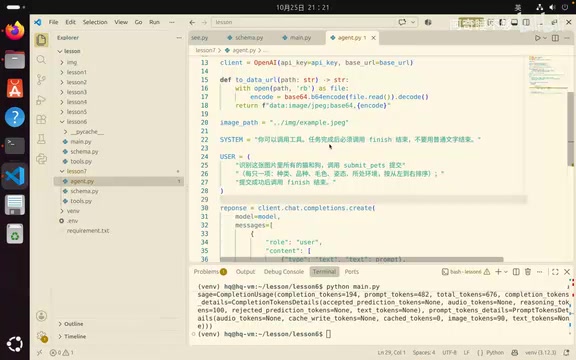
Use a piece of Python code to demonstrate the Agent tool-call loop and fix the bug where it does not exit after finish.
The article explains in a hands-on way how to build a minimal usable Agent in Python: first restating that an Agent consists of goals, tools, and verification results, and adding a finish tool as an explicit signal of task completion; then introducing the key design points of system and user prompts; then breaking down the main loop, including the maximum step limit, tool_choice defaulting to auto, tool call parsing, and three types of branch handling logic. Running it exposed the bug that the loop did not exit after calling finish. The author fixes it with a flag and verifies the flow, finally pointing out that the Agent skeleton is not complicated and the difficulty lies in judging each round's return value and handling boundaries.
This is the hands-on Agent lesson in the "Teach You to Write Your First Line of AI Code" series. The UP host uses a complete piece of Python code to demonstrate how to let a large model autonomously call tools and loop through tasks until it produces a verifiable result. The whole process exposes logic bugs commonly seen in real development and also offers fix ideas.
What Is an Agent: Goals, Tools, and the Verification Loop
The UP host restates the core definition of an Agent at the start: given a goal, provide callable tools, and set a verification result, and the model can autonomously decide which tool to call in each round of the loop until it returns a result we accept.
This contrasts with the previous lesson's tool_choice — the previous lesson forced a specific function call, whereas an Agent does not specify a concrete tool and lets the model think for itself about what to call. To this end, the author adds a new finish tool as an explicit signal that the task is complete.
Structurally, the schema of tools is basically the same as in the previous lesson, but a finish method is added. It has only one required parameter, summary, used to describe what was done in this round and prevent the model from freewheeling.
The tool_choice parameter is a field in OpenAI-compatible interfaces that controls function-calling behavior. There are three common types of values: "none" forbids calling any tool, "auto" lets the model decide whether to call and which function to call, and {type: "function", function: {name: "xxx"}} forces the model to call the specified function. The previous lesson used a fixed specified function to demonstrate a single tool call, which is a "single-step" usage; in Agent scenarios, leaving it blank or explicitly setting it to "auto" is what allows the model to choose tools autonomously each round, thereby forming multi-step decisions. Note that auto only means "allow the model to choose" and does not guarantee that the model will call a tool, so engineering practice still needs to handle the case where the model directly returns text.
Assembling Multi-Turn Dialogue: Designing system and user prompts
An Agent needs to define its own system prompt and user prompt. The system prompt is responsible for setting the persona and available tools, and explicitly requires that "after the task is complete, you must end with finish; do not end with ordinary text." The user prompt repeatedly emphasizes that after a successful submission, finish must be called.
The UP host admits that even with repeated reminders, the model may still not return as required — a common pain point when calling interfaces.
For message assembly, each round's assistant message must be put back into the conversation history, continuing the approach from the earlier long-conversation lesson. The author creates a new function to construct the assistant structure for reuse and adds guards to value retrieval, because in production projects defensive checks are necessary when values cannot be obtained.
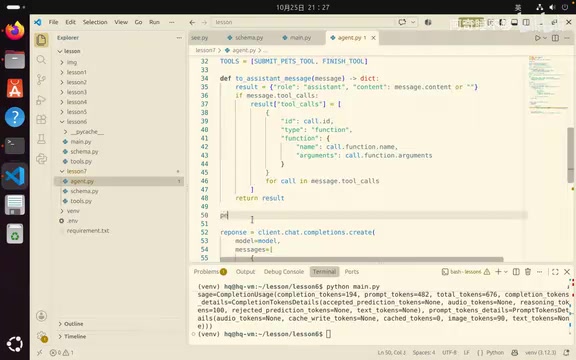
Main Loop Implementation: Step Limits and Tool Call Parsing
The main loop uses for to iterate from 1 to the maximum number of steps plus one. The UP host deliberately sets a maximum of 6 rounds instead of using while True — when the model's capability is insufficient, it may get stuck or run many empty rounds, and without an upper limit, it can drain the account balance before you notice.
tool_choice is not written, so it defaults to auto. The code prints response, then takes choices[0] from message; in a normal project, you also need to check whether the index is out of bounds.
After obtaining the message, the logic branches into three paths:
- No tool called: append the model's return to the messages and remind it to call a tool. If it has not submitted, prompt it to call
submit_path; if it has submitted, require it to end with finish, then proceed to the next round. - Tool called normally: put the message in via the
toAssistantfunction and parse the tool name with thejsonlibrary. The UP host reminds us that in engineering, it is best to write a separate function to validate whether the returned structure matches expectations. - Wrong tool called: tell the model "you cannot end before submitting the correct recognition result" or "you dropped a wrong tool," and attach the tool name.
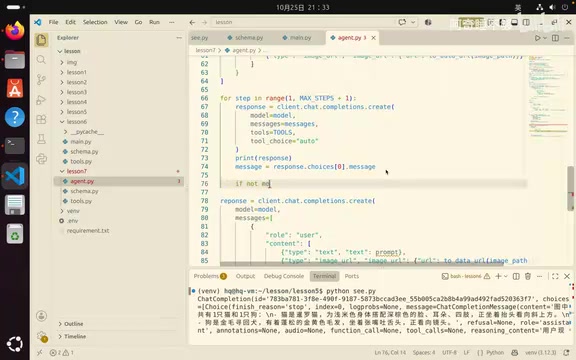
The author repeatedly uses print logs in the code to observe which tool was called in each round and what the content was — this is also the most direct means of debugging an Agent.
The return structure of a tool call in OpenAI-style interfaces is shaped like choices[0].message.tool_calls. It is an array, and each item contains three fields: id, type, and function, where function.name is the tool name and function.arguments is a JSON string rather than an object, so it must first be parsed with json.loads before the parameters can be obtained. This also explains why the code uses the json library to parse the tool name — the parameters output by the model are essentially text and may contain extra characters, missing fields, or even invalid JSON, so engineering practice requires wrapping with try/except and validating required fields. After parsing, the tool output must also be appended back to the message list in the form of role: "tool", tool_call_id corresponding to the original call's id, and content as a string result, so that the model can match the tool output with its own request; otherwise, the next round will error or lose context.
Real-World Pitfall: The Loop Does Not Exit After finish
After actually running it, a bug immediately surfaced: the first round called submit_path and returned two animals, and the second round called finish. Logically the task was complete, but the loop continued.
The reason is that the code logic missed one point — when the model normally uses finish, the loop should end. The fix is to add a flag, set it in the finish branch, and after exiting the inner layer, check the flag and then break.
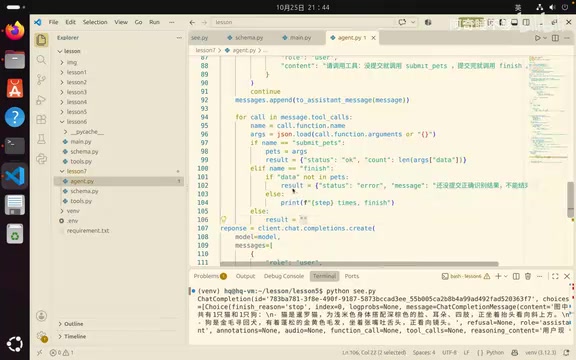
After the fix, rerunning showed that the first round called a tool, the second round called finish and obtained the result, and the flow matched expectations. The UP host uses this to explain: the skeleton of an Agent is not complicated; the difficulty lies in judging each round's return value and handling boundaries.
Loop exit control is a common trap in the Agent main loop. Python's break can only exit the current loop layer; if the finish branch is inside an inner if or for, writing break directly may only exit the inner layer while the outer layer continues. There are two common approaches: first, set a boolean flag (such as finished = True), and after handling the inner layer, check it at the start of the outer loop body and break; second, extract the main loop into a function and directly return the result when finish is detected. By comparison, the flag approach is closer to beginners' thinking, but note that the flag must be reset at the start of each round or set only once globally to avoid state residue. In addition, besides finish, exhausting the maximum number of steps, the model making no tool calls for multiple consecutive rounds, and a tool returning a fatal error should all be designed together as loop termination conditions.
Summary and Extensions
The amount of code in this lesson is noticeably larger than in previous lessons, but each step corresponds to a basic building block of an Agent: schema definition, prompt constraints, loop control, tool parsing, and error feedback. The author originally also planned to talk about two Agents collaborating to build a workflow, but thought the course was already sufficient up to this point and left it as an extension direction for those interested.
For developers who want to practice hands-on, it is recommended to first get this minimal closed loop running, then gradually add structure validation, logging, and exception handling to move toward production readiness.
One-line Summary
Use a piece of Python code to demonstrate the Agent tool-call loop and fix the bug where it does not exit after finish.
Paragraph Summary
The article explains in a hands-on way how to build a minimal usable Agent in Python: first restating that an Agent consists of three elements — goals, tools, and verification results — and adding a finish tool as an explicit signal of task completion; then introducing the key design points of system and user prompts, emphasizing that the model may not return as required; then breaking down the main loop section by section, including the maximum step limit, tool_choice defaulting to auto, tool call parsing, and three types of branch handling logic. Running it exposed the bug that the loop did not exit after calling finish. The author fixes it with a flag and verifies that the flow is correct, finally pointing out that the Agent skeleton is not complicated and that the difficulty lies in judging each round's return value and handling boundaries.
Related articles
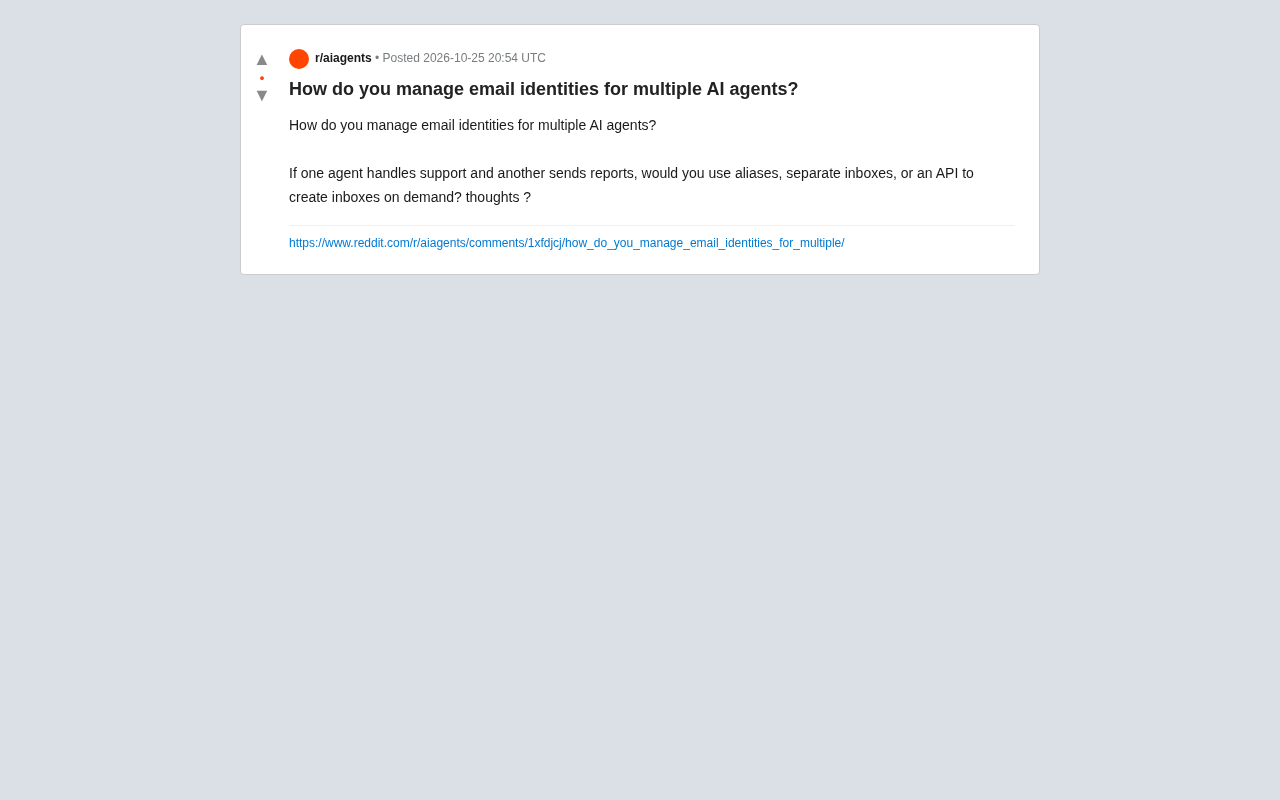
Email Identity Management for Multiple AI Agents: Aliases, Dedicated Inboxes, or API Solutions?
How should multiple AI agents manage email identities? This article analyzes email aliases, dedicated inboxes, and API on-demand creation, with layered management advice by agent role.

iPhone Duo Crackgate: YouTuber Teardown Reveals Hinge Defect
Apple's iPhone Duo foldable has been hit by Crackgate, with users reporting rapid screen cracking at the hinge. A YouTuber's teardown found a hinge design flaw or foreign object intrusion causing stress concentration. The incident has sparked community debate, Apple has not responded, and foldable reliability is once again under scrutiny.

ChatGPT Is Building a Psychological Profile of You: Privacy Boundaries Under Fire Again
A Reddit thread debates whether ChatGPT builds psychological profiles of users. This article analyzes how chat memory, emotional signals, and behavioral data accumulate into psychological profiles, explores the boundary between personalization and covert surveillance, and offers practical privacy tips.