Claude Agent SDK in Practice: Building a Log-Debugged AI Agent from Scratch

A hands-on guide to building a log-debugged AI Agent from scratch with the Claude Agent SDK
Based on Bilibili creator Andrew's hands-on tutorial, this article walks through the full Claude Agent SDK development loop: native install and authentication in WSL2, SDK rename caveats, observing stop reasons via a weather tool call, and fixing AI-generated code that drifts from expectations. It focuses on wrapping raw output into a structured log parser, exporting ISO8601-timestamped log files, and reverse-debugging Agent behavior with logs, ending with four reusable lessons and noting gaps like secret management and concurrency control.
Claude Agent SDK in Practice: Building a Log-Debugged AI Agent from Scratch
Claude Code's Agent SDK (formerly the Claude Code SDK) is becoming an important tool for developers building AI Agents. In this hands-on tutorial on Bilibili, creator Andrew walks through the complete development loop—from environment setup to tool invocation, observing stop reasons, and finally encapsulating a logging library. Rather than a mere tutorial recap, it reveals a real problem: when AI-generated code drifts from expectations, how do developers use configuration and logs to steer the Agent back on track?
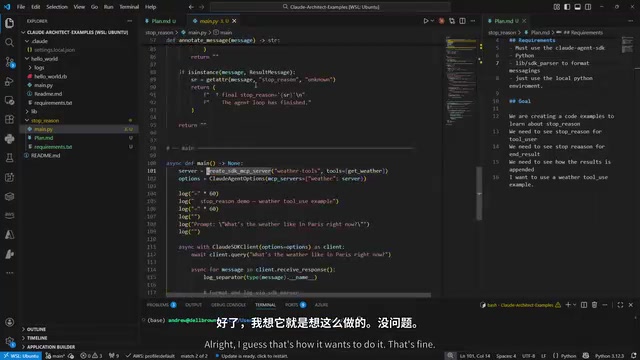
Environment Setup: Key Points for Installing Claude Code and the Agent SDK
Andrew demonstrates the entire workflow in a WSL2 environment. When installing Claude Code, he explicitly recommends the native install method rather than Homebrew or Winget. The reasoning is practical: native install compiles directly from source and is always the latest version, whereas release-channel packages often lag behind and can cause strange API compatibility issues.
After installation, confirm the version with claude --version (2.1 in the demo), then run claude auth status to check login status. Authentication is completed via subscription authorization, which is currently the lowest-cost way to get started.
The Agent SDK install command is pip install claude-agent-sdk. There's an easily overlooked detail here: the SDK has been renamed from Claude Code SDK to Claude Agent SDK, so package names and references in older documentation may cause confusion. Always refer to the latest official documentation when developing.
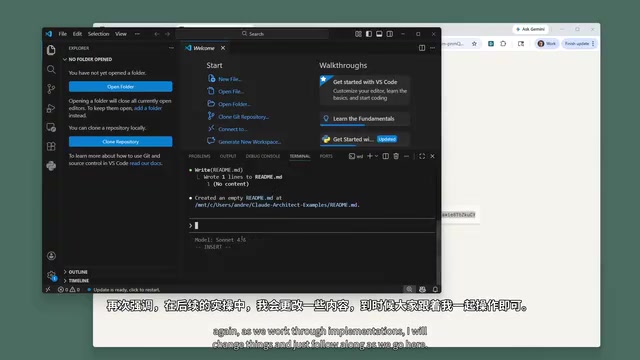
The First Agent: Tool Invocation and Observing Stop Reasons
The tutorial's goal is focused: use a weather query tool invocation to demonstrate how stop reasons work in the Agent SDK—including the stop reason for tool invocation, the stop reason for the final result, and how results are chained together.
The initial AI-generated code exposed several typical problems:
- It used fixed mock weather data instead of a real API endpoint
- It stuffed the tool into an MCP server, adding unnecessary complexity
- The program tried to "explain" how it worked rather than output key content for observation
Andrew's feedback approach is worth learning from: he didn't write code by hand, but instead clearly pointed out the issues and let Claude fix them—requiring a real API endpoint, removing the redundant MCP wrapper, and outputting only key logs. This is essentially a prompt engineering practice: turning vague requirements into concrete constraints.
During debugging, a Python-specific pitfall also surfaced: the code contains async content and must run in an asynchronous environment; a plain synchronous script execution will fail. This reminds developers that the Agent SDK's invocation model is inherently asynchronous.
Stop reason is a core control signal in the LLM Agent loop. It tells the caller why the current model response ended, with common values including end_turn (the model finished naturally), tool_use (the model requested a tool call), max_tokens (output length limit reached), and so on. In the Agent SDK, a complete weather query often goes through multiple rounds: the model first returns a tool_use stop reason, the SDK executes the tool and passes the result back to the model, and the model then returns end_turn with the final answer. Understanding stop reasons matters because developers can use them to determine whether the Agent completed normally, needs to continue executing tools, or was interrupted due to length or an exception—allowing precise identification of the problem stage in logs.
MCP (Model Context Protocol) is an open protocol proposed by Anthropic that enables models to connect to external tools and data sources in a standardized way. MCP servers are suitable for reusing the same set of tool capabilities across multiple Agents or clients, but they introduce additional costs for process startup, transport-layer configuration, and lifecycle management. For a single, cohesive need like "calling a weather API" in the tutorial, you can simply register directly with the tool definitions provided by the SDK (such as function decorators) without starting a separate MCP server. Andrew's request to remove the MCP wrapper is based on the engineering judgment of "minimizing complexity": when there are few tools and the scope of reuse is narrow, the abstraction benefits of MCP are not enough to offset its debugging burden.
From Chaos to Usable: Encapsulating a Log Parsing Library
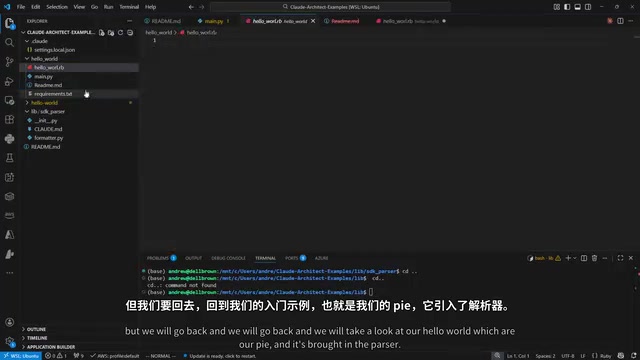
The raw output was a pile of hard-to-read Python object strings. Andrew's approach was to have Claude create a lib directory at the project root and encapsulate an SDK parser (formatter) that formats raw output into human-readable messages, with a README explaining how to import and use it in different projects.
The value of this step goes beyond pretty-printing output. Structured logs are the foundation for subsequent debugging of Agent behavior. He further required the parser to support exporting logs to a log directory under the project's relative path, generating a new log file with an ISO8601 timestamp on each run.
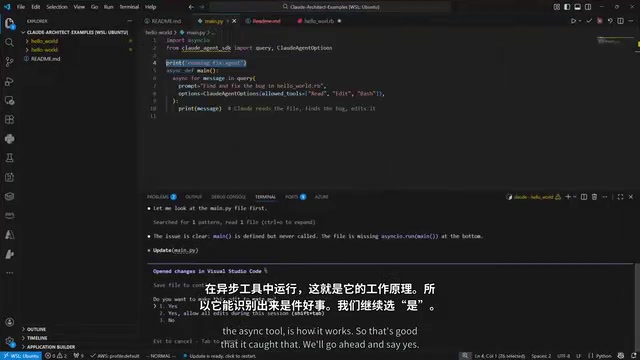
The Agent SDK's raw output is usually nested Python objects (messages, content blocks, tool call records, etc.), and printing them directly yields hard-to-read string representations. The SDK parser (formatter) works by dispatching formatting logic by message type: extracting assistant text, tool call parameters, and tool return results into structured fields, then serializing them to JSON or readable text. The benefit is that logs have a stable schema, making them easy both for human reading and for later script-based filtering, statistics, or feeding log snippets directly back to the model for analysis. Encapsulating it as an importable lib module within the project lets the same parsing logic be reused across multiple Agent projects, avoiding rewriting it each time.
Reverse-Debugging Agent Behavior with Logs
The most convincing part of the tutorial is a real debugging scenario: the Agent claimed to have modified the target file, but no changes were visible in the terminal. Andrew fed the logs back to Claude and had it analyze the problem based on the logs.
The logs showed that the edit had actually succeeded, and the file did contain the modified content—the problem was most likely just a display delay from VS Code's cache. But the process itself established a workflow: when Agent behavior is abnormal, logs are first-hand evidence, and feeding them back to the model is often more efficient than manual guessing.
ISO8601 timestamps (such as 2025-01-15T10:30:00Z) are the international standard date-time representation, including date, time, and timezone information, and can be sorted directly in lexicographic order. Putting ISO8601 timestamps in log file names ensures that logs from multiple runs sort naturally by time, don't overwrite each other, and are easy to compare across machines. Compared with localized time formats, ISO8601 avoids timezone ambiguity and format parsing issues, making it the recommended practice for naming and annotating Agent debugging logs.
Practical Advice and Limitations
A few directly reusable lessons:
- Keep information up to date: Anthropic frequently adjusts SDK naming and interfaces. When in doubt, check the official API reference and developer guide first—don't fully trust package names generated by the model.
- Minimize complexity: Demonstrating tool invocation doesn't require an MCP server; a simple function decorator plus a real API is enough.
- Plan first: Before writing code, have Claude generate a plan (Plan). Reviewing a plan costs less than reviewing code.
- Logs are the debugging interface: Designing timestamps and structured logs for Agent output is a key investment for long-term maintenance.
It should be noted that this tutorial focuses on entry-level implementation and does not cover topics such as production secret management, error retry, or concurrency control. Whether the subscription method can be used in production is only preliminarily verified in the tutorial without a definitive conclusion. Developers who want to go deeper into Agent engineering will need to fill in these gaps on their own.
One-line Summary
A hands-on guide to building an AI Agent with log-debugging capabilities from scratch using the Claude Agent SDK
Paragraph Summary
Based on a hands-on tutorial by Bilibili creator Andrew, this article walks through the complete development loop of building an AI Agent with the Claude Agent SDK. It covers native installation and authentication in a WSL2 environment, package-name caveats after the SDK rename, observing the stop-reason mechanism through a weather tool invocation, and methods for correcting AI-generated code that drifts from expectations. It highlights encapsulating raw output into a structured log parsing library, exporting log files with ISO8601 timestamps, and demonstrating a debugging workflow that uses logs to reverse-analyze abnormal Agent behavior. The article concludes with four reusable lessons—keep information up to date, minimize complexity, plan first, and treat logs as the debugging interface—and points out gaps such as production secret management and concurrency control that are not covered.
Related articles

AI Reverse-Engineers Monitor Firmware in 15 Minutes — Has the Hacking Barrier Been Flattened?
A security researcher used AI to reverse-engineer Dell monitor firmware in 15 minutes—entropy analysis, key extraction, MD5 verification—revealing encryption design flaws.

Mistral Voxtral 3: Real-Time Voice at 4 Cents per Minute, Challenging OpenAI
Mistral Voxtral 3 cuts real-time voice agent costs to 4 cents per minute, bundling three speech recognition models, a speech generation model, and a real-time voice toolkit, supporting 50+ languages and self-hosting. This article analyzes its pricing structure, sub-second response performance, and its strategic divergence from OpenAI and Gemini on data privacy versus out-of-the-box convenience.

WebMCP: Every Website as Its Own MCP Server, So AI Agents No Longer Rely on Screenshots
WebMCP lets websites expose tools via the document.modelcontext API, becoming directly callable MCP servers. This article explains its architecture, the Claude Code remote-debugging demo, Chrome's current support stage, and its impact on the agent ecosystem.