CLI Manager: Let One AI Agent Drive Other CLI Agents

CLI Manager puts multiple CLI Agents in one sidebar and enables Agent orchestration via an AI Control API.
CLI Manager is a developer tool ranked 13th on Product Hunt that solves the problem of CLI AI agents like Claude Code, Codex, and Gemini CLI working in silos with constant terminal switching. It unifies these tools into a single sidebar and adds an AI Control API letting a master Agent open, drive, and read other CLI Agent sessions, forming an orchestration layer. AI-driven sessions turn green, the orchestrator shows a crown icon, and users can reclaim control anytime. It uses a local-first security design: REST and MCP services bind only to 127.0.0.1 and are off by default. Open-sourced under MIT, free, but currently macOS-only. Its value proposition is clear, but its ceiling depends on external CLI tools' openness.
When Claude Code, Codex, and Gemini CLI each fight their own battles, developers often find themselves switching back and forth between multiple terminals. CLI Manager, ranked 13th on Product Hunt, attempts to solve this problem—it gathers all CLI agents into a single sidebar and introduces an "AI Control API" layer that lets you use one AI Agent to open, drive, and read sessions from other CLI Agents.
One Sidebar to Hold All CLI Agents
CLI Manager's core idea is a unified entry point. According to its Product Hunt page, it manages Claude Code, Codex, and Gemini CLI within the same sidebar, so developers don't need to maintain separate windows and contexts for each tool.
This addresses a real pain point for developers using multiple model services simultaneously. Different vendors' CLIs excel in different scenarios, but fragmented session management disrupts workflows. CLI Manager aggregates these tools into a single interface, reducing switching costs.
AI Control API: Using an Agent to Command Agents
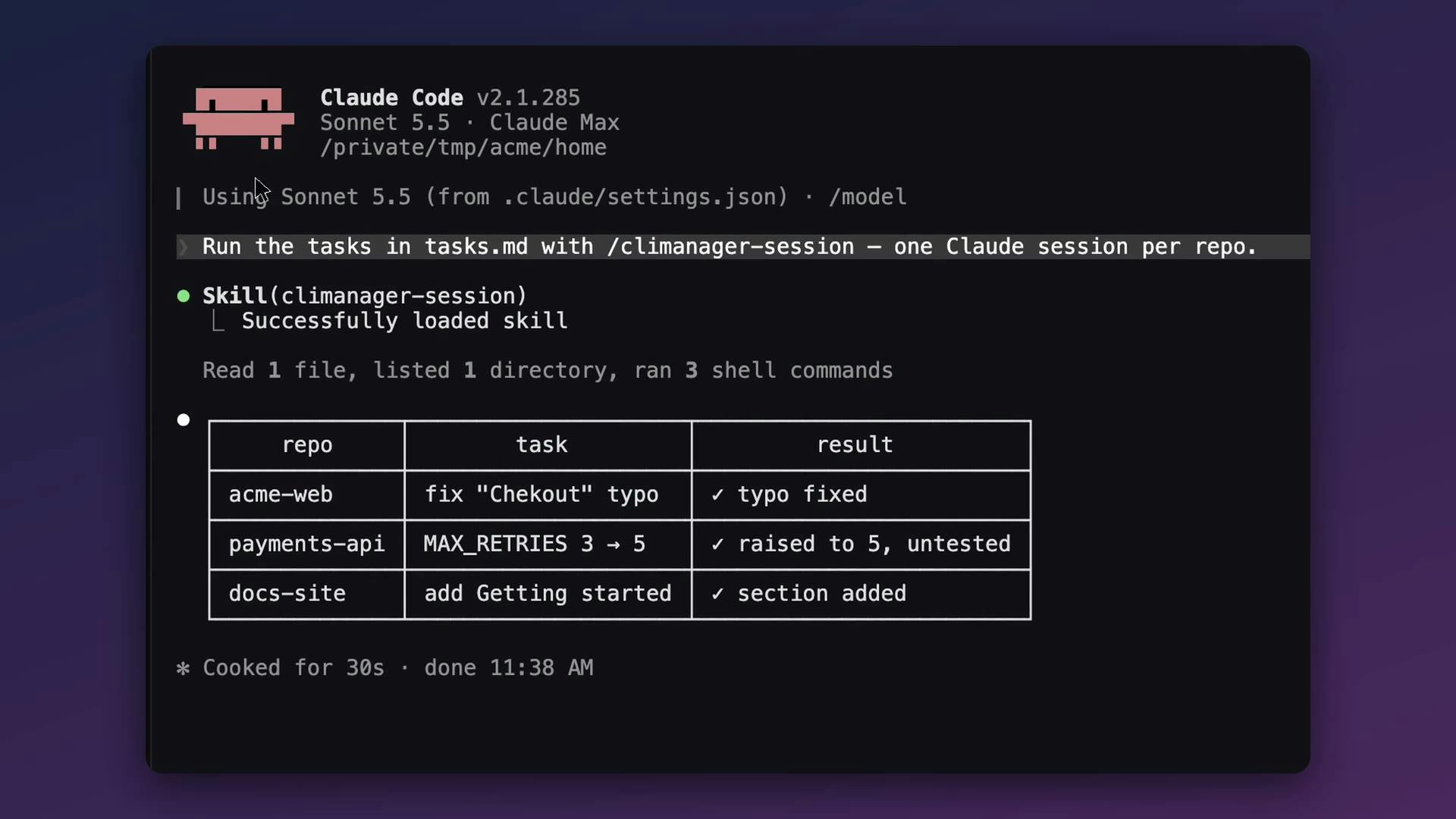
The most notable update in this release is the AI Control API. Claude Code, Codex, or any script can use it to open sessions in CLI Manager, send prompts, wait for responses, and read screen content—all happening in a terminal you can watch in real time.
This is essentially an "orchestration layer" design. Developers can write a master control Agent that calls multiple CLI sub-agents to complete different tasks, then aggregates the results. The page description mentions that AI-driven sessions turn green in the sidebar, the orchestrator displays a crown icon, and control can be reclaimed at any time via "Disconnect AI."
This visual status indicator solves a key problem: when AI is operating the terminal, humans need to know whether AI or themselves are currently in control, and which sessions are being automated.
MCP (Model Context Protocol) is the key background for understanding CLI Manager's security design. MCP is an open protocol proposed by Anthropic for letting AI models connect to external tools and data sources in a standardized way. Simply put, it's like the "USB interface" of the AI Agent world—it defines a unified communication specification that allows large models to invoke external resources like local file systems, databases, and third-party APIs. CLI Manager binds its REST and MCP services to 127.0.0.1, meaning any MCP client (including AI Agents) can connect through this interface to operate sessions managed by CLI Manager. MCP's value lies in reducing integration costs: developers don't need to write adapter code for every tool—as long as a tool supports MCP, it can be uniformly invoked by the orchestration layer. This is also the underlying technical foundation that enables CLI Manager to "use an Agent to command Agents"—the master control Agent discovers and drives sub-agent sessions through the MCP protocol.
Agent Orchestration is a core concept repeatedly mentioned but not elaborated on in this article. In the AI field, a single Agent typically excels at specific tasks (such as code generation, document retrieval, or command execution), while orchestration refers to using a higher-level orchestrator to combine multiple specialized Agents, completing task decomposition, division of labor, and result aggregation either sequentially or in parallel. Key capabilities of the orchestration layer include: task routing (deciding which Agent handles which subtask), state tracking (understanding each Agent's execution progress), error recovery (reassigning when an Agent fails), and context passing (using one Agent's output as another Agent's input). CLI Manager's "orchestrator crown icon" and "Disconnect AI" button are intuitive manifestations of the orchestration pattern: human users are both the ultimate supervisors and controllers who can intervene at any time. This human-AI collaborative orchestration paradigm is becoming one of the primary forms for multi-Agent systems to be deployed.
Local-First Security Design
CLI Manager emphasizes "Local only"—the REST and MCP services run on 127.0.0.1, are disabled by default, and require manual activation.
For developer tools, this choice is pragmatic. Letting AI control the terminal means granting it the ability to execute commands. If the API were exposed to the public internet, the risk would rise significantly. Binding to the local loopback address and disabling by default returns security decisions to the user.
The 127.0.0.1 loopback address is the core technical means of local-first security design. In networking, 127.0.0.1 (i.e., localhost) is a special IP address whose data packets don't pass through the physical network card but loop back only within the operating system, making it inaccessible from external networks. Binding REST and MCP services to this address means that even when the API service is active, only processes on the local machine can call it, while other devices on the LAN or internet are isolated. This approach contrasts sharply with "binding to 0.0.0.0" (listening on all network interfaces), which would expose the service to the entire network. For a tool that grants AI the ability to execute terminal commands, loopback binding is like drawing a physical boundary while granting permissions. However, it's worth noting that local binding cannot defend against malware already on the machine—if the user's computer has been compromised, an attacker can still access the port. Therefore, "disabled by default + manual activation" constitutes a second line of defense, leaving the decision of whether to expose the API to the user.
Open Source and Platform Limitations
CLI Manager is open-sourced under the MIT license, free to use, and currently only supports macOS. Open source is particularly important for developer tools—users can directly audit how AI controls the terminal, confirming there's no hidden data exfiltration.
macOS exclusivity is the current main limitation. Windows and Linux users cannot use it for now, which may affect its spread in the developer community.
The Next Step for Multi-Agent Orchestration
CLI Manager targets a trend that's taking shape: when a single AI Agent's capabilities are limited, use an orchestration layer to combine multiple specialized Agents. Its approach is to provide a unified container where Agents can call each other.
Whether this path succeeds depends on two factors: first, whether the interfaces of different CLI tools are stable enough that orchestration logic doesn't frequently break; second, whether developers are willing to accept the model of "AI executing commands in my terminal." CLI Manager offers its own answer with local binding, disabled by default, and visual control transfer.
Currently, the project has received 86 votes and 3 comments on Product Hunt, placing it in the early stage. Its value proposition is clear, but it relies heavily on the ecosystem—its functional ceiling depends on the openness of external tools like Claude Code, Codex, and Gemini CLI.
One-line Summary
CLI Manager gathers multiple CLI Agents into one sidebar and enables Agent orchestration through an AI Control API.
Paragraph Summary
CLI Manager is a developer tool ranked 13th on Product Hunt, designed to solve the problem of CLI AI agents like Claude Code, Codex, and Gemini CLI working in silos and requiring constant terminal switching. It unifies these tools into a single sidebar and introduces an AI Control API that allows a master control Agent to open, drive, and read sessions from other CLI Agents, forming an orchestration layer. AI-driven sessions turn green in the sidebar, the orchestrator displays a crown icon, and users can reclaim control at any time. For security, it adopts a local-first design: REST and MCP services bind only to 127.0.0.1 and are disabled by default. The project is open-sourced under MIT, free to use, but currently only supports macOS. Its value proposition is clear, but its functional ceiling depends on the openness of external CLI tools.
Related articles

Free Unlimited Claude Code Solution: Agnes AI + CC Switch Setup Guide
No paid subscription needed — pair the free AI platform Agnes AI with the open-source tool CC Switch to provide a backend for Claude Code, enabling unlimited free calls to text, image, and video models. This guide covers the full setup, test results, and usage boundaries.

A Complete Zero-Cost Guide to Getting Started with Claude Code for Beginners in China
A beginner's guide to Claude Code for users in China: two installation methods (command line and IDE plugin), full configuration steps for replacing the official API with the free domestic LongCat model, and a hands-on demo of building a small tool with natural language, plus tips.

When the NSA Gets Involved: The AI Supply Chain Crisis Behind Open-Source CVEs and API Key Hijacking
Multiple open-source projects disclosed severe CVEs in one day, PHP flaws alarmed the FBI, and Railway and OpenCode were breached with API keys stolen. This article breaks down the vulnerability window, AI-accelerated exploitation, and the AI supply chain crisis behind the API key black market, with a developer defense checklist.