Coze Studio Open-Source Deployment Guide: Agent Development & Private Deployment in Practice

A practical guide to deploying ByteDance's open-source Coze Studio for private Agent development.
This article covers Coze Studio, ByteDance's open-source Agent development platform, detailing its differences from the online version, Linux+Docker deployment workflow, Ollama model integration, Agent development with RAG knowledge bases, custom plugin development, and Chat API/SDK integration options for enterprise private deployment.
ByteDance's Coze platform has been officially open-sourced, with the open-source version named Coze Studio. For developers who have been using the Coze AI online version long-term, this means the entire Agent development capability can now be privately deployed on your own servers. This article is based on a systematic review of related B-site tutorials, helping you understand Coze Studio's functional boundaries, deployment paths, and practical implementation approaches.
Coze is an AI Agent development platform launched by ByteDance in 2024, initially positioned as a low-code/no-code AI application building tool, competing with products like Microsoft's Copilot Studio and OpenAI's GPTs. Agents are the mainstream paradigm for current large model applications — unlike simple chatbots, they are AI systems with autonomous planning, tool invocation, and memory management capabilities. Open-sourcing Coze Studio means ByteDance has adopted a strategy similar to Meta's open-sourcing of LLaMA — expanding ecosystem influence through opening core capabilities while letting the developer community help improve and extend the platform.
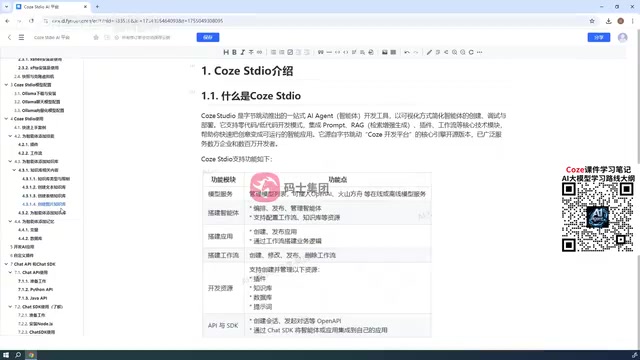
Core Differences Between Coze Studio and Coze Online Version
Coze Studio is essentially the open-source version of the Coze AI platform. Its application logic is largely similar to the online version, but with notable feature "cuts." This is crucial — if you deploy it expecting "open-source = full version," you'll likely be disappointed.
Based on the tutorial author's introduction, the core differences focus on several areas:
- More freedom in model configuration: The online version only supports models provided by Coze officially, such as Doubao and modified DeepSeekAd; Coze Studio supports connecting any model you configure yourself.
- Significantly reduced AI application capabilities: The online version supports both AI Agent and AI Application creation; Studio focuses primarily on Agents. For AI Applications, only workflow building is retained, lacking interactive UI interfaces — "currently unusable in production environments."
- Plugin ecosystem must be self-built: After open-sourcing, you can no longer call the online version's official plugin library; all plugins must be custom-developed.
In other words, Coze Studio is a private development framework centered on Agents, suitable for enterprise scenarios that require data security and model autonomy.
Deployment Solution: Why Linux + Docker Is Recommended
Coze Studio's installation and deployment is entirely Docker-based. Docker can run on Windows or Linux, but the tutorial explicitly recommends Linux-based deployment, for good reasons.
Docker is an OS-level virtualization technology that packages applications with all their dependencies into containers, ensuring consistent operation in any environment. Compared to traditional virtual machines, Docker containers are lighter, start faster, and consume fewer resources. In AI application deployment scenarios, Docker's value is especially prominent — large model applications typically depend on complex Python environments, CUDA drivers, and various middleware. Manual configuration is error-prone, while Docker can encapsulate everything into images for one-click deployment. Docker Compose further supports multi-container orchestration, ideal for complex applications like Coze Studio that contain multiple microservice components.
Running Docker on Windows requires installing Docker Desktop, and many users have older system versions or frequently encounter compatibility issues during installation. To avoid these pitfalls, the tutorial chose the more stable Linux path:
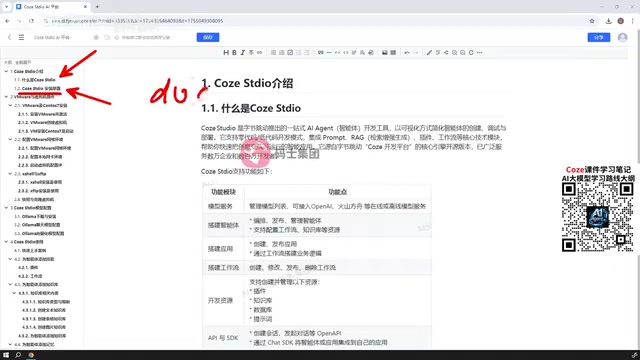
- Use VMware Workstation to set up a CentOS 7 virtual machine;
- Install Docker in the virtual machine;
- Deploy Coze Studio based on Docker.
CentOS (Community Enterprise Operating System) is a free distribution compiled from Red Hat Enterprise Linux source code, long the preferred OS for enterprise server deployments. Although CentOS 7 ended official support in June 2024, it's still widely used in tutorials and enterprise environments due to its stability and extensive community resources. In actual production environments, teams can choose alternatives like Ubuntu Server, Rocky Linux (CentOS's successor), or AlmaLinux based on their needs. VMware Workstation is the industry-standard desktop virtualization tool, suitable for simulating server environments during development.
This approach offers clean environment isolation, strong reproducibility, and closely mirrors real server deployment scenarios. For those unfamiliar with Linux, the tutorial includes additional chapters on VM setup, network configuration, and file upload tools — if you've already mastered basic Linux VM operations, you can skip these sections.
Key Environment Setup Points
- Virtualization tool: VMware, for creating CentOS 7 nodes
- Network configuration: Ensure the VM can access the internet and be reached by the host machine
- File transfer: Use dedicated tools to upload files between host and VM, simplifying operations
Model Configuration: Ollama Local Integration in Detail
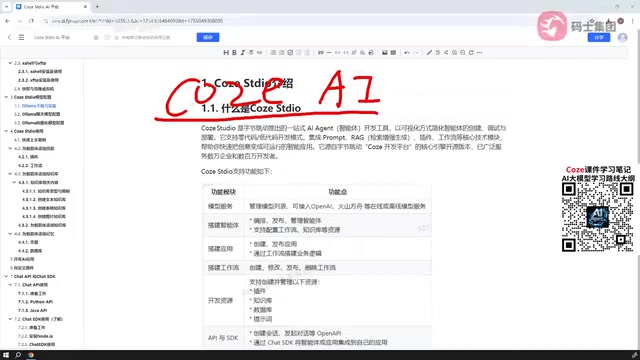
One of the greatest values of the open-source version is free model configuration. Coze Studio supports connecting local or third-party models. The tutorial uses Ollama as an example, covering two types of models:
- Chat models: For Agent conversational interaction
- Embedding models: For knowledge base vectorization and building RAG
Ollama is an open-source framework for running large language models locally, greatly simplifying the process of running open-source models on local machines. Users can download and run mainstream models like Llama, Mistral, and Qwen with a single command. Ollama's architecture draws from Docker's philosophy — models are packaged as standardized "model files" supporting pull, run, and management operations. It provides API interfaces compatible with the OpenAI format, meaning any application supporting the OpenAI API can seamlessly switch to Ollama local models — this is the technical foundation enabling Coze Studio's easy integration with Ollama.
Note that Coze Studio's supported model configurations are still limited. Not all models can be smoothly integrated — for example, the Zhipu series, which the tutorial mentions the official team hasn't yet provided configuration support for. Therefore, when selecting models, prioritize those explicitly supported by the official documentation (such as models within the Ollama ecosystem) to avoid integration pitfalls.
This change is significant for enterprises: previously, relying on cloud-based official models meant data had to leave the network; now models can be fully deployed on the intranet, achieving compliance requirements for data sovereignty. This is especially critical for industries with extremely high data security requirements like finance, healthcare, and government — in these scenarios, even if model capabilities are slightly weaker, data sovereignty protection is a non-negotiable baseline.
Agent Development: Core Capabilities and Knowledge Base Construction
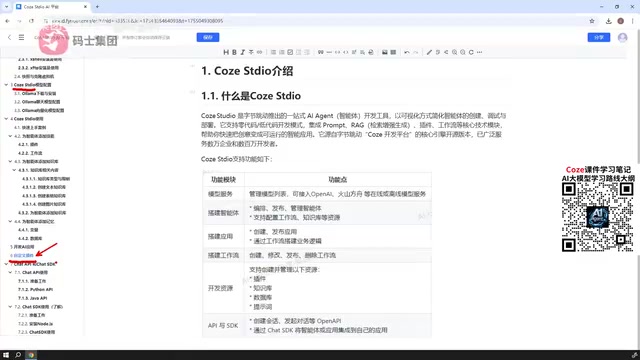
As the primary focus, Agent development is Coze Studio's centerpiece. Its usage is similar to the online version, with only minor detail reductions. Core capabilities include:
- Quick-start examples: Help newcomers understand the basic Agent creation workflow
- Skill configuration: Add various tool capabilities to Agents
- Knowledge base and RAG: Upload documents, build knowledge bases, and implement retrieval-augmented generation
- Memory capabilities: Support adding memory variables or databases, giving Agents persistent context
RAG (Retrieval-Augmented Generation) is the mainstream technical solution for addressing large model "hallucination" and knowledge timeliness issues. Its core approach: first convert enterprise documents into vectors via Embedding models and store them in a vector database; when users ask questions, the system first retrieves the most relevant document fragments, then provides these fragments as context for the large model to generate answers. This way, model responses have factual basis rather than relying purely on training data. Embedding models convert text into high-dimensional vector representations, where semantically similar texts are closer in vector space, enabling semantic-level retrieval rather than simple keyword matching.
These capabilities combined are sufficient to build a complete Agent with knowledge retrieval, memory management, and multi-skill invocation. While the AI Application section retains workflow building, due to the lack of UI interfaces, it currently serves more as a supplementary process orchestration tool.
Plugin Development and Chat API/SDK Integration
Losing the official plugin library after open-sourcing means custom plugin development becomes an essential advanced skill. To make your Agent or workflow functionally rich, you must define your own plugins — this is the key step for Coze Studio to go from "usable" to "good." Plugins are essentially wrappers for external capabilities, such as calling weather APIs, querying databases, or executing code, enabling Agents to break beyond pure text conversation and truly interact with the external world.
For external integration, Coze Studio provides two paths:
Chat API Calling Method
Essentially a REST-style HTTP interface for connecting to built Agents for conversation. The tutorial provides calling examples in both Python and Java, covering mainstream backend tech stacks. For the vast majority of projects, this is the most universal integration method.
REST API and SDK are two mainstream system integration approaches, each with suitable scenarios. REST API communicates via standard HTTP protocol — language-agnostic and flexibly deployable, callable from any environment capable of HTTP requests, but requiring developers to handle authentication, error retry, streaming responses, and other details themselves. In large model applications, streaming response is a key feature — it allows models to return results token by token rather than waiting for complete generation, significantly improving user experience. Through technologies like Server-Sent Events (SSE) or WebSocket, users can see the "typewriter effect" of text being gradually generated — this is a technical point requiring special attention in Chat API design.
Chat SDK Frontend Embedding
Chat SDK is primarily for frontend integration, currently supporting only React projects, allowing Agents to be directly embedded in React applications. The SDK is an officially packaged development kit providing type-safe method calls and built-in best practices, offering a better development experience than calling APIs directly. One detail worth noting: the Web SDK available in the online version (which can embed Agents directly in HTML/JavaScript) is not yet available in the open-source version.
Therefore, if your frontend isn't on the React tech stack, you can currently only fall back to compatible integration via Chat API. The author also expects the official team will likely add Web SDK capabilities in the future.
Summary: Who Should Get Started with Coze Studio
The open-sourcing of Coze Studio provides a private deployment path for enterprise-level large model projects. Its positioning is clear:
- Strengths: Free model configuration, data privatization, complete Agent capabilities, API/SDK integration support
- Weaknesses: Limited AI application capabilities, plugins must be self-built, Web SDK missing, some models unsupported
For teams pursuing data compliance and wanting to consolidate Agent capabilities on their own infrastructure, Coze Studio is a worthy starting point. But if your needs lean toward an out-of-the-box complete application experience, the online version remains more mature. Understanding the capability boundaries of both is key to using each in the most appropriate context.
From an industry trend perspective, Coze Studio's open-sourcing also reflects an important direction in AI infrastructure: Agent development frameworks are moving from cloud-only to hybrid deployment. Similar open-source projects include Dify, FastGPT, RAGFlow, and others, collectively forming the private deployment ecosystem for enterprise AI applications. Which framework to choose depends on the team's tech stack preferences, feature requirement priorities, and acceptance of binding to specific ecosystems.
Related articles

Apple HomeView Hands-On Review: Is the $300 Smart Home Hub Worth It?
Apple HomeView hands-on: a $300 smart home hub with facial recognition for quick account switching, but no App Store or voice recognition. Is the wall-mounted version worth it? Should you buy the first generation?

Meta Muse Wonder Launch: What It Means for Meta's Return to the Frontier AI Race
Meta releases Muse Wonder and WonderFull, benchmarks reach the frontier, community feedback is polarized. An in-depth look at Meta's return to the frontier AI race, its personal agent strategy, and Zuckerberg's different path.

Apple Home Smart Home Lineup Leaked: LG and Schneider Team Up, UWB Door Lock on Board
Apple Home ecosystem gains new LG and Schneider devices: UWB smart lock with proximity unlock, 2.5K dual-camera doorbell, privacy indoor camera, and AirPods-like seamless pairing.