Cursor Turning from IDE into a Chatbot? Why Developers Miss the Old Experience

Developers push back as Cursor evolves from a familiar IDE into a chatbot-like Agent interface.
A Reddit post lamenting Cursor's shift from a VS Code-like IDE to a chatbot-style interface has resonated widely among developers. This article explores how AI coding tools—driven by advances in LLMs and Agent capabilities—are drifting from their "IDE-first" roots, the cognitive costs of forcing developers into a reviewer role, and why product teams must preserve user choice between hands-on coding and AI delegation.
A Developer's Nostalgia
Recently, a developer posted on Reddit: "Am I the only one who misses the previous version of Cursor?" This seemingly simple complaint struck a chord across the developer community.
His core point was straightforward: "Cursor used to feel like an IDE, like VS Code, but now it feels more like any other chatbot. I preferred it when it was a simple IDE that just got the job done."
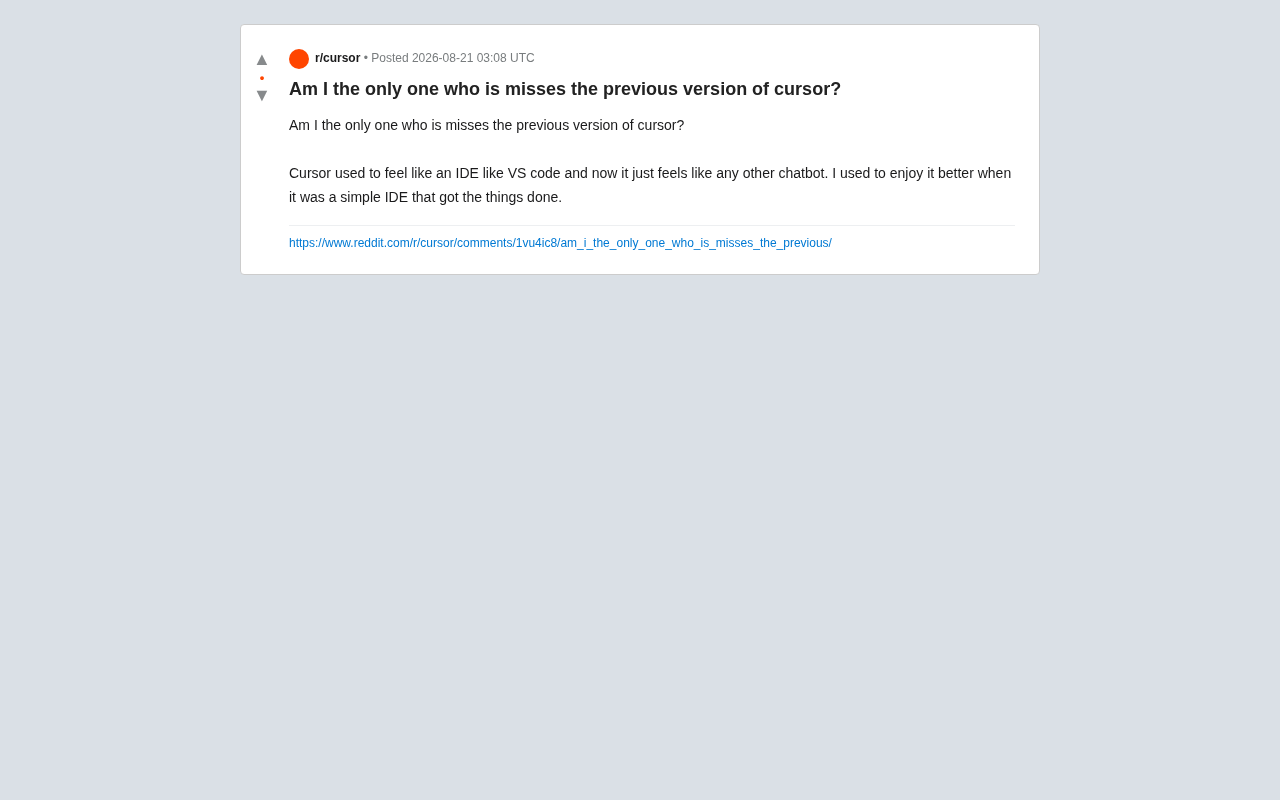
This post reflects more than just personal preference—it captures a tension that AI coding tools universally face in their product evolution: In the pursuit of more powerful AI capabilities, are these tools sacrificing the "natural feel" that a good tool should have?
From IDE to Chatbot: Cursor's Identity Drift
Cursor's Early Positioning: An AI-Enhanced Code Editor
Cursor's initial success was largely built on a precise positioning: it was an AI-enhanced code editor. Forked from VS Code, it preserved the familiar editing interface, keyboard shortcuts, and plugin ecosystem that developers knew, while layering AI completion, code explanation, and local rewriting capabilities on top.
It's worth understanding why the technical choice of "forking from VS Code" was so critical. VS Code is Microsoft's open-source code editor released in 2015, built on the Electron framework. Thanks to its modular extension architecture and Language Server Protocol (LSP) standard, it has captured over 70% of the developer market. Cursor's decision to fork from VS Code's source code—rather than existing as a plugin—was a deliberate architectural choice. It allowed deep modification of the editor's core behavior, such as taking over the code completion pipeline, modifying file diff views, and implementing multi-file context awareness at the editor level. These capabilities are beyond the reach of normal extension APIs, and they formed the technical foundation that enabled Cursor's silky-smooth AI completion experience in its early days.
This "IDE-first, AI-assisted" model allowed developers to migrate their workflows almost seamlessly. You were still writing code; AI just quietly handed you a useful tool when you needed one. What the original poster missed was precisely this low-interruption, high-efficiency experience.
The Shift Toward Conversational Agent Interaction
As large model capabilities leaped forward, Cursor—along with many similar products—gradually shifted its product focus from "completions inside the editor" to "conversational agents." Users were increasingly guided to describe their needs in natural language, letting AI generate, modify, or even plan changes across entire codebases.
This shift has deep technical roots. From GPT-3.5 to GPT-4 to Claude 3.5 Sonnet, large language models underwent qualitative leaps in code understanding and generation. The expansion of context windows from 4K tokens to 128K or even longer meant AI could, for the first time, "see" massive amounts of codebase context. This directly gave rise to the Agent paradigm—Agents don't just answer questions; they autonomously plan tasks, invoke tools (such as file read/write, terminal commands, code search), execute multi-step operations, and self-correct based on feedback. In programming, this means AI evolved from "helping you complete the next token as you type" to "you describe a requirement, and it automatically modifies a dozen files and runs tests to verify."
This shift brought a powerful capability ceiling—you can have AI perform cross-file refactoring, automatically fix bugs, or even scaffold feature modules from scratch. But the cost is that the product's "center of gravity" moved from the editor to the chat panel. For developers accustomed to hands-on control over their code, the experience indeed starts to feel "like any other chatbot."
Why Are Developers Unhappy When AI Gets More Powerful?
Powerful ≠ Ergonomic
Enhanced AI capabilities and smooth user experience aren't always positively correlated. When tools increasingly emphasize "just describe what you want, leave the rest to AI," they fundamentally change the developer's mental model:
- Before: The developer is the driver, AI is the assistant. You write code and only ask for help when stuck.
- Now: AI is the executor, and the developer becomes a "reviewer" and "prompt engineer." You describe requirements, then inspect AI's output.
The cognitive cost of this mental model shift is often underestimated. In cognitive science, a mental model refers to a user's internal understanding of how a system works. In a traditional IDE, the developer's mental model is "I precisely control every character of code through keyboard input"—a metaphor of direct manipulation. Conversational Agent interaction requires developers to switch to an indirect command mode. Research shows that Code Review is already one of the highest cognitive load activities in software engineering, because you need to mentally reconstruct another entity's thought process. When AI generates large blocks of code, developers are effectively forced into a continuous Code Review state—you must verify whether every assumption AI made is correct, whether every side effect was considered, and whether every edge case was covered.
For a segment of developers, especially senior engineers, the latter mode actually increases cognitive burden—you need to repeatedly confirm whether AI truly understood the intent, whether it introduced subtle bugs. Sometimes this is more exhausting than just doing it yourself. This "verification anxiety" is the deeper reason many people miss the old experience.
Driven by Product Growth Logic
From a business perspective, the shift toward conversational Agents has its inevitability. Chat-style interaction has a lower barrier to entry, attracting large numbers of non-professional developers and newcomers, expanding market size. At the same time, heavy reliance on AI generation means higher token consumption and stronger paid retention.
This involves a noteworthy "Token Economics" issue. Inline code completion typically only requires sending local context from the current file (hundreds to thousands of tokens), with model output being just a few lines of code (tens of tokens)—extremely low cost per call. In conversational Agent mode, each interaction may require injecting tens of thousands of tokens of codebase context, model output easily reaches hundreds of lines, and with the Agent's multi-round self-iteration (a single task might internally loop through 5-10 tool calls), the API cost per task can be 50-100x that of simple completion. This explains why subscription models for tools like Cursor have gradually introduced usage-based limits on premium model calls beyond the original flat monthly fee—guiding users toward heavier Agent features means higher perceived user value and stronger willingness to pay.
This creates a potential contradiction: The direction of product growth may run counter to the preferences of core existing users. The phrase "Am I the only one" in the post precisely reflects how many experienced users feel their needs are being marginalized.
A Universal Challenge for AI Coding Tools: It's Not Just Cursor
The Entire Industry Is Shifting Toward Agent Mode
Here's a key detail: this anxiety about "tools turning into chat boxes" isn't unique to Cursor. GitHub Copilot is also moving from inline completion toward Copilot Chat and Agent mode; numerous AI coding products are making similar evolutions. This is an industry-wide trend, not a single product's misstep.
GitHub Copilot's evolution path provides the clearest reference for this trend. When released in 2021, Copilot was purely an inline completion tool (based on OpenAI's Codex model), designed around "ghost text"—showing gray suggested code at the cursor position, accepted with Tab. In 2023, Copilot Chat launched, bringing conversational interaction to VS Code's sidebar. In 2024, Copilot Workspace and Agent mode were introduced, allowing AI to autonomously execute multi-step tasks. By 2025, GitHub launched Copilot Coding Agent, capable of functioning as an autonomous "AI developer" that asynchronously completes entire Issues in the background. Notably, GitHub preserved previous-generation features at every step of evolution—inline completion remains the most frequently used feature to this day. This "additive rather than replacive" strategy may be exactly the direction Cursor's community is calling for.
Users Need the "Power to Choose"
What truly deserves product teams' reflection may not be "should we build Agents or not," but rather whether users have been given sufficient freedom of choice. The ideal AI coding tool should allow:
- Developers who prefer hands-on coding to retain a pure, low-interruption editor experience;
- Users who prioritize efficiency and are willing to delegate to fully leverage conversational Agent capabilities.
In other words, AI shouldn't force a workflow change—it should be a capability layer that can be invoked at any time and can also retreat to the background at any time. When a tool makes users feel like they're "being pushed along," nostalgia naturally arises.
Conclusion
This Reddit user's complaint may seem like a matter of personal taste, but it touches on a deep-seated challenge in the evolution of AI coding tools: As the capability ceiling keeps being pushed higher, how do you preserve the foundational experiences that make a tool truly great to use?
For a product like Cursor, this is both a warning and an opportunity. How to embrace powerful AI Agents without making longtime users feel like "my editor turned into a chat window" will be the key to whether it can retain its core developer community long-term. After all, the best tools are those that adapt to your way of working—not the ones that demand you adapt to theirs.
Related articles

Uber Deploys ChatGPT Work Company-Wide: AI in the Workplace Enters the Scaled Implementation Phase
Uber deploys ChatGPT Work to 30,000+ employees, extending it from engineering to all roles. We analyze its expert-engineer pairing, end-to-end automation, and questions of AI control and power concentration—insights for scaling AI in the workplace.

Shift at Midnight Hands-On: When "ID Verification" Becomes Alien Hunting
Shift at Midnight blends ID verification with horror survival in a four-player co-op game. We break down its inspection mechanics and chaotic humor.

Zelensky Recounts the Outbreak of War: I Need Ammunition, Not a Ride
Zelensky recalls the first day of war in a YouTube interview: farewell to family, rejecting Biden's evacuation offer with "I need ammunition, not a ride," and how Bucha shaped his stance on compromise and peace talks.