DeepSeek-OCR Deployment & Fine-Tuning in Practice: From vLLM Inference to Unsloth Fine-Tuning
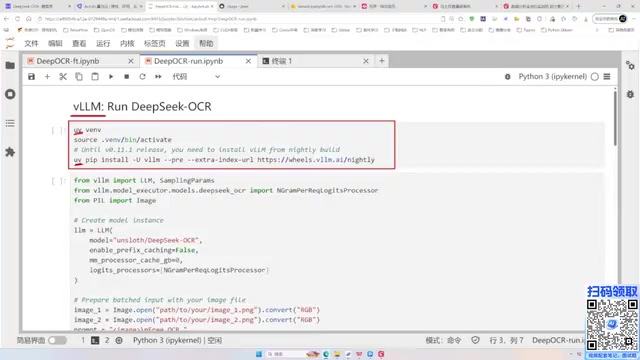
End-to-end guide for deploying and fine-tuning DeepSeek-OCR using vLLM and Unsloth on a single 4090 GPU.
This article provides a comprehensive hands-on guide for deploying and fine-tuning DeepSeek-OCR, covering vLLM inference deployment (command-line and code-based), Unsloth model loading with FastVisionModel, cloud server environment setup on AutoDL, and the technical principles behind LoRA/QLoRA fine-tuning — all achievable on a single RTX 4090 GPU.
A New Choice in Open-Source OCR
DeepSeek-OCR is a recently popular open-source Vision-Language Model (VLM) from China that can accurately recognize text in images and convert it into editable text. A Vision-Language Model (VLM) is a type of multimodal AI model capable of understanding both images and text simultaneously. Unlike traditional OCR engines (such as Tesseract) that rely on rules and template matching, VLMs combine a visual encoder (typically based on ViT or similar architectures) with a language model (such as a Transformer decoder) through an end-to-end deep learning architecture. This enables the model to not only recognize text but also understand the semantic relationship between text and images. This means VLMs often demonstrate stronger generalization capabilities than traditional OCR when handling complex layouts, handwriting, and multilingual mixed text.
As an open-source model, the value of DeepSeek-OCR lies not just in its out-of-the-box usability, but in the ability for developers to deploy and fine-tune it based on their own business scenarios.
This article provides a hands-on tutorial covering the complete technical pipeline from vLLM inference deployment, Unsloth model loading, to fine-tuning training, helping you run through the entire workflow on a single RTX 4090 GPU.
Quickly Deploying DeepSeek-OCR with vLLM
vLLM is a high-performance inference framework for large models — think of it as a dedicated inference engine for running large models. Its core technical innovation is the PagedAttention mechanism, inspired by virtual memory paging in operating systems. During traditional large model inference, KV Cache requires pre-allocating contiguous GPU memory for each request, leading to significant memory fragmentation and waste. PagedAttention divides the KV Cache into fixed-size blocks, allowing non-contiguous storage and dynamic allocation, pushing memory utilization close to the theoretical limit. Additionally, vLLM supports continuous batching, which can dynamically insert new requests during the generation process of different requests, dramatically improving throughput.
vLLM offers two main usage methods: command-line deployment and code-based invocation.
Command-Line Deployment
The simplest deployment method is through the vllm serve command followed by the local path where the model is stored. When using vLLM for inference, the model typically needs to be downloaded to the server beforehand, so the path specified here is usually a local path.
Key parameters include:
--served-model-name: Assigns a name to the deployed model for easy identification during subsequent API calls.--max-model-len: The model's context length. For example, setting it to 8192 means the total upper limit for the sum of input and output tokens. Context length is a core constraint parameter of large language models. A token is the smallest unit the model processes — a Chinese character typically corresponds to 1-2 tokens, while an English word may correspond to 1-4 tokens. For OCR scenarios, if you need to recognize a document image containing a large amount of text, the output token count can be very large, so this parameter needs to be set appropriately. Setting it too high consumes more GPU memory; setting it too low may result in truncated output.--reasoning-parser: If the model has reasoning capabilities, you can specify a parsing template to extract reasoning content.
Once deployed, you can test by sending requests with JSON headers and data to the local port (e.g., localhost:8000). The request needs to specify which model to access, the prompt to pass in, and related parameters, and the model will return recognition results. The interface provided by vLLM after deployment is compatible with the OpenAI API format, meaning you can directly use any client tool that supports the OpenAI SDK to make calls without additional adaptation.
The environment installation process is also very straightforward. The tutorial uses the uv tool, requiring only two commands to complete vLLM's environment configuration. uv is a Python package manager written in Rust that is 10-100x faster than traditional pip and automatically handles dependency conflicts — particularly suitable for managing the complex dependencies in deep learning projects.
Code-Based Invocation
Besides the command line, vLLM also supports direct invocation through Python code. The core workflow is to first import the relevant class via from vllm import LLM, create a model instance, and specify the model path during instantiation (change to local path for local deployment).
Then construct the input — for vision-language models like DeepSeek-OCR, the input includes a prompt and an image. vLLM supports batch processing, allowing you to pass in multiple data entries (multiple prompts + multiple images) for inference simultaneously. This batch inference capability benefits from vLLM's continuous batching mechanism, which automatically combines multiple requests for parallel computation, achieving several times the throughput compared to sequential processing. Finally, use the llm.generate() method with generation parameters such as temperature and max_token to obtain OCR recognition results. The temperature parameter controls output randomness (setting it to 0 produces completely deterministic results, suitable for OCR scenarios requiring precise output).
Loading and Running the OCR Model with Unsloth
Besides vLLM, you can also use frameworks like Transformers and Unsloth to run models. This hands-on tutorial primarily uses Unsloth because it's an efficient framework specifically designed for model fine-tuning, laying the groundwork for the subsequent fine-tuning stage.
Unsloth's core advantage lies in reducing fine-tuning memory requirements by approximately 60% through manual backpropagation kernel rewrites and intelligent memory management, while simultaneously increasing training speed by 2-5x. It natively supports parameter-efficient fine-tuning methods like LoRA and QLoRA, making it possible to fine-tune models with 7 billion or even more parameters on consumer-grade GPUs (such as the RTX 4090's 24GB of VRAM). Unsloth is also compatible with the Hugging Face ecosystem, allowing direct export to multiple formats (GGUF, vLLM-compatible formats, etc.) after training for easy deployment.
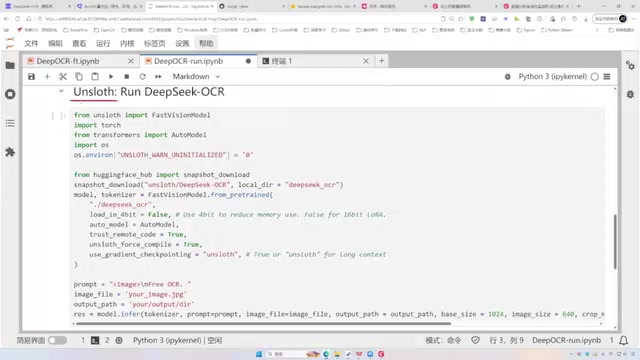
Model Loading Process
Since DeepSeek-OCR is a vision model, you need to import the FastVisionModel class when using Unsloth, along with PyTorch and AutoModel from Transformers. When loading the model, the framework automatically downloads model weights from the internet (also supports reading local models) and allows setting various loading parameters. These parameters typically include data type (such as float16 or bfloat16) and quantization configuration — proper settings can strike a balance between precision and memory usage.
Running Inference for Recognition Results
Once loaded, you can run inference by passing a prompt to the model. For OCR tasks, the simplest prompt is free OCR, which tells the model to directly perform text recognition on the image. The core method is model.infer(), passing in the prompt and image along with image-related parameters such as base_size and image_size to obtain recognition results that can optionally be saved. These image parameters control how the input image is preprocessed — the image is scaled to the specified dimensions and then split into multiple patches (image blocks), with each patch corresponding to an input token in the visual encoder. Therefore, image dimensions directly affect recognition accuracy and inference speed.
Whether using vLLM or Unsloth, the barrier to deploying and using large models is already very low. The real core and focus lies in the fine-tuning stage that follows.
Environment Preparation: Cloud Server and Image Configuration
For developers without local high-end GPUs, AutoDL cloud servers are recommended. Here are the key configuration points.
GPU Selection
When renting an instance, you can choose nodes with available resources from different regions such as Northwest Zone B, Beijing Zone B, or Chongqing Zone A. To run through the DeepSeek-OCR fine-tuning script, a single 4090 or 4090D GPU is sufficient. The RTX 4090 is based on NVIDIA's Ada Lovelace architecture, featuring 24GB of GDDR6X memory and 16,384 CUDA cores, with FP16 compute performance of approximately 330 TFLOPS — it's the primary choice for running large model fine-tuning on consumer-grade GPUs. The 4090D is a China-specific variant with slightly reduced compute power but the same memory capacity, which has minimal impact on model fine-tuning scenarios.
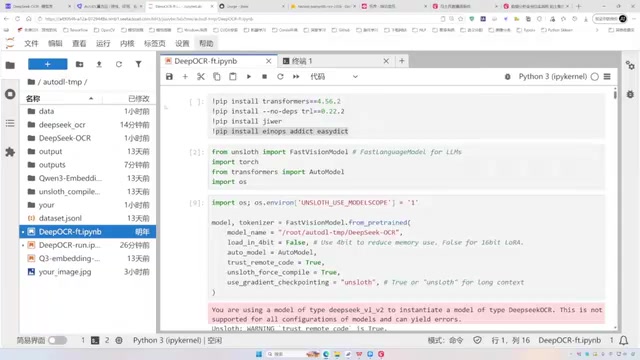
Image Selection
When creating an instance, it's recommended to select the latest image directly (e.g., PyTorch 2.8.0 + Python 3.12 + CUDA 12.8). The system runs Ubuntu 22.04 and comes with Python, CUDA, and PyTorch pre-installed.
CUDA (Compute Unified Device Architecture) is NVIDIA's parallel computing platform and programming model — virtually all mainstream deep learning frameworks rely on CUDA for GPU-accelerated computation. CUDA versions must strictly match the GPU driver and PyTorch version — version incompatibility is one of the most common issues in deep learning environment configuration, and using pre-configured images completely avoids these headaches.
Since most deep learning frameworks and libraries are built on top of PyTorch, having these three components in the environment typically satisfies the vast majority of requirements.
Storage Planning
Instances typically include two disk partitions: a system disk and a data disk. The data disk (path: /root/autodl-tmp) has larger capacity (approximately 50GB) and faster read/write speeds, so it's recommended to store model files, datasets, and project code on the data disk. This is particularly important for large model scenarios — DeepSeek-OCR model weight files typically range from several GB to over 10GB, and with checkpoint saving during training, system disk space can quickly become insufficient.
Entering Jupyter and Installing Unsloth
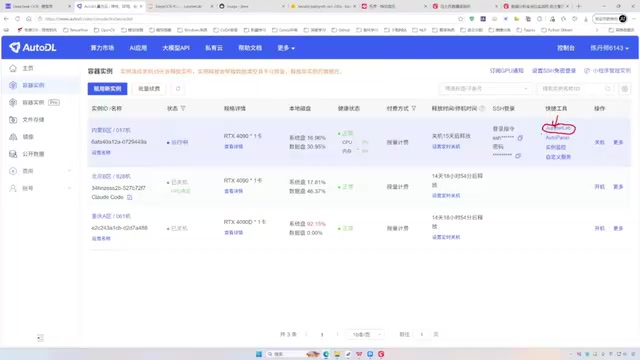
After the instance starts up, click the Jupyter Lab button in the quick tools bar, and an interactive programming page will open in your browser.
Create a new notebook in Jupyter (right-click → New Notebook), naming it something like DeepSeek-OCR-FT.ipynb (FT stands for Fine-Tuning).
The core dependency for the fine-tuning environment is Unsloth, with a very simple installation command:
pip install unsloth
This command can be executed in a new terminal window within Jupyter. After opening the terminal, you can also see hardware information about the node, including GPU model, CPU core count, memory size, and capacity distribution between system and data disks. When installing Unsloth, it automatically installs a series of dependencies including Transformers, PEFT (Parameter-Efficient Fine-Tuning library), TRL (Transformer Reinforcement Learning library), and other key components needed for subsequent fine-tuning training.
Core Value and Technical Principles of Fine-Tuning
Fine-tuning is the process of adapting a pre-trained model to a specific downstream task. Full-parameter fine-tuning requires updating all model weights and demands extremely high computational resources — for example, a 7B parameter model requires at least approximately 56GB of GPU memory for full-parameter fine-tuning (using mixed-precision training), far exceeding the 24GB capacity of a single 4090.
LoRA (Low-Rank Adaptation) technology solves this challenge. It injects low-rank decomposition matrices alongside the model's original weight matrices, training only these newly added parameters (typically less than 1% of the original model's parameter count) while achieving results close to full-parameter fine-tuning. QLoRA further introduces 4-bit quantization on top of LoRA, compressing base model weights to 4-bit storage and only temporarily dequantizing during computation, reducing memory requirements by more than half again.
This is precisely the technical foundation that enables Unsloth + 4090 to accomplish large model fine-tuning.
Summary and Outlook
As this article demonstrates, the deployment and operation pipeline for DeepSeek-OCR is already quite mature:
- Inference deployment uses vLLM, with flexible choice between command-line or code-based invocation;
- Model execution uses Unsloth's
FastVisionModelwith thefree OCRprompt to complete recognition; - Environment preparation leverages AutoDL cloud servers — a single 4090 GPU is sufficient to get started;
- Fine-tuning training based on the Unsloth framework is the most valuable core component of the entire pipeline.
For developers looking to implement OCR capabilities in their own business applications, mastering this complete pipeline from deployment to fine-tuning means you can customize dedicated models for specific documents, receipts, forms, and other scenarios, fully unleashing the potential of open-source models. For example, medical institutions can fine-tune the model to accurately recognize handwritten medication names on prescriptions, financial companies can optimize for specific invoice or contract formats, and the education industry can use it for grading handwritten homework — in these vertical scenarios, fine-tuned models can often improve accuracy by 10-30 percentage points over general-purpose models.
Key Takeaways
Related articles
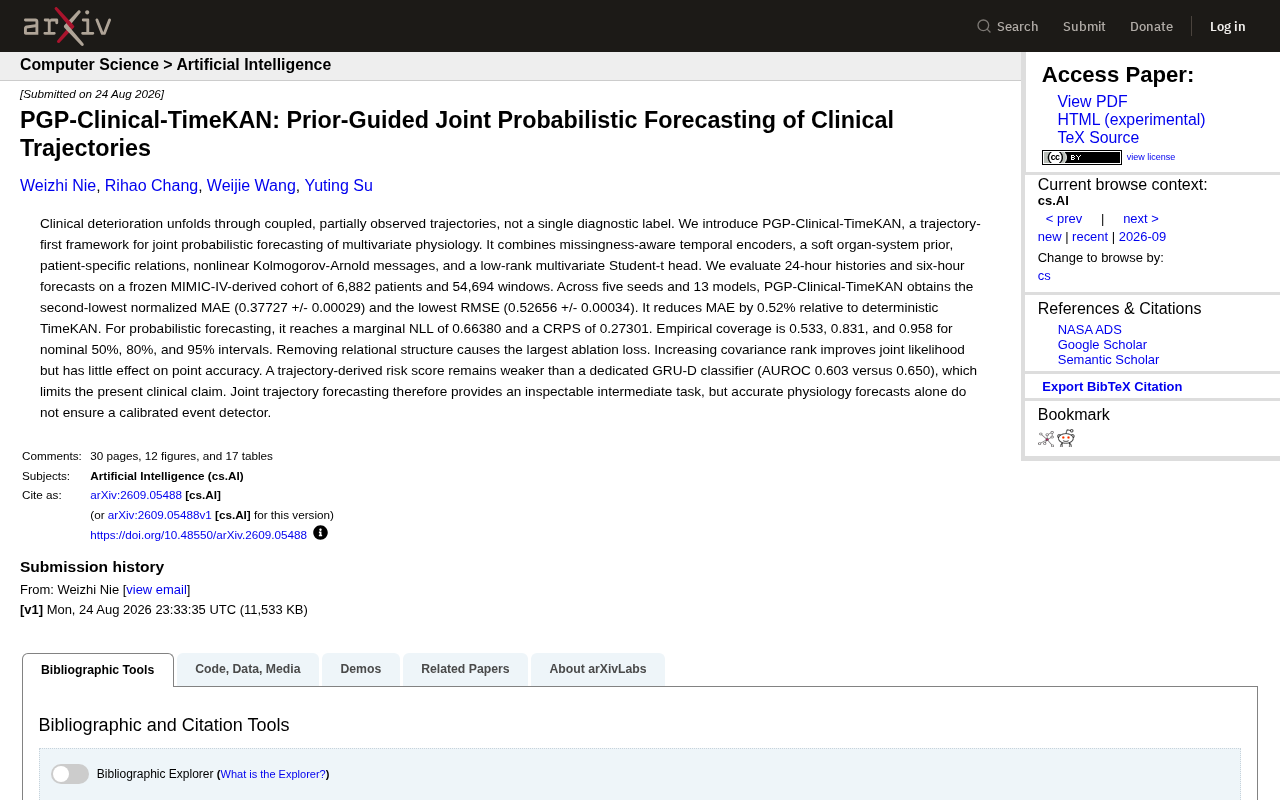
PGP-Clinical-TimeKAN: A Detailed Guide to the Multivariate Physiological Indicator Joint Prediction Framework
An in-depth analysis of the PGP-Clinical-TimeKAN framework for joint probabilistic prediction of multivariate physiological indicators, covering trajectory-first paradigm, KAN message passing, MIMIC-IV validation, and ablation studies.
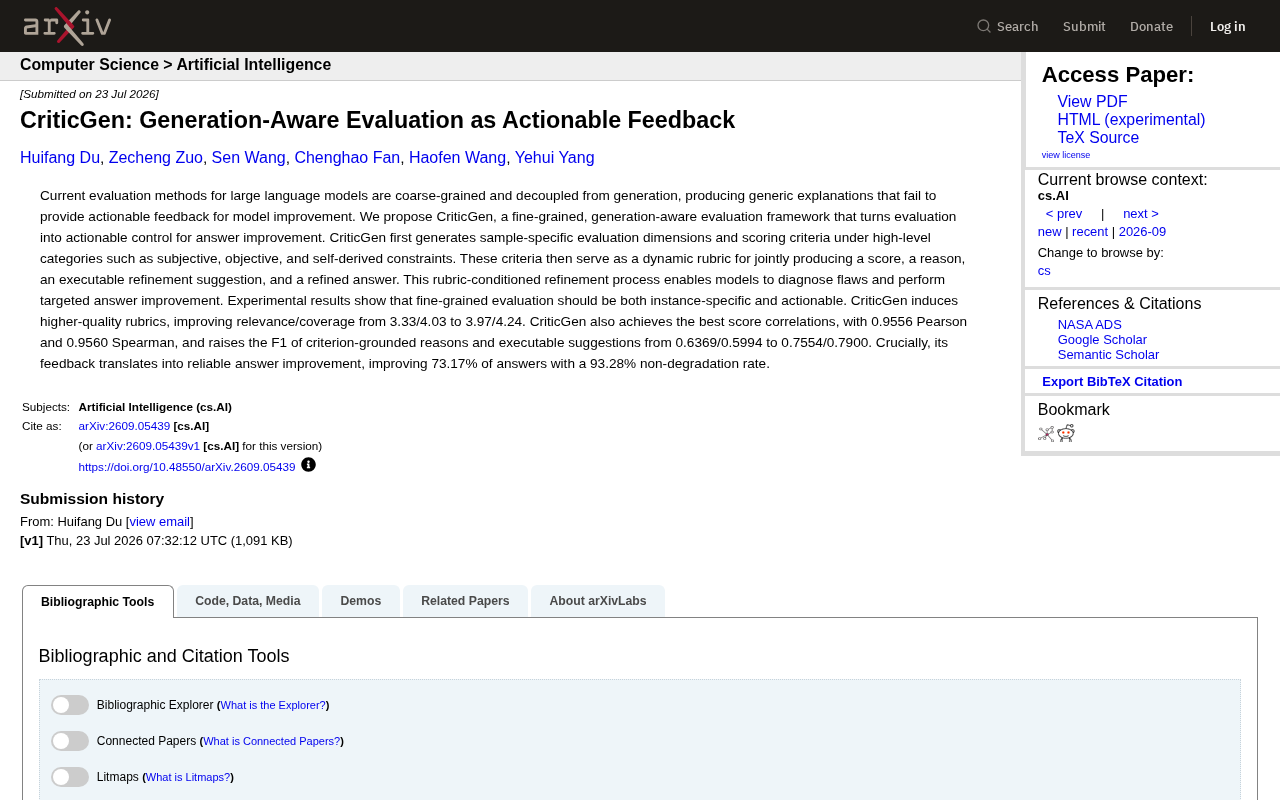
CriticGen: A New Framework That Transforms AI Evaluation into Actionable Improvement Feedback
CriticGen proposes a generation-aware evaluation framework that transforms AI assessment from passive scoring to an active optimization loop, achieving 73.17% answer improvement and 93.28% non-degradation rate.
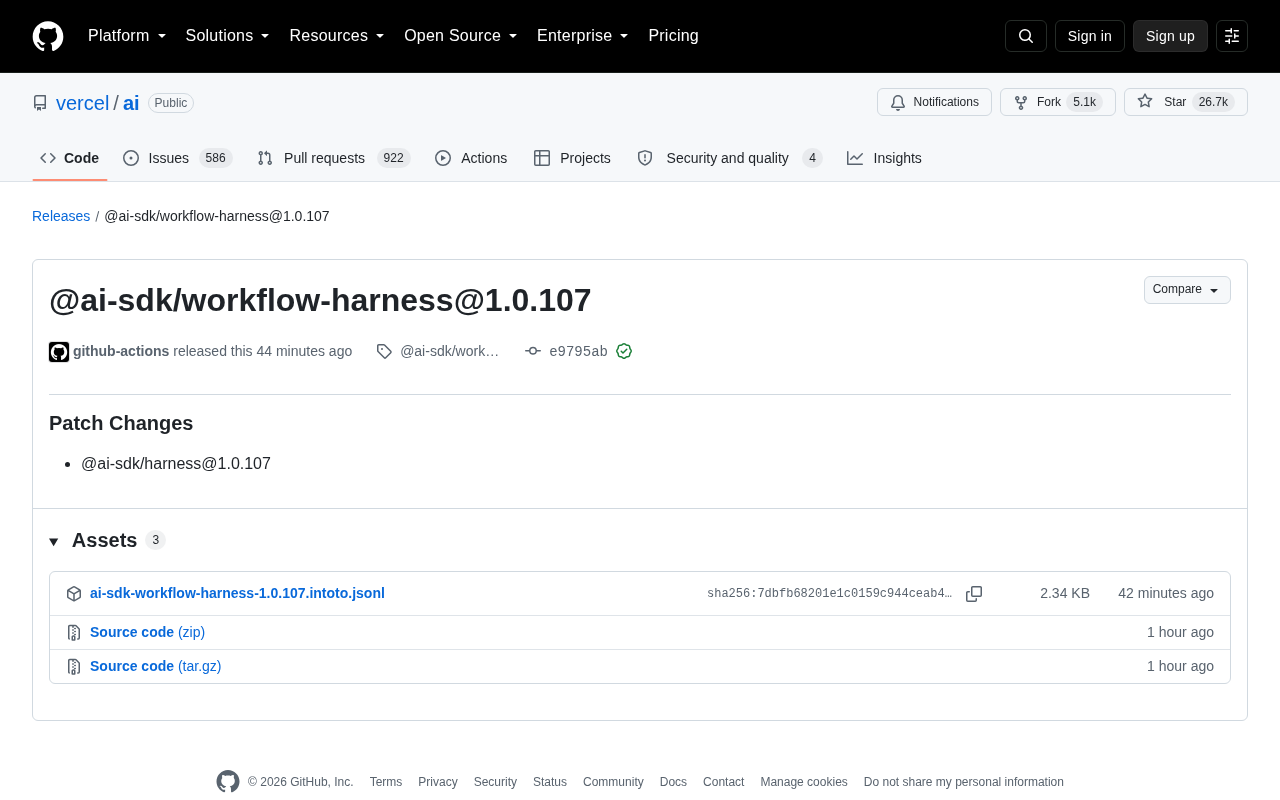
Vercel AI SDK workflow-harness Update Analysis
Deep analysis of Vercel AI SDK workflow-harness 1.0.107 update: architecture design, engineering practices, and developer value for building reliable AI apps.