Getting Started with Claude Code: How an AI Coding Assistant Executes Code Autonomously

Claude Code is an AI coding assistant that executes code autonomously, going beyond simple chat.
Claude Code (CC) is an AI coding assistant that does more than chat—it reads your entire project, creates and edits files, runs commands, remembers your coding style, and connects to external tools via MCP. This article compares CC with ordinary AI across five dimensions and explores how to choose between CC and Cursor.
What Is Claude Code?
Recently, Claude Code (hereafter referred to as CC) has quickly gained popularity in developer circles. At its core, it's an AI coding assistant, but it differs fundamentally from the chat tools we're familiar with—like GPT, DeepSeek, or Doubao. It doesn't just chat with you; it can actually get things done directly on your computer.
Put in the simplest terms: you tell it what you want to do in natural language, and it understands your project and completes the operations automatically. There are two key concepts here: first, "natural language," which means the interaction is still conversational; second, "getting things done," which is CC's real killer feature.
Based on hands-on experience, after using it for a few days, the most immediate impression is "peace of mind"—you no longer have to act as the middleman shuttling content between the AI and your editor.
Five Dimensions: The Core Differences Between Claude Code and Ordinary AI
To make this more intuitive, let's compare "ordinary AI chat (web version)" and "Claude Code" across five dimensions.
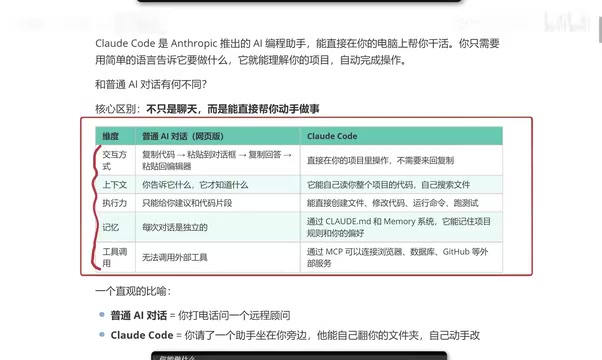
Interaction Style: Say Goodbye to Copy-Paste
Previously, writing code with a web-based AI followed this workflow: copy your code → paste it into the chat box → the AI gives an answer → copy the answer back into the editor. Constant shuttling back and forth—tedious and inefficient.
With CC, you simply work directly within your project, eliminating all the copy-paste steps. For developers who code frequently, this is a dramatic improvement in experience.
Context Understanding: Automatically Reading the Entire Project
With ordinary AI chat, "it only knows what you tell it"—the context depends entirely on what you manually feed it. Claude Code is different. It can automatically read the code of your entire project and proactively search relevant files. This means its understanding of the project is holistic, rather than being limited to isolated code snippets.
Execution: From Giving Advice to Actually Delivering
This is the dimension that best demonstrates CC's power. An ordinary AI can only give you "suggestions" or "code snippets," because a real project consists of countless files and complex logic—it cannot deliver a complete, runnable result.
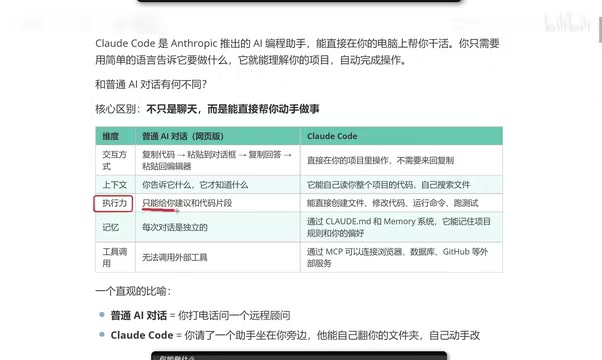
Claude Code, on the other hand, can directly create files, modify code, run commands, and execute tests, truly turning "talking" into "doing."
Memory and Tools: Claude Code's Advanced Capabilities
Memory: Remembering Your Coding Style
Ordinary AI chat has a pain point: close the window and reopen it, and its memory is wiped clean—each conversation is independent. CC, through configuration files, can remember your project rules and personal preferences.
In other words, it can remember your coding style—the way you tend to write code is the direction it leans toward, making it more comfortable to use over time.
Tool Calling: Connecting to the Outside World via MCP
Web-based AI is often cumbersome when it comes to calling external tools, and some features even require additional payment.
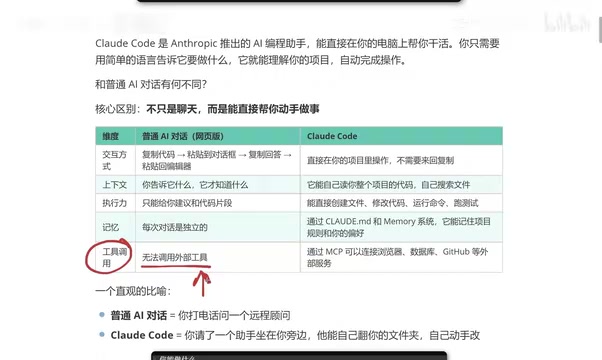
Claude Code, through MCP (Model Context Protocol), can relatively easily connect to browsers, databases, GitHub, and other external services. This open extensibility pushes its application boundaries far beyond that of a simple chat tool.
What Can Claude Code Do for You?
After installing CC, the first thing you might do is ask it directly: "What can you do?" Based on real feedback, its capabilities are quite extensive:
- Coding work: Reading, editing, and creating files; searching files and code content; refactoring code; adding comments and documentation
- Project management: Git operations, task list management, running long tasks in the background
- Information retrieval: Scraping and analyzing web pages, web search, fetching real-time information
- Other capabilities: Scheduled reminders, creating specialized agents to handle complex tasks
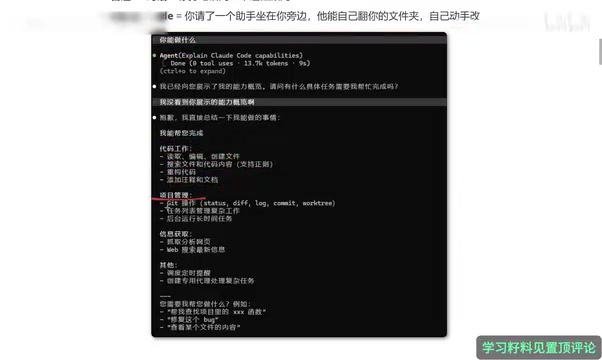
For programmers, this is nearly an "all-in-one assistant" level of tool coverage.
Claude Code vs Cursor: Which Should You Choose?
Many developers currently using Cursor wonder: should they switch to Claude Code?
Based on actual usage experience, the core features of the two overlap heavily—whatever Cursor can do, CC can do too. Which one you choose largely depends on your usage habits.
However, there are two differences worth noting:
First, more economical token consumption. One important reason for switching from Cursor to CC is "saving tokens," making usage costs more manageable.
Second, results that better match expectations. Especially for front-end developers, the results generated by CC are described as "more to their liking." Of course, this is a matter of personal experience and should be judged based on your own project type.
A Vivid Analogy
If ordinary AI chat is like "calling a remote consultant for advice"—a consultant who's brilliant and knows everything, but ultimately isn't by your side—then Claude Code is like "hiring an assistant who sits right next to you," one who can browse through your folders and modify your code on their own.
This shift from "consultant" to "assistant" is precisely the core experience leap that CC brings.
Summary
Claude Code represents the evolutionary direction of AI coding tools from "conversational assistance" toward "autonomous execution." Its core value lies in: no manual shuttling required, holistic project understanding, genuine execution capability, memory of coding preferences, and support for calling external tools via MCP.
For developers who do a lot of coding on a daily basis—especially front-end engineers—Claude Code is well worth a serious try. No tool is absolutely superior or inferior; choosing the one that best fits your workflow is what matters. Next, we'll walk you through actually installing and getting started with CC.
Related articles
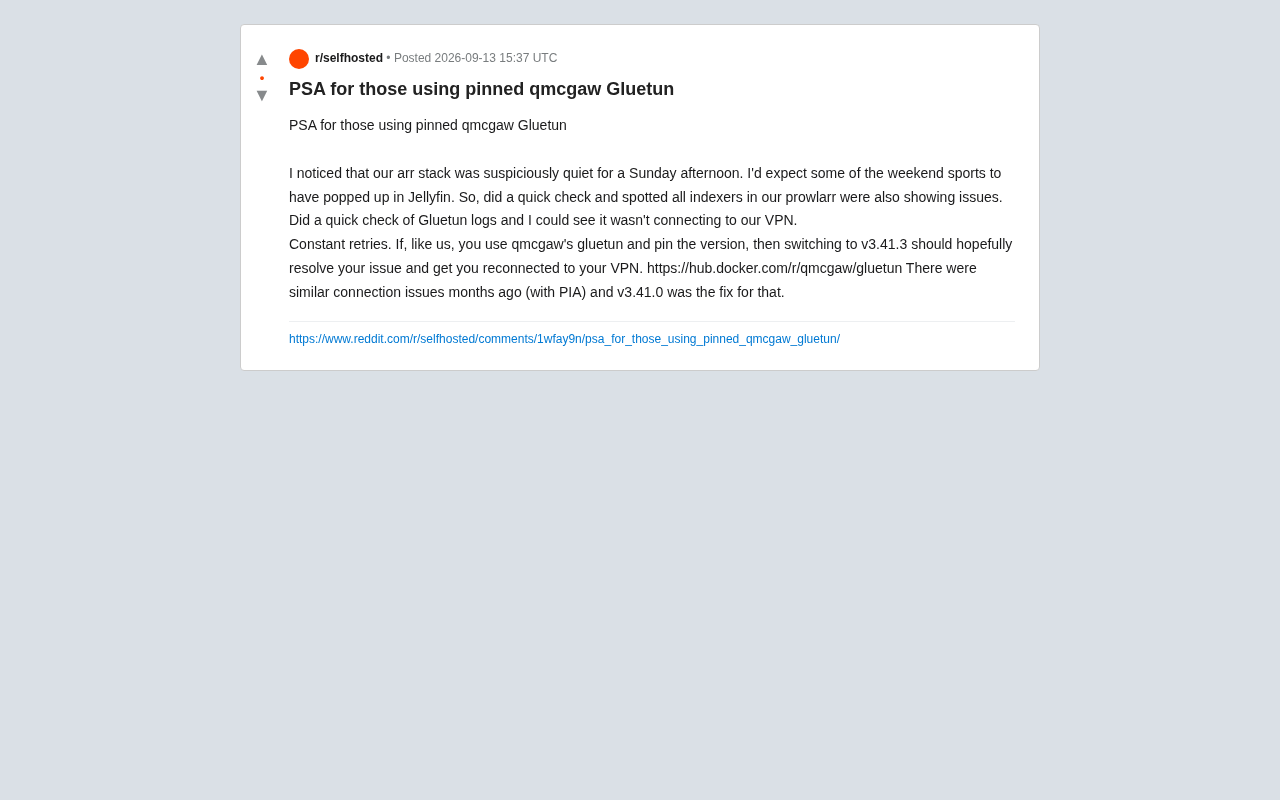
Gluetun VPN Disconnection Troubleshooting: Version-Pinned Users Should Upgrade to v3.41.3
Gluetun version-pinned users may face silent VPN disconnections breaking their arr stack. Learn how upgrading to v3.41.3 fixes the issue and tips to avoid it.

Trump Downplays AI Extinction Risk: 'Whoever Wins AI Wins' Sparks Controversy
Trump downplays AI extinction risks with 'Whoever wins AI wins,' sparking fierce debate over whether AI safety is an urgent reality or a future hypothetical.
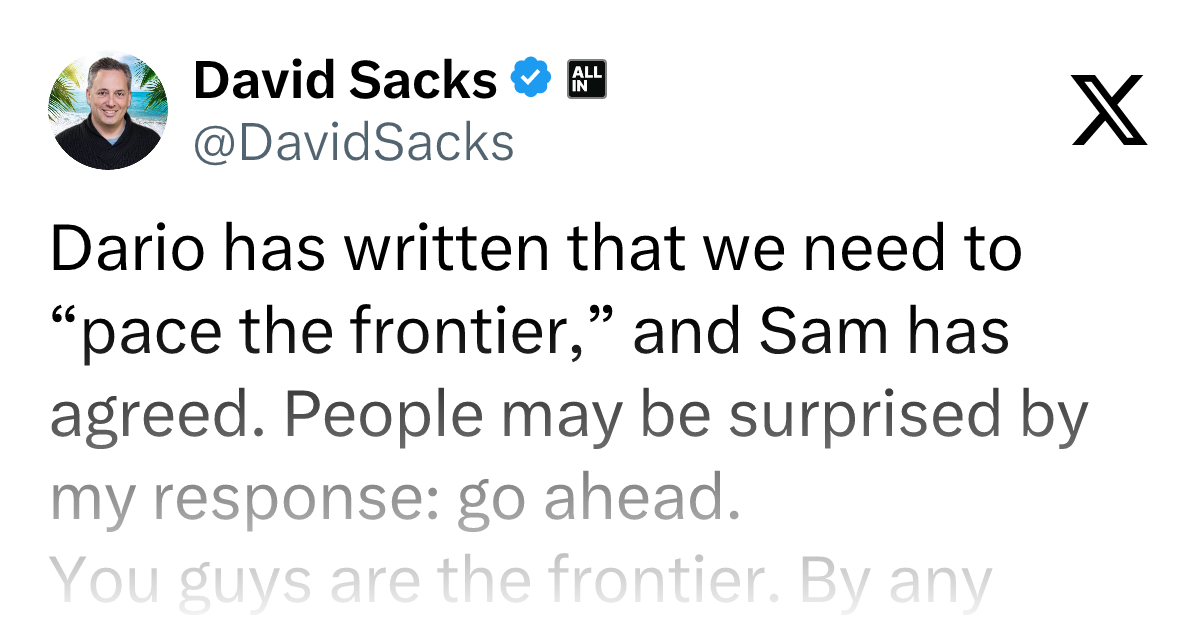
David Sacks on AI Regulation: Frontier Models Don't Need Mandatory Legislative Constraints
David Sacks argues OpenAI and Anthropic can self-regulate frontier model development without external legislation. A look at the logic, controversy, and governance dilemmas involved.