Google Gemini Comes to Mac: AI Agent Now Operates Your Computer for You
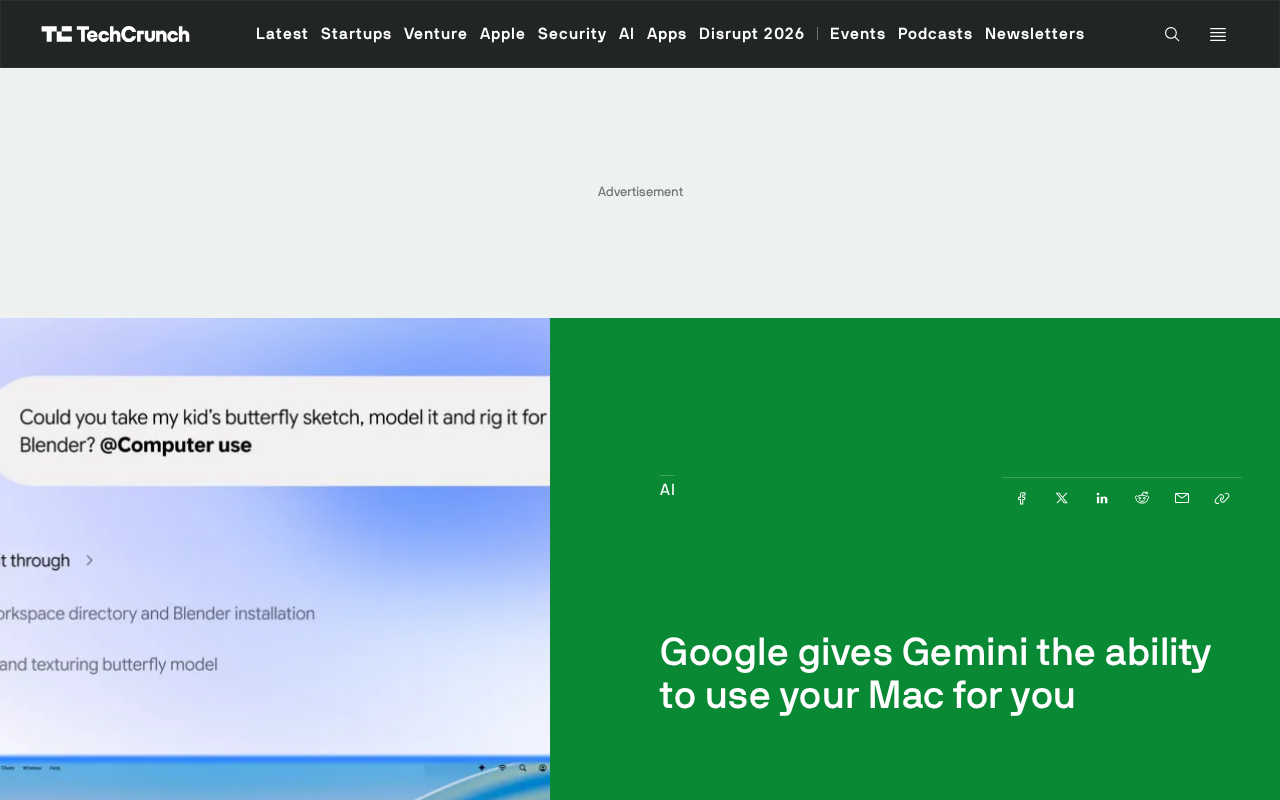
Google Gemini lands on Mac, with its AI agent moving from conversation to operating the computer for users.
Google's latest Gemini update brings AI agent capabilities to Mac, enabling it to organize files, fill out forms, and handle multi-step workflows—marking AI assistants' move from the "you ask, I answer" conversation layer into the execution layer of performing operations for users. The article notes that among the three capabilities, multi-step workflows most test context retention, permission invocation, operation reversibility, and confirmation at key checkpoints; the deeper the agent goes into the system, the more permission design and security boundaries determine product trustworthiness. Choosing Mac as the landing platform stems from its dense population of office and creative users and rich desktop interfaces. The focus of competition thus shifts from "how smart the model is" to "how much it can complete for users," requiring users to rebuild trust boundaries and vendors to solidify reliability and controllability.

Google's latest update to Gemini brings AI Agent capabilities to the Mac platform. According to the official description, this agent can organize files, fill out forms, and handle multi-step workflows—in other words, Gemini is no longer just answering questions; it's starting to "operate your computer" on your behalf.
From Conversational Assistant to Operating Agent
In the past, our use of AI assistants mostly stayed at the "you ask, I answer" level: having it write a passage, summarize an article, or explain a concept. Gemini's update on Mac this time crosses that boundary.
The agent can step into organizing the local file system, fill in content in forms on the user's behalf, and string scattered steps into a complete task flow. The three capability directions Google outlined—file organization, form filling, and multi-step workflows—happen to correspond to the most tedious parts of daily office work, the parts most easily swallowed up by automation.
This is also a clear shift in the competition among AI products: as the answer quality of models gradually converges, whoever can actually "take action and do things" becomes more attractive. This step by Gemini on Mac is essentially pushing AI from the information layer into the execution layer.
AI Agent refers to an AI system capable of autonomously planning, invoking tools, and executing multi-step tasks to achieve a goal, as distinct from conversational models that merely respond passively to single-turn questions. Its core components typically include: task decomposition and planning, tool/API invocation, memory and context retention, and self-verification of execution results. In desktop scenarios, the agent also needs operating-system-level permissions (such as file read/write and UI control operations), so permission granularity, sandbox isolation, and human confirmation checkpoints become key to product design. The industry often distinguishes levels by "degree of autonomy": from merely suggesting, to executing after user confirmation, to fully automatic execution, with risk and convenience rising together.
What Multi-Step Workflows Mean
Among the three capabilities, the most noteworthy is multi-step workflows. File organization and form filling are single-point tasks with clear boundaries that are easy to verify; multi-step workflows, however, require the agent to maintain context within a task, make judgments, and execute operations in sequence—any misstep in one step can invalidate the subsequent steps.
What this tests is not only model capability but also the way local system permissions are invoked, the reversibility of operations, and the confirmation mechanisms for users at key checkpoints. The original article does not disclose these implementation details, but what is certain is that the deeper the agent goes into the system, the more permission design and security boundaries become key to whether the product can be trusted.
For ordinary users, the practical value of such capabilities depends on "how easy it is to clean up when something goes wrong." An agent that can automatically organize files but occasionally deletes them by mistake carries higher risk than an assistant that only chats.
Reversibility and human-in-the-loop are two foundational safety mechanisms for agents moving into the execution layer. Reversibility requires every operation to have an undo path—for example, moving files to the trash rather than deleting them outright, keeping a draft before form submission, and keeping operation logs that can be traced and replayed. Human confirmation means pausing at high-risk or irreversible checkpoints (deletion, payment, external sending) and requesting user authorization; common patterns include step-by-step confirmation and a two-stage "dry run—approve—execute" process. Together, these two determine the cleanup cost when an agent makes a mistake, and they are also core metrics for evaluating the trustworthiness of desktop agents.
Why Mac Became the Testing Ground for Agents
Google's choice to land this capability on Mac is no accident. Mac users include a high proportion of office and creative workers, and desktop scenarios such as multiple windows, file management, and form filling are dense—exactly the natural application ground for agent capabilities.
At the same time, desktop operating systems provide richer operation interfaces than browsers, giving agents a broader range of capabilities to invoke. This is also why major vendors have continued to invest in desktop agents in recent years: AI in the browser can only see web pages, while AI on the desktop can see your actual workplace.
The difference in capability boundaries between desktop agents and browser agents mainly comes from the interface layer they can invoke. Browser-based agents are constrained by the same-origin policy and sandboxing, and typically can only read the DOM, simulate clicks, or call APIs exposed by web pages; desktop agents can leverage accessibility interfaces provided by the operating system (such as macOS's Accessibility API), script automation frameworks (AppleScript, Shortcuts), and file system permissions to chain tasks across applications. With broader capabilities comes a larger attack surface, so macOS's TCC permission prompts, app sandboxing, and notarization mechanisms become the technical foundation for whether desktop agents can be trusted.
The Next Step in Agent Competition
Gemini's update on Mac pushes the focus of competition from "how smart the model is" to "how much it can complete on the user's behalf." As AI begins to operate computers for users, the evaluation criteria change accordingly: no longer just whether answers are accurate, but whether operations are reliable, permissions are controllable, and failures are recoverable.
For users, this means re-establishing trust boundaries with AI—which operations can be left alone and which must retain human confirmation. For vendors, whoever can make agent reliability and controllability more solid is more likely to win desktop users at this stage.
Related articles
When Claude Writes 90% of the Code, Should Developers Say Goodbye to Hand-Writing?
Tech creator Theo discusses how AI tools like Claude now write over 90% of code: hand-writing is fading, nostalgia is fine but shouldn't belittle AI builders—curiosity and adaptability are the next generation's core edge.
Perplexity Launches Orchestrator API: Unified Multi-Model Access with Failover
Perplexity releases the Orchestrator API, enabling single-endpoint access to OpenAI, Anthropic, Google, xAI, and open-weight models with same-model provider failover, unified billing, and a preview perplexity/auto auto-routing option.
13 Best Agent Gateways in 2026: MCP, A2A, and LLM Traffic Governance
MarkTechPost ranks the 13 best Agent gateways in 2026 by model traffic, MCP tool traffic, and A2A traffic governance, covering Kong, Bifrost, AgentCore, Arcade, with verified pricing and deployment options, revealing trade-offs omitted from vendor marketing.