Hermes Agent Hands-On: Run Local AI on Any Computer with One Click

Hermes Agent lets you deploy local AI models with one click — no command line required.
This article explores why local AI is gaining momentum — offline access, unlimited free usage, and data sovereignty — and how the open-source tool Hermes Agent makes getting started as simple as a few clicks. Hermes auto-detects your hardware, recommends the right local model, and handles the download automatically. The piece also offers a practical decision framework: high-frequency, repetitive tasks (news monitoring, code scanning, file operations) belong on local models, while complex tasks demanding peak reasoning (like building competitive apps) still call for cloud frontiers like ChatGPT or Claude.
Why Local AI Is Suddenly Having a Moment
The core appeal of local AI can be summed up in two words: unlimited and free. Running a model on your own machine means offline access, 24/7 availability, and zero per-call billing or usage quotas that cloud services impose. The video creator demonstrated a live example — a fully offline Qwen3 model running around the clock to monitor stocks, research companies, and generate buy recommendations, all without an internet connection and without spending a dime.
For most people, setting up a local model used to be a high-barrier endeavor: you needed to understand environment configuration, VRAM management, and model quantization. The author's message this time is that getting started has never been this easy or affordable — even a Mac mini with 16GB of RAM can run a suitable local model with a single click.
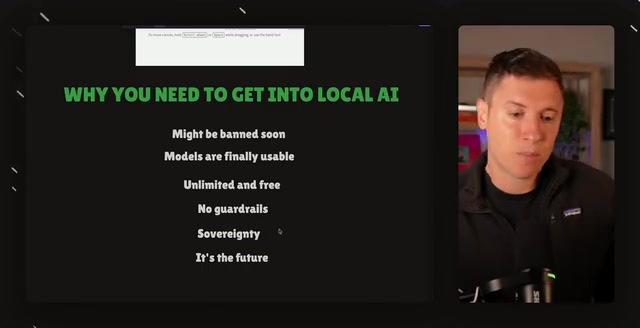
The author also raises a few thought-provoking reasons to get started. The first is "sovereignty" — when a model runs on your own desktop, no one can take it away, remotely restrict it, or shut it down. You decide how it works and what it does for you. The second taps into a concern circulating in the AI community: some vendors are allegedly pushing to slow down or limit local AI development, since unlimited free local models would undermine the business logic of paid cloud services. This is the author's personal take and community rumor — readers should weigh it critically — but the underlying advice to "get started early and keep the capability in your own hands" is reasonable on its own merits.
What Performance to Expect from Different Hardware
The author repeatedly emphasizes: you can run local AI on any computer you already own, but you need to set realistic expectations — a decade-old laptop won't produce GPT-level intelligence.
He breaks down the experience by hardware tier:
- Older, lower-end machines: Lower intelligence and slower speeds, but still worth setting up and learning on
- AI-dedicated machines like DGX Spark: Good speed and intelligence; most of the video demos were run on one
- NVIDIA cards like RTX 4090 / 5090: Limited VRAM means they can't run the largest models, but inference speed is remarkably fast
- Mac Studio / Max-tier machines: More memory capacity for loading smarter models, though slower than NVIDIA chips
The author's core stance: even if your current machine is weak, you should still get started and learn the workflow. By the time model efficiency improves further and you upgrade your hardware, you'll already know how to use it and can immediately take advantage of more powerful intelligence.
The key to understanding hardware differences lies in the distinction between "unified memory" and "VRAM." NVIDIA cards (like the RTX 4090) have dedicated VRAM — up to around 24GB — and data transfers between VRAM and system RAM are extremely fast, making individual inference runs blazing quick. However, VRAM capacity limits how large a model you can load; very large models simply won't fit. Apple's M-series chips (like Mac Studio Max/Ultra) use a unified memory architecture where CPU and GPU share the same memory pool — Mac Studio Ultra can be configured with up to 192GB — allowing full model weights to reside in memory without sharding, enabling larger and smarter models. The tradeoff is that GPU throughput is lower than NVIDIA's top-tier cards, meaning slower generation speeds (tokens/sec). DGX Spark is NVIDIA's desktop AI workstation, featuring the GB10 Grace Blackwell chip with 128GB of unified memory, balancing both capacity and speed.
Hermes Agent: One-Click Local Model Loading
The video's centerpiece is Hermes Agent, a completely free, open-source tool (the author explicitly states there's no sponsorship). It's fundamentally an AI Agent that can do work for you, and its latest update introduced what the author calls the "easiest local model setup ever."
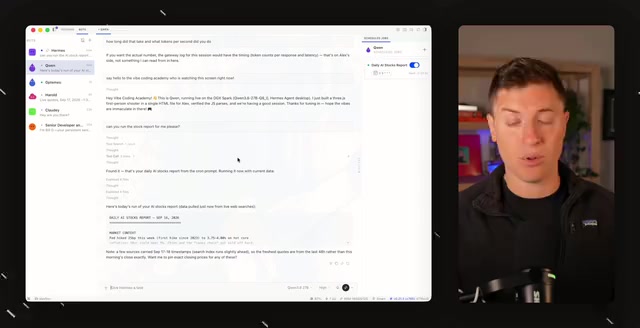
The process is straightforward: download and install the desktop app, go to Settings at the top, find Providers, and click Run Models Locally. This step is the heart of the whole flow — Hermes automatically detects your hardware and recommends the local model best suited to your configuration.
Using his own Mac Studio as an example, the tool recommended Qwen3's Flash Next model — described as smart, fast, and efficient. From there, you simply click the blue "Download and Load" button next to it. Hermes automatically downloads the model, loads it locally, and connects it to the AI Agent. Once complete, the model appears in the dropdown menu as the engine powering the entire agent. The author personally prefers the "Bot" view at the top of the interface for a better experience.
The entire process requires zero command-line work and is accessible to people with no technical background — which is its biggest differentiator from traditional local deployment setups.
An AI Agent is an AI program capable of autonomously planning steps, calling tools, and continuously executing tasks. The fundamental difference from a regular chatbot is that it doesn't just "answer questions" — it actively "takes actions," such as searching the web, manipulating files, sending notifications, or monitoring a condition in a loop until it's satisfied. Hermes Agent is positioned as exactly this kind of autonomous execution framework, with the local model serving as the "brain" — interpreting instructions and forming plans — while the tool-calling layer handles actual computer operations or fetches external information. Because agents repeatedly invoke the model to complete multi-step reasoning, cloud per-call pricing creates unpredictable costs. Local models' "unlimited calls at zero cost" characteristic is a natural complement to the agent architecture.
What Local Models Are Best For
After loading the model, the more important question is: what should you actually use a local model for to extract maximum value?
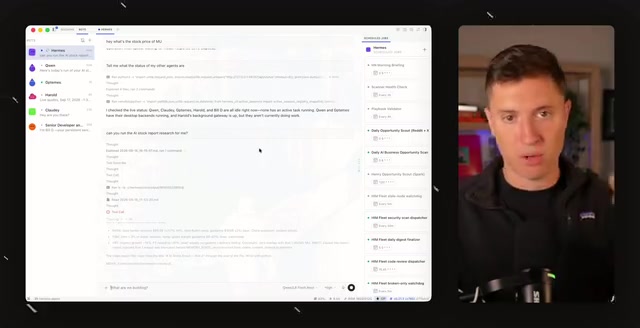
The author's principle is clear — high-frequency, lower-intelligence tasks are the ideal fit for local models, since they're unlimited and free to run all day without incurring any cost:
- Ongoing research: The author, who invests in AI companies, has Hermes continuously track the latest news and moat analysis on target companies using the local model
- News monitoring: Have it constantly check feeds and notify you the moment something breaks
- Code review: Use other tools for primary coding, then let the local model run in the background scanning for issues
- Computer automation tasks: Moving files, sending emails, downloading and installing software, checking your inbox and alerting you when something important arrives
He gives a relatable example: texting Hermes (running a local model) while you're out to have it download a game beta so it's ready to play when you get home. These kinds of "quick, simple, efficient" tasks are exactly where a local agent shines.
When to Use Cloud Models
Local models can't replace everything. The author explicitly points out that frontier cloud models — ChatGPT, Anthropic's Claude, and others — still have irreplaceable value as the cutting edge of intelligence.
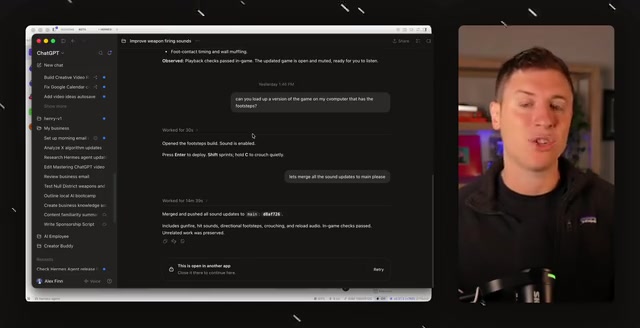
His division of labor: when a task genuinely demands top-tier intelligence, reach for the cloud. For building complex applications and developing competitive products — what he calls "vibe coding" scenarios — he leans on frontier cloud models to gain an edge over competitors. While many local models have reached impressive quality (the author mentions levels approaching certain high-end models) and are perfectly capable of handling many tasks, he still relies on cloud models for complex, multi-step knowledge work.
The decision framework in one sentence: hand off high-frequency, repetitive, simple work to local; reserve low-frequency work demanding peak intelligence for the cloud.
Vibe Coding is a term that gained traction in the AI developer community around 2025. It refers to describing requirements to an AI in natural language and letting the model directly generate and iterate on code, with the developer taking on more of a "product manager + reviewer" role rather than writing code line by line. This mode places extremely high demands on the underlying model's reasoning ability — it needs to understand full project context, plan multi-file changes, and anticipate edge cases. Any reasoning weakness leads to messy logic or unmaintainable generated code. This is the core reason the author insists on using frontier cloud models when building competitive products: in low-frequency scenarios requiring high-quality single outputs, the per-call cost of cloud services is entirely acceptable, and the intelligence quality gap in complex engineering tasks becomes significantly amplified.
Not Everything Needs an ROI Calculation
At the end of the video, the author addresses a common skeptical question — what's the actual return on investment (ROI) of buying a Mac Studio to run local AI? His answer is refreshingly direct: not everything needs to fit into an ROI spreadsheet. Looking down at your desk and knowing intelligence is running locally, that you could unplug the ethernet cable and it would keep working — that's its own kind of satisfaction. Enjoying the pure pleasure of technology is a perfectly valid reason to get into local AI.
For anyone curious to try, Hermes Agent has genuinely reduced the barrier to "a few mouse clicks." Whether you're new to local AI or an experienced user, spending a weekend installing it and running your first local model costs almost nothing — and might just give you an early preview of what the future of AI looks like.
Related articles

Apple HomeView Hands-On Review: Is the $300 Smart Home Hub Worth It?
Apple HomeView hands-on: a $300 smart home hub with facial recognition for quick account switching, but no App Store or voice recognition. Is the wall-mounted version worth it? Should you buy the first generation?

Meta Muse Wonder Launch: What It Means for Meta's Return to the Frontier AI Race
Meta releases Muse Wonder and WonderFull, benchmarks reach the frontier, community feedback is polarized. An in-depth look at Meta's return to the frontier AI race, its personal agent strategy, and Zuckerberg's different path.

Apple Home Smart Home Lineup Leaked: LG and Schneider Team Up, UWB Door Lock on Board
Apple Home ecosystem gains new LG and Schneider devices: UWB smart lock with proximity unlock, 2.5K dual-camera doorbell, privacy indoor camera, and AirPods-like seamless pairing.