LangGraph Beginner's Guide: A Complete Tutorial for Building Enterprise-Grade AI Agents

A complete guide to building enterprise-grade AI Agents with LangGraph's graph-based orchestration framework.
This tutorial introduces LangGraph, a graph-based Agent orchestration framework in the LangChain ecosystem. It covers environment setup, core concepts like Message State and Graph, migration from LangChain, and the differences between Graph API and Functional API, providing a complete path for developers to build enterprise-grade AI Agent applications.
What Is LangGraph
With the rapid rise of AI Agent applications, orchestrating complex multi-step tasks and managing state transitions has become a core challenge for developers. An AI Agent is an intelligent system capable of perceiving its environment, making decisions, and autonomously executing tasks — unlike traditional single-call interactions with large language models, Agents possess capabilities such as Planning, Memory, Tool Use, and Reflection. Since 2023, with the emergence of strong reasoning models like GPT-4, Agents have evolved from academic concepts to engineering practice, giving rise to landmark projects like AutoGPT and BabyAGI. Enterprise-grade Agent applications typically need to handle complex scenarios such as multi-turn decision-making, external tool invocation, and error recovery, placing extremely high demands on orchestration frameworks.
LangGraph is a framework built precisely to solve this problem. As a key component of the LangChain ecosystem, LangGraph abstracts an Agent's execution flow into a "Graph," using Nodes and Edges to define task routing logic. LangChain is one of the most popular development frameworks for large language model applications, created by Harrison Chase in 2022. Its core philosophy is to connect LLM calls, prompt templates, external tools, vector databases, and other components through Chains. LangGraph, as the module within the ecosystem focused on Agent orchestration, fills the gaps in LangChain's handling of complex control flows.
Unlike traditional Chain-based orchestration, LangGraph's core advantage lies in its fine-grained support for state management and flow control. It natively supports cycles, conditional branching, parallel execution, and other complex control flows, making it ideal for building enterprise-grade Agent applications that require multi-turn interactions and dynamic decision-making. LangGraph draws on the concepts of Directed Acyclic Graphs (DAGs) and state machines, but goes beyond traditional DAGs — it supports Cycles, meaning an Agent can iterate repeatedly until a termination condition is met. This design is partly inspired by data flow programming models like Pregel (Google's large-scale graph processing framework) and Apache Beam, decomposing complex Agent behaviors into composable, observable discrete steps.
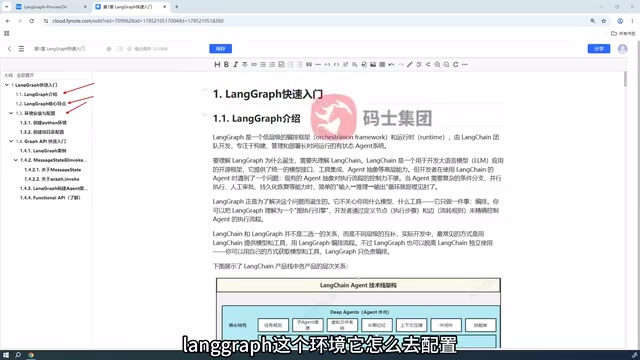
Core Features of LangGraph
- State-Driven: Context is passed and maintained across nodes through State objects, giving the entire workflow "memory" capabilities. In traditional software engineering, the Finite State Machine (FSM) is a classic pattern for managing system state transitions. LangGraph brings this concept into the AI Agent domain — each node's execution is based on the current State and produces state updates. Similar to frontend state management solutions like Redux, LangGraph adopts the Reducer pattern — state updates don't directly overwrite but instead aggregate outputs from multiple nodes through predefined merge strategies (such as list appending or dictionary merging), ensuring predictability and traceability of state changes.
- Graph-Based Orchestration: Task logic is organized in graph form, supporting complex control flows that are more flexible than linear Chains.
- Visualization and Debugging: The graph structure is naturally suited for visualization, allowing developers to clearly see the Agent's execution path.
- Enterprise-Grade Reliability: Features like persistence and checkpoint-based resumption meet production environment requirements. LangGraph has a built-in Checkpointer mechanism that can persist the graph's execution state to storage backends such as SQLite or PostgreSQL. When system failures occur or human intervention is needed, the Agent can resume execution from the most recent checkpoint instead of starting over. This feature also supports Human-in-the-Loop mode — pausing at critical decision nodes to wait for human review before continuing execution.
Environment Setup: Building a LangGraph Development Environment from Scratch
The first step to getting started with LangGraph is setting up your development environment. The entire process can be summarized in three steps: "Install Python environment → Create project → Configure dependencies."
For beginners, it's recommended to start with a clean Python virtual environment to avoid dependency conflicts. Python virtual environments (such as venv, conda, and poetry) are standard practice for isolating project dependencies. In AI development, different projects may depend on different versions of the same library (e.g., one project needs pydantic v1 while another needs v2), and virtual environments effectively prevent version conflicts. Python 3.10 or above is recommended to get full support for the latest syntax features and type annotations — LangGraph extensively uses type annotation features like TypedDict and Annotated to define state structures, and these features received more complete syntax support and runtime behavior improvements starting from version 3.10. After creating a virtual environment, install LangGraph and its dependencies via pip:
pip install langgraph langchain
Additionally, if you need to connect to large language models (such as OpenAI, Qwen, etc.), you'll also need to install the corresponding model SDK and configure API keys. This step is the foundation for enabling the Agent to "think." Currently, major LLM providers include OpenAI (GPT series), Anthropic (Claude series), Google (Gemini), as well as Chinese providers like Qwen (Tongyi Qianwen), ERNIE Bot (Wenxin Yiyan), and Zhipu. LangGraph unifies the calling interfaces of different models through LangChain's ChatModel abstraction layer — developers only need to swap the model name and API key to switch the underlying model. In production environments, you also typically need to consider engineering details such as API rate limiting, retry strategies, token billing, and streaming output.
Recommended Project Structure
Before diving into coding, planning a clear project structure is very important. A typical LangGraph project usually contains modules for state definitions, node functions, and graph construction and compilation. Splitting these logical components into separate files helps with long-term maintenance and team collaboration.
Your First LangGraph Example: Understanding Core Concepts
The best way to understand the LangGraph programming model is to build a simple example hands-on. In this introductory example, there are two core concepts to focus on: Message State and Graph.
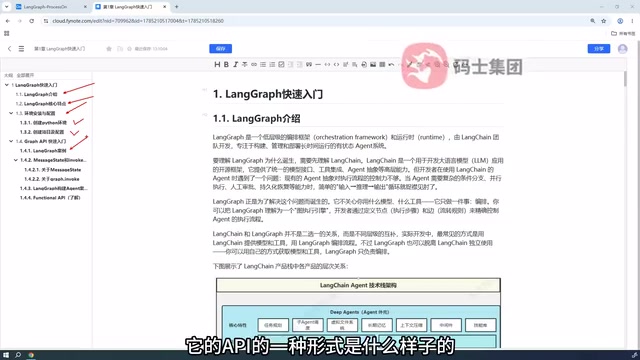
Understanding Message State
Message State is the state object used in LangGraph to carry conversation messages. It records all messages generated during the Agent's interaction with the user and flows between the various nodes of the graph. Think of it as the "shared memory" throughout the Agent's runtime — every node can read the current state and update it.
The elegance of this design lies in the fact that developers don't need to manually pass large numbers of parameters between functions. State updates are automatically merged into the global State, greatly simplifying the orchestration complexity of multi-step tasks. Specifically, Message State internally maintains a message list, and new messages are automatically merged into the existing list through a Reducer strategy (append mode by default). This means that when a node returns a new AI message, the system appends it to the message history rather than overwriting the existing content. This immutable data design philosophy makes state changes trackable and reversible.
Graph Invocation Flow and Important Notes
After defining nodes and state, you need to assemble them into a complete Graph and then generate an executable application through compilation (compile). The compile step in LangGraph is similar to code compilation — it transforms the developer-defined graph structure (nodes, edges, conditional branches) into an efficiently executable runtime object. During compilation, the graph undergoes validity checks (such as verifying there are no orphan nodes and that entry points are correctly defined), and an optimized execution plan is generated. The compiled graph object supports multiple execution modes including invoke (synchronous call), stream (streaming output), and ainvoke (asynchronous call) to meet the needs of different scenarios.
During graph invocation, there are some easily overlooked details worth noting: for example, the order of node execution, the timing of state updates, and how to correctly handle return values from conditional branches.
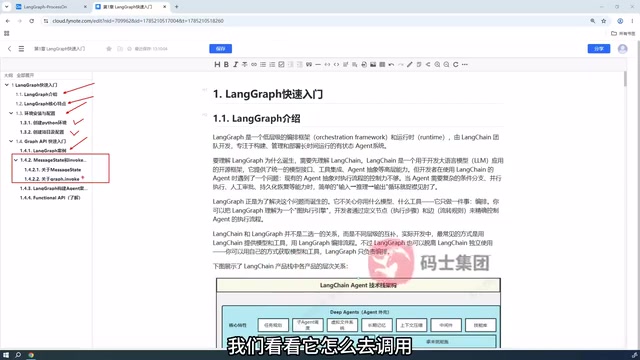
These details are often where beginners run into the most trouble. Understanding clearly how state "flows" through the graph is the key to mastering LangGraph.
Migration Guide: From LangChain to LangGraph
For developers already familiar with LangChain, this section specifically compares how to re-implement an Agent example using LangGraph. For the same Agent logic, LangChain's high-level abstractions (such as AgentExecutor, create_react_agent, etc.) enable quick implementation, while implementing it with the lower-level LangGraph requires more explicit definition of state and transition logic.
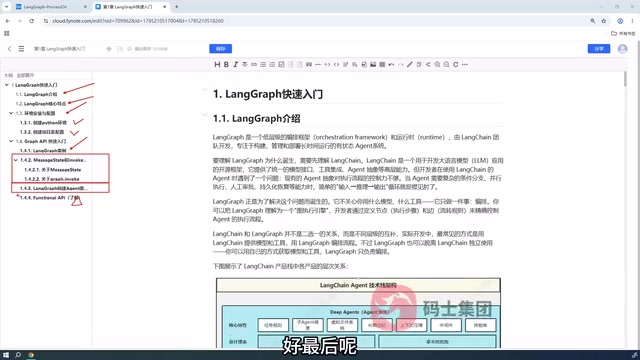
The value of this comparison lies in the fact that LangChain offers "out-of-the-box" convenience, while LangGraph offers "fine-grained and controllable" flexibility. When business logic becomes complex and custom control flows are needed, using LangGraph directly provides greater freedom and maintainability. For example, when an Agent needs to execute specific fallback logic upon tool call failure, or needs to dynamically adjust subsequent steps based on intermediate results, LangGraph's Conditional Edges and loop structures can elegantly express these requirements, whereas LangChain's AgentExecutor might require complex callbacks and exception handling to achieve the same effect.
Two Programming Interfaces: Graph API vs Functional API
LangGraph provides two parallel programming interfaces:
- Graph API: Orchestration through explicit graph structures — this is currently the most widely used approach. It clearly defines nodes, edges, and state transitions, making it suitable for building complex enterprise-grade Agents. Developers create graph instances through the StateGraph class, use add_node to add nodes, add_edge and add_conditional_edges to define transition rules, and finally call compile to generate an executable object. This declarative programming style makes the Agent's behavioral logic clear at a glance.
- Functional API: A workflow definition style closer to functional programming, syntactically more concise but relatively less used in production. It uses decorators like @task and @entrypoint to mark ordinary Python functions as orchestrable computation units, without the need to explicitly build a graph structure. This approach lowers the entry barrier and is suitable for scenarios with relatively simple logic. However, due to the lack of explicit graph definitions, it's less intuitive than Graph API for visual debugging and team comprehension of complex workflows, resulting in lower adoption rates for production-grade complex Agents.
For most developers, it's recommended to focus your learning efforts on the Graph API. It's not only the community mainstream but also represents the core of LangGraph's design philosophy — using graphs to express an Agent's thinking and action processes.
Summary and Next Steps
LangGraph provides a powerful and flexible orchestration framework for building enterprise-grade AI Agents. From environment setup and your first example to state management and the choice between two APIs, this article has outlined the complete path to getting started with LangGraph. For developers looking to bring Agent applications into production, deeply understanding the Graph API and the state-driven programming model is an essential step toward advanced mastery.
As a next step, it's recommended to build a complete Agent project hands-on, experiencing the elegance of state transitions and flow control through practice. You can start with a ReAct Agent with tool calling, and gradually incorporate advanced features like multi-Agent collaboration, human-in-the-loop approval workflows, and long-running task persistence, progressively mastering the full capabilities of LangGraph.
Related articles

Chain of Thought Isn't Just for AI: How Humans Can Use CoT to Improve Thinking Quality
Chain of Thought isn't just a prompt trick for large models. Starting from a Hacker News discussion, this article analyzes why CoT works for human thinking too, breaks down actionable ways to transfer it, and highlights the key differences between human CoT and machine CoT.
Cloudflare Teams Up with OpenAI: Closi…
Cloudflare Teams Up with OpenAI: Closing the Loop from Vulnerability Discovery to Defense with AI
Cloudflare uses OpenAI Daybreak to investigate security vulnerabilities and generate reviewable remediation plans, while developers use Codex to boost coding efficiency and quality.

Orca Multi-Agent Orchestration in Practice: A Guide to Parallel Collaboration with Claude and Codex
Orca is Stable AI's free open-source agent workbench supporting 34 agents like Claude Code and Codex in parallel. Learn its Git worktree isolation, multi-model orchestration, and mobile management.