LangGraph or Plain Loops? How Developers Draw the Boundary

LangGraph suits complex automated processes; human intervention steps are better handled with plain loops, with boundaries determined by testing and maintainability.
The article explores when to use LangGraph graph structures versus plain Python loops in AI application development. A developer shares that in the learning-os project, LangGraph was used only for data ingestion, while human review steps were implemented with loops because blocking graph nodes is difficult to test and recover. The community has two options for human intervention: in-graph interrupt or out-of-graph loops, each with pros and cons. Practical advice is to start simple and use LangGraph only for parts that truly need graph structure—graphs handle deterministic automated processes, loops handle human interaction and exception handling. The two are complementary, and the boundary depends on process complexity, frequency of human intervention, and testing needs.
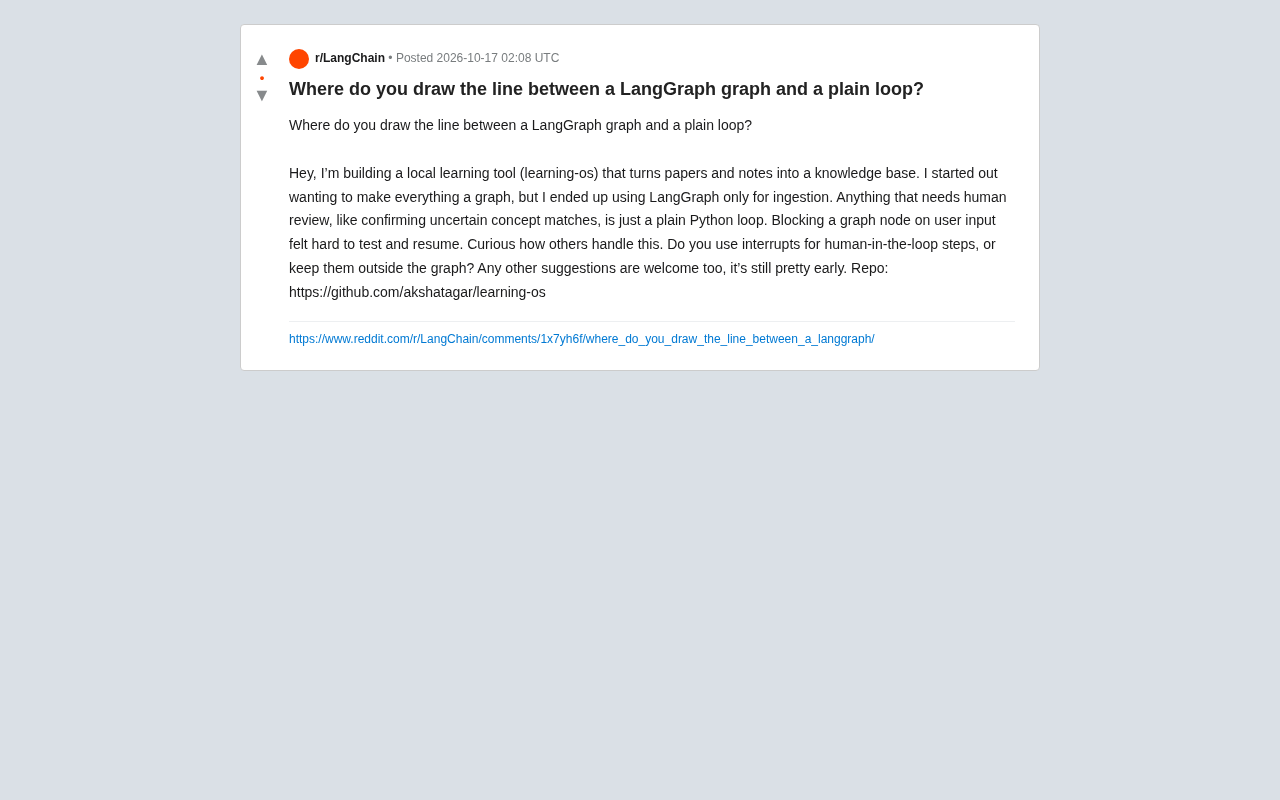
When building AI applications, LangGraph is often used as a graph-structured workflow orchestration tool to manage complex state and processes. But not every scenario is suited to using graphs—a developer shared his confusion on Reddit: while developing the learning tool learning-os, he initially wanted to turn all processes into graphs, but ultimately only used LangGraph for data ingestion, while steps requiring human review (such as confirming uncertain concept matches) were implemented with ordinary Python loops. He believes that blocking graph nodes on user input is difficult to test and recover. This raises a question worth exploring: when should you use LangGraph, and when should you use a plain loop?
Why Graphs Aren't a Silver Bullet
The core advantage of LangGraph lies in managing complex branching, loops, and state persistence, making it particularly suitable for multi-step, conditional AI workflows. However, when a process requires human-in-the-loop intervention, the graph structure may introduce additional complexity. The developer pointed out that blocking graph nodes on user input makes testing difficult, because testing requires simulating user interaction; at the same time, resuming also becomes tricky because the graph's state needs to be synchronized with external input. In contrast, an ordinary Python loop is more straightforward: code executes sequentially, waits for input, then continues. This simplicity is especially valuable in early development.
State Persistence in LangGraph means that the graph's execution state can be serialized and saved, then restored later. After each node executes, the graph's state (including variables, message history, and intermediate results) is recorded by a checkpoint mechanism. This allows long-running workflows to continue from a breakpoint after failure, and also supports recovery after human review. However, when graph nodes need to wait for external user input, the state must be synchronized with external input, increasing design complexity. Ordinary Python loops have no built-in persistence; state is kept in memory variables and lost when the process ends, but they are simple to implement and suitable for short-lived or highly interactive scenarios.
Human Intervention: In-Graph Interrupt or Out-of-Graph Loop?
For human review steps, developers face two choices: use LangGraph's interrupt feature to pause within the graph, or place human steps outside the graph and handle them with loops. The former preserves workflow integrity but increases the burden of testing and state management; the latter is more flexible but may fragment the process. The community has different views on this. Some developers prefer using interrupt because it leverages LangGraph's state management to ensure the process is recoverable; others, like this developer, choose to externalize human steps to reduce complexity. The actual choice depends on the team's trade-off between testing and maintainability.
LangGraph's interrupt feature allows actively pausing during graph execution and waiting for external events (such as human review) before continuing. It is implemented by throwing an interrupt signal and saving the current state, and on resume it re-enters from the checkpoint. Interrupt is suitable for scenarios that need to maintain workflow integrity, but testing requires simulating interrupt and resume logic, and state management must carefully handle concurrency and timeouts. In contrast, externalizing human steps as ordinary loops means the graph is only responsible for the automated part, while human interaction is controlled by external code. Testing is simpler, but state may need to be passed between the graph and the loop, increasing integration cost.
Practical Advice: Start Simple, Gradually Graph-ify
For early-stage projects like learning-os, a practical strategy is: use LangGraph only for parts that truly need graph structure, such as multi-step data processing pipelines, and keep highly interactive parts with simple state as ordinary loops. As process complexity increases, consider incorporating more steps into the graph. In addition, clear boundaries can be designed: the graph handles deterministic, automated processes, while loops handle human interaction and exception handling. This leverages LangGraph's advantages while maintaining code testability and maintainability.
Data Ingestion pipelines usually refer to the process of extracting, transforming, and loading raw data sources into target storage. In AI applications, ingestion may include steps such as document parsing, chunking, and vectorization. Such processes are often deterministic and multi-step, and require no human intervention, making them very suitable for modeling with LangGraph to leverage its branching, looping, and state management capabilities. Human review steps (such as concept match confirmation), on the other hand, are uncertain and interactive, and are better handled with ordinary loops to keep code intuitive and testable. When drawing boundaries, you can judge based on whether the process is fully automated and whether it requires a complex state machine.
Conclusion
LangGraph and plain loops are not mutually exclusive but complementary tools. The key to drawing the boundary lies in evaluating process complexity, the frequency of human intervention, and the difficulty of testing. For steps requiring human review, it's worth starting with simple loops and considering graph-ification once the pattern becomes clear. As this developer's experience shows, premature graph-ification may bring unnecessary burden.
Related articles

Free Unlimited Claude Code Solution: Agnes AI + CC Switch Setup Guide
No paid subscription needed — pair the free AI platform Agnes AI with the open-source tool CC Switch to provide a backend for Claude Code, enabling unlimited free calls to text, image, and video models. This guide covers the full setup, test results, and usage boundaries.

A Complete Zero-Cost Guide to Getting Started with Claude Code for Beginners in China
A beginner's guide to Claude Code for users in China: two installation methods (command line and IDE plugin), full configuration steps for replacing the official API with the free domestic LongCat model, and a hands-on demo of building a small tool with natural language, plus tips.

When the NSA Gets Involved: The AI Supply Chain Crisis Behind Open-Source CVEs and API Key Hijacking
Multiple open-source projects disclosed severe CVEs in one day, PHP flaws alarmed the FBI, and Railway and OpenCode were breached with API keys stolen. This article breaks down the vulnerability window, AI-accelerated exploitation, and the AI supply chain crisis behind the API key black market, with a developer defense checklist.