LM Studio vs Ollama: Which Local AI Runner Should You Choose?

LM Studio for visual ease, Ollama for developer integration — or use both for the full local AI workflow.
This article compares two leading local LLM tools: LM Studio and Ollama. LM Studio is a polished desktop app with a built-in model browser, visual parameter controls, and RAG support — ideal for users who want to avoid the terminal. Ollama is a lightweight command-line backend with an OpenAI-compatible API, better suited for developers building apps and pipelines. Both rely on llama.cpp and GGUF models, so output quality is identical; differences lie in resource usage and ecosystem fit. The recommended approach is to use both: LM Studio for exploration and testing, Ollama as a stable local API backend.
Tired of paying for cloud AI, or just don't want your conversations leaving your machine? Local LLM runners are becoming the go-to solution for more and more users. In this space, LM Studio and Ollama are two of the biggest names. Both let you run powerful AI models locally — but they serve very different audiences. This article breaks down the key differences so you can find the right fit.
Different Philosophies: Desktop App vs. Command-Line Backend
LM Studio is essentially a private, offline version of ChatGPT. It offers a polished desktop interface where you can search for models, download them, start chatting, and tweak all sorts of settings — no terminal required. It comes with a built-in model browser connected to Hugging Face, displaying model sizes, quantization options, and whether a given model is compatible with your hardware.
Ollama takes a different approach. It was originally built as a lightweight command-line tool and background server. While official desktop apps for Windows and macOS have since been released, the interface is intentionally minimal — pick a model, start a conversation, that's it. This simplicity is actually one of Ollama's biggest strengths, and it makes the tool remarkably beginner-friendly.
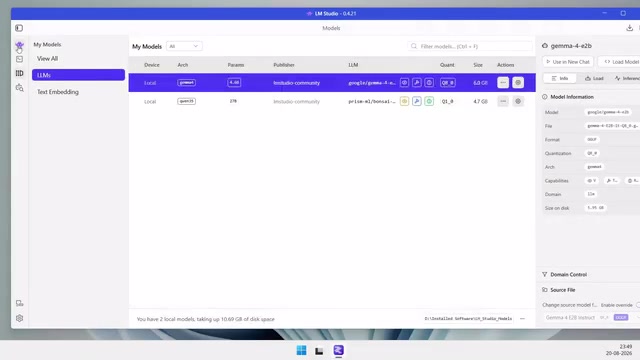
If you're purely comparing UI experience, LM Studio wins. It feels like a complete application, offering visual controls for GPU layers, context length, and more, along with basic document chat and RAG functionality. Ollama's desktop app is cleaner, but doesn't offer the same level of visual fine-tuning.
Performance: Same Core Tech, Different Resource Footprints
Here's an important thing to understand: both tools are built on the same underlying technology stack, including llama.cpp, and both support GGUF format models. That means a model won't become smarter just because you run it in LM Studio versus Ollama — the intelligence comes from the model itself, not the runner.
The differences show up in resource efficiency. Ollama generally has a lighter system footprint and may run slightly faster, particularly on NVIDIA GPUs. LM Studio, with its richer graphical interface, tends to consume more RAM.
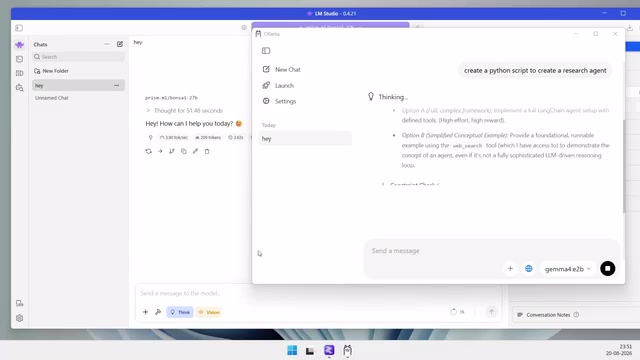
That said, the story flips on Apple Silicon Macs. LM Studio's MLX support makes it highly competitive on that platform — in some cases even outperforming Ollama. So your hardware is a variable you can't ignore when making this choice.
llama.cpp is an open-source inference engine developed by Georgi Gerganov, implementing efficient inference for LLaMA-family models in pure C/C++. It can run large language models on CPU alone, without requiring a GPU. GGUF (GPT-Generated Unified Format) is its companion model file format — a successor to GGML — designed for quantized storage and efficient loading. Quantization compresses model weights from high-precision floats (e.g., float32) down to low-precision integers (e.g., int4, int8), reducing model size by 50–80% with only a modest accuracy trade-off, making billion-parameter models accessible on consumer hardware. Because both LM Studio and Ollama use llama.cpp as their inference core, loading the same GGUF file in either tool should theoretically produce identical output quality — performance differences come mainly from their respective scheduling strategies and UI overhead.
MLX is Apple's machine learning framework designed specifically for Apple Silicon (M-series chips). It takes full advantage of the Unified Memory Architecture (UMA), where the CPU and GPU share the same high-bandwidth memory pool with no need to copy data between them. This gives M1/M2/M3/M4 chips a significant edge in memory bandwidth utilization compared to traditional CPU + discrete GPU setups. LM Studio was among the first to deeply integrate an MLX backend, enabling it to load MLX-native model formats and achieve higher throughput on Mac than the llama.cpp path alone. This is why LM Studio sometimes benchmarks faster than Ollama on Apple Silicon — not because the runner is inherently smarter, but because the underlying compute path is different.
Developer Perspective: Ollama's Integration Edge
If you're a developer, Ollama starts to show a clear advantage. It runs as a local server and exposes an OpenAI-compatible API, making it remarkably easy to plug local models into applications, coding tools, AI agents, Docker containers, and frameworks like LangChain and OpenWebUI.
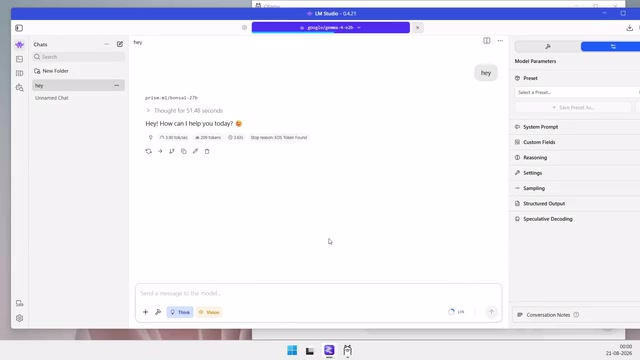
Ollama also supports reproducible model configurations via Modelfiles, and it's open-source under the MIT license — a bonus for developers who want full visibility and control over their tooling.
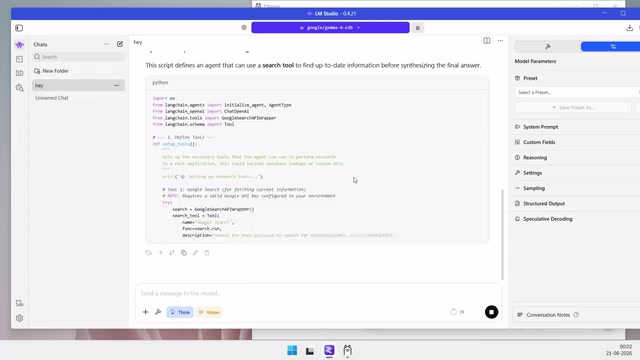
To be fair, LM Studio also offers an OpenAI-compatible local API, a CLI tool called LMS, and headless operation — so it's not off-limits for development use. But its overall workflow leans toward desktop users rather than automation and infrastructure scenarios.
The OpenAI-compatible API refers to implementations that follow OpenAI's official REST API spec, particularly the
/v1/chat/completionsendpoint. Since OpenAI's API has become the de facto standard for LLM integration, a huge number of developer frameworks, plugins, and tools support it out of the box. Ollama listens locally athttp://localhost:11434by default — by pointing an app's base URL there, developers can swap cloud models for local ones with minimal code changes. LangChain is a popular LLM application framework offering chained calls, memory management, and tool integrations. OpenWebUI is a self-hosted web chat interface that connects directly to an Ollama backend, giving team members who aren't comfortable with the command line a friendly access point. A Modelfile is similar to Docker's Dockerfile — it lets developers declaratively define model parameters, system prompts, and behavioral configurations, making setups version-controllable and reproducible across environments.
Model Discovery Experience
The two tools also differ significantly in how you find models. LM Studio makes model discovery exceptionally smooth: you can browse Hugging Face directly, compare different quantization versions, check file sizes, and complete all downloads within the same interface.
Ollama has its own model library, and downloading models via the command line or desktop app is straightforward — but the discovery experience is more limited and less intuitive than what LM Studio offers.
How to Choose: You Don't Have to Pick Just One
The answer doesn't have to be either/or.
If you're new to local AI, want a polished ChatGPT-style experience, prefer visual controls, or simply don't want to touch a terminal — LM Studio is the better starting point.
If you're a developer or power user building AI apps, agents, or automation pipelines — Ollama is the stronger choice. It's lightweight, scriptable, easy to integrate, and excels as a local AI backend.
The smarter move is to use both: rely on LM Studio to discover and test models, experiment with settings, and have casual conversations; switch to Ollama when you need a stable local API for apps and AI tooling. Together, they cover the full journey from exploration to deployment.
Ultimately, there's no absolute winner. LM Studio wins on user experience; Ollama wins on developer workflows and lightweight infrastructure. And what they share matters more: both let you run powerful AI models locally, completely free from cloud dependency.
Related articles

Free Unlimited Claude Code Solution: Agnes AI + CC Switch Setup Guide
No paid subscription needed — pair the free AI platform Agnes AI with the open-source tool CC Switch to provide a backend for Claude Code, enabling unlimited free calls to text, image, and video models. This guide covers the full setup, test results, and usage boundaries.

A Complete Zero-Cost Guide to Getting Started with Claude Code for Beginners in China
A beginner's guide to Claude Code for users in China: two installation methods (command line and IDE plugin), full configuration steps for replacing the official API with the free domestic LongCat model, and a hands-on demo of building a small tool with natural language, plus tips.

When the NSA Gets Involved: The AI Supply Chain Crisis Behind Open-Source CVEs and API Key Hijacking
Multiple open-source projects disclosed severe CVEs in one day, PHP flaws alarmed the FBI, and Railway and OpenCode were breached with API keys stolen. This article breaks down the vulnerability window, AI-accelerated exploitation, and the AI supply chain crisis behind the API key black market, with a developer defense checklist.