Monish: Letting AI Agents Report Progress and Request Approval on Your iPhone Lock Screen in Real Time

Monish pushes AI Agent progress and approval requests to the iPhone lock screen, letting users approve or reject directly there.
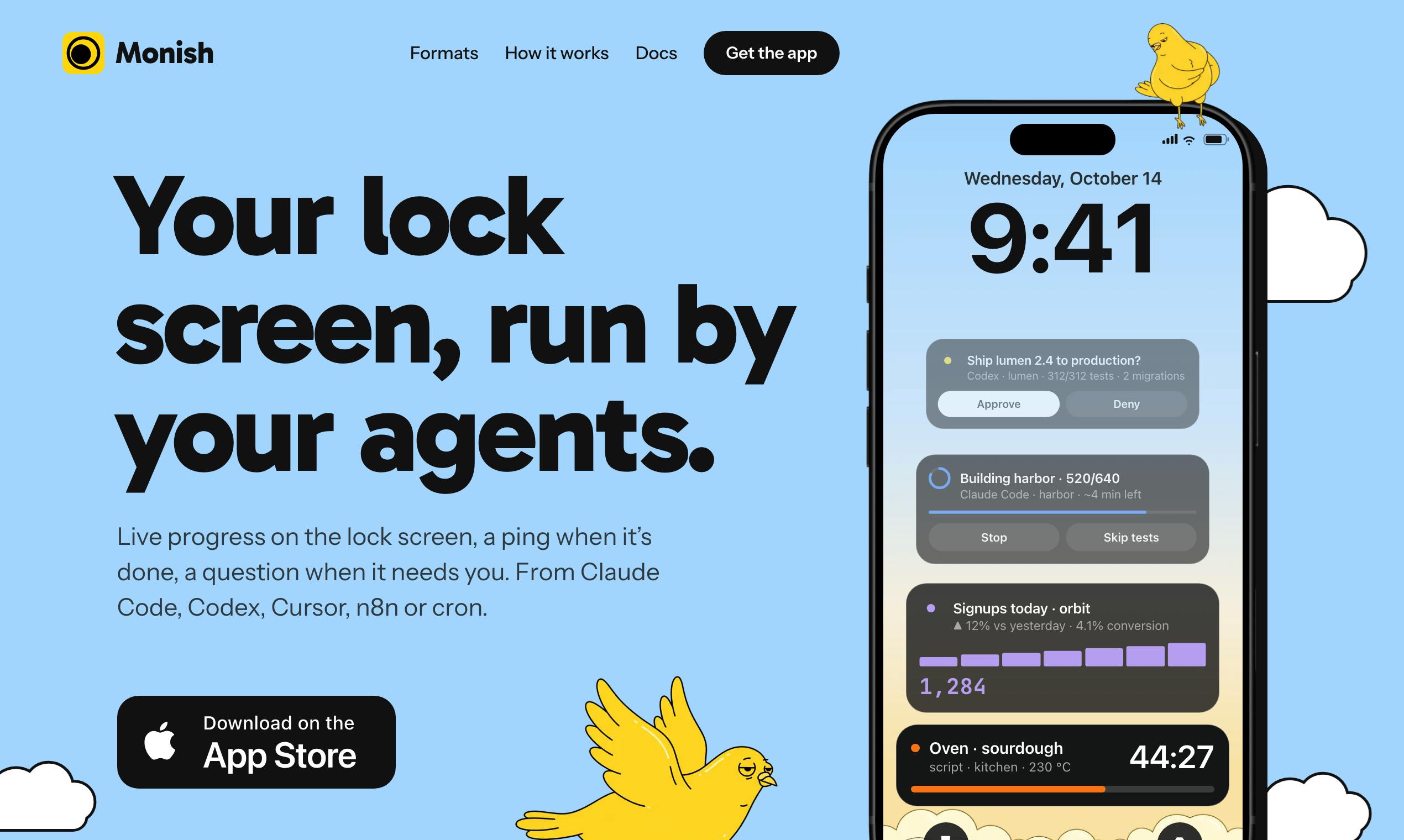
Monish is a lightweight tool launched on Product Hunt that uses one line of code to push real-time progress from AI Agents like Claude Code, Codex, Cursor, n8n, or custom scripts to the iPhone lock screen. It sends notifications on task completion, and Agents request approval before deploying, sending messages, or incurring spending—users can approve or reject directly from the lock screen notification. The product is free, requires no account, and currently supports only iOS; it received 81 upvotes and ranked 10th at launch. Its value lies in bringing the human-AI collaboration approval touchpoint forward to the system level, reducing misoperation risk and context-switching costs, though interaction depth, notification reliability, and security remain key factors yet to be verified.
AI Agents are moving from experiments into everyday use, but their running status often hides in terminals or background processes—users have to actively check in to understand progress. A new product on Product Hunt called Monish aims to change that: it pushes AI Agent real-time progress and approval requests directly to the iPhone lock screen, letting users stay on top of Agent activity and make decisions without opening any app.
A Lightweight Tool That Solves the Agent Monitoring Pain Point
Monish's core functionality is highly focused: you simply paste one line of code into Claude Code, Codex, Cursor, n8n, or any script, and that Agent can display real-time progress on the iPhone lock screen. When a task completes, it sends a notification; when the Agent is about to deploy, send a message, or incur spending, it first sends a request, and the user can approve or reject directly from the notification. The entire flow requires no account creation and is completely free.
According to the Product Hunt page, Monish was developed by Jérémie Aouate. Since launch it has received 81 upvotes, ranking 10th among products of the day, categorized under iOS, Developer Tools, and Artificial Intelligence. The product's official website is accessed via Product Hunt, and currently disclosed information is limited, but it has clearly confirmed support for mainstream AI coding tools and automation platforms.
Claude Code is a command-line AI coding assistant launched by Anthropic, built on the Claude model, capable of directly reading codebases, editing files, and executing commands in the terminal. Codex originally referred to OpenAI's series of code generation models, and later also refers to the programming agent product form derived from them. Cursor is a code editor with integrated AI capabilities, supporting direct invocation of Agents within the editor to complete multi-file modifications. n8n is an open-source workflow automation platform that connects different services through visual nodes, commonly used for tasks such as triggering API calls and sending messages. What these tools have in common is a degree of autonomous execution capability, which means an external mechanism is needed to monitor progress and require human confirmation before critical operations—this is precisely the scenario Monish targets.
Why Lock Screen Approval Is Worth Attention
Currently, most AI Agent interactions are confined to specific interfaces, requiring users to switch windows or open apps to intervene. By moving the approval step out to lock screen notifications, Monish essentially brings the touchpoint of "human-AI collaboration" forward to the system level. For Agents that require frequent deployments or involve sensitive operations, this instant approval mechanism can reduce the risk of misoperations while cutting down on context-switching costs.
From a product design perspective, Monish has chosen a minimalist path: no complex dashboard, but rather leveraging the native capabilities of the iOS notification system. This approach aligns with the recent "de-interfacing" trend in AI tools—integrating AI into existing workflows rather than requiring users to adapt to new interfaces.
iOS lock screen notifications are based on Apple's push notification system, supporting direct display of titles, body text, and action buttons on the lock screen. Developers push notifications to devices via APNs (Apple Push Notification service), and users can view and respond without unlocking. Notifications can be configured as "time-sensitive notifications" or "critical alerts"; the latter can break through Focus mode restrictions but requires Apple review and approval. Monish's lock screen approval relies on quick action buttons on notifications—after the user taps, the system calls back to the app to handle the logic. However, the interaction depth of lock screen notifications is limited by the system, typically supporting only a limited number of buttons and brief text, and complex approvals still require redirecting to the app. Additionally, notification reliability and latency are affected by network conditions, system power-saving policies, and user notification permission settings.
Cross-Verification from Multiple Sources
Currently, public information about Monish comes primarily from the Product Hunt product page. Based on the page description and screenshots, the following can be confirmed: the product supports Claude Code, Codex, Cursor, n8n, and script integration; it provides lock screen progress display, completion notifications, and approval interactions; and it is free with no account required.
However, the specific implementation details (such as whether it relies on a particular API, notification latency performance, and security boundaries of approval operations) have not been disclosed. For tools of this type, stability in actual use and privacy handling are key, and developers are advised to watch for subsequent user feedback before integrating.
Product Hunt is a community platform for new product launches and discovery, where users can vote on products launched that day, and the platform generates a daily ranking based on vote counts. Ranking 10th means Monish received relatively strong community attention among all products submitted that day, but the absolute figure of 81 votes indicates it is still in an early exposure stage. Product Hunt pages typically include a product introduction, screenshots, maker information, and a link to the official website, making them a primary source for initial information about new products—but the technical details disclosed are often limited, so the implementation approach and security boundaries mentioned in this article still require further verification.
Use Cases and Potential Limitations
Monish's typical users are developers who frequently use AI coding assistants or automation workflows. For example, when an Agent in Cursor finishes generating code, the user can confirm whether to deploy directly from the lock screen; when an n8n workflow triggers sending an email or calling a paid API, the user can approve or reject instantly.
The potential limitations are also obvious: the interaction depth of lock screen notifications is limited, and complex approvals may require redirecting to the app; notification display on the iPhone lock screen is affected by system settings, and the feature becomes unavailable if the user disables notification permissions. Additionally, the product currently supports only iOS, so Android users cannot use it.
Editorial View
Monish's value lies in capturing a real gap: the more autonomous AI Agents become, the more humans need lightweight control points. The lock screen, as the most frequently accessed visual entry point, is naturally suited to the role of "critical decision-making." However, whether this product can grow from an "interesting little tool" into a "standard component of Agent workflows" depends on whether it can offer sufficiently convincing security and reliability. After all, tapping "Approve" on the lock screen could mean a code deployment or a financial expenditure behind it.
Related articles
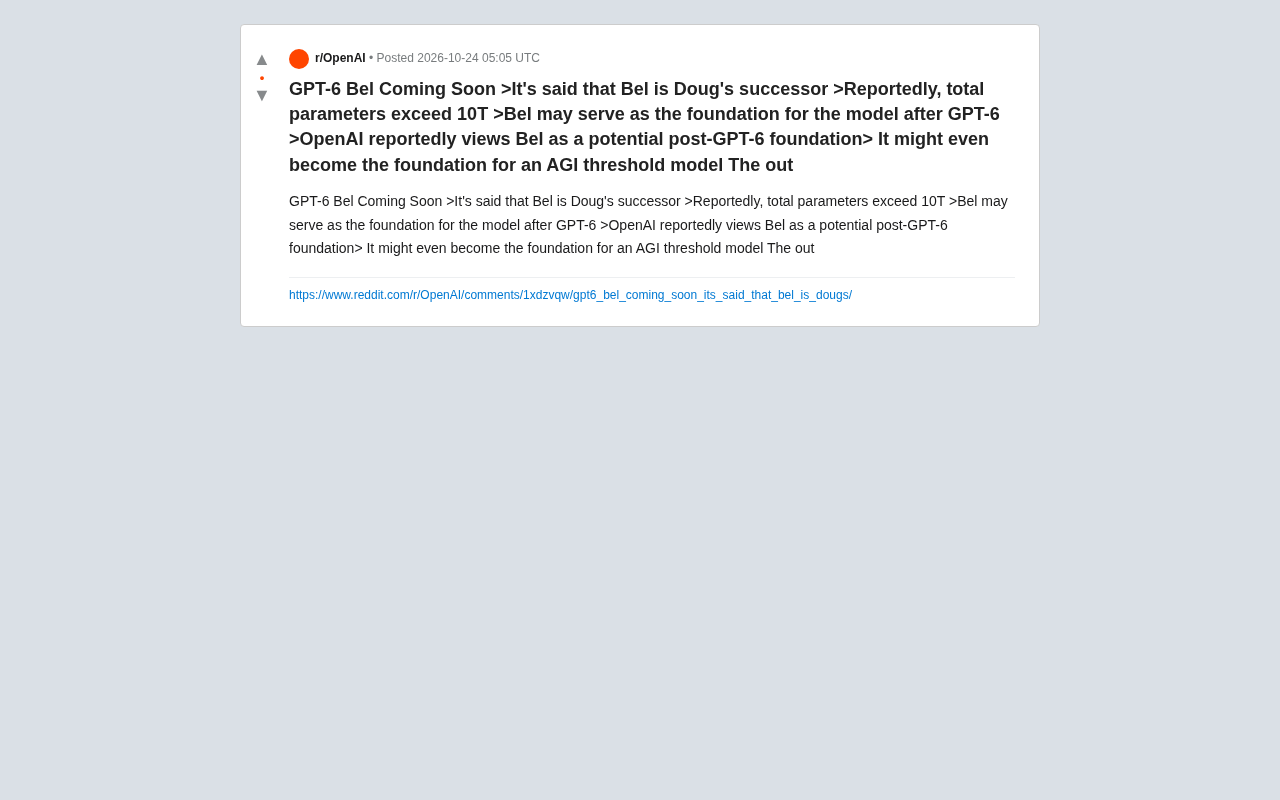
OpenAI's New Model Bel Leaked: 10 Trillion Parameters, Potentially the Foundation for AGI
A Reddit leak claims OpenAI's new model Bel is coming, with over 10 trillion total parameters, possibly serving as the foundation model after GPT-6 or even the base for the AGI threshold. This article breaks down the key claims and assesses their credibility.
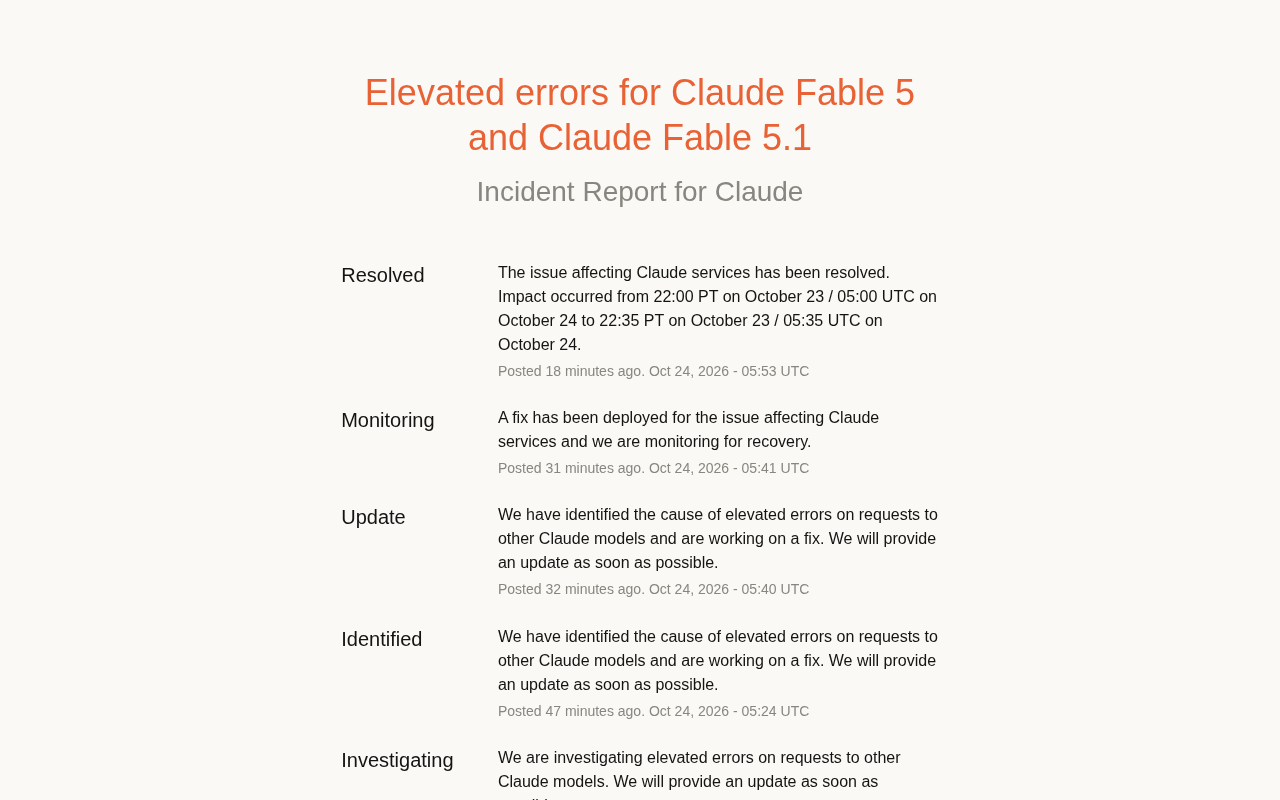
Claude Fable 5/5.1 Outage: A 30-Minute Postmortem
Claude Fable 5 and Fable 5.1 saw elevated error rates for about 35 minutes, per the official status page—from Investigating to Resolved in 37 minutes. This post reconstructs the timeline, analyzes impact on other Claude models, and offers developer guidance on retries, multi-model routing, and monitoring alerts.
Kimi K3.1 Open-Weight Model Hands-On: 3 Trillion Parameters Take On Closed-Source Giants
Kimi K3.1 open-weight model hands-on: 3T-parameter MoE, 1M-token context, stunning 3D rendering but weak spatial reasoning and factual accuracy. Benchmarks near Opus 5.5 at $2.11/task.