n8n Automation: Turn Meeting Notes into Follow-up Drafts in 10 Seconds — an AI Workflow That Never Sends Emails
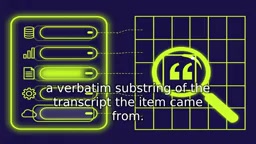
An eight-step n8n workflow turns meeting transcripts into Gmail follow-up drafts with evidence quotes in 10 seconds — and cannot send email by design.
This article covers an n8n AI workflow that generates Gmail follow-up drafts with owners, due dates, and evidence quotes within 10 seconds of a meeting transcript landing, with no send node in the entire flow — structurally preventing accidental emails. A five-field schema forces the model to output verifiable action items, and a grounding check ensures evidence quotes exactly match the transcript or else routes them to human review. A failure case shows how this catches misattribution, embodying the philosophy that "quietly guessing wrong is worse than no automation."
n8n Automation: Turn Meeting Notes into Follow-up Drafts in 10 Seconds — an AI Workflow That Never Sends Emails
The meeting just ended, the tab isn't even closed yet, and three follow-up drafts are already sitting in Gmail — each with an owner, a due date, and an evidence quote. This is what the n8n workflow accomplishes within 10 seconds of the transcript landing. The most notable design choice isn't the speed — it's that the workflow architecturally cannot send email: there is simply no "send" node anywhere in the flow.
Why Meeting Action Items Keep "Evaporating"
The video's author cites a lay version of the Ebbinghaus forgetting curve: over half of new information is lost within an hour, and verbal instructions are essentially gone by the next day. But the real problem isn't forgetting meeting content — it's that action items die in four predictable ways:
- No real owner — "someone should update the doc"
- No real date — "ASAP"
- No end state — just "follow up on this"
- Split responsibility — two names on one line means nobody is responsible
The author shows an old task list that's a graveyard of "to-do, follow up, three question marks." His conclusion: the fix isn't a better note-taking app, but giving each action item a stricter shape.
The Five-Field Structure: Making It Impossible for the Model to "Make Things Up"
Every action item must contain five fields: owner (explicitly mentioned in the transcript or left empty — never guessed), task (starts with a verb and is specific), due date (a real calendar date), confidence (0 to 1), and an evidence quote — a verbatim substring of the transcript. If the model can't point to the exact sentence it read, the item isn't delivered.
The table has seven fixed columns: meeting ID, owner, task, due date, confidence, evidence quote, status (drafted / needs review). This evidence quote is the system's safety valve, and you'll see below how it intercepts a typical misattribution.
Breaking Down the Eight-Step Workflow
The workflow has eight nodes:
- Webhook trigger receives the transcript in JSON format (meeting ID, date, participants, text). If the source is audio, a Google Drive trigger plus an HTTP Request node calls Whisper for transcription. No meeting bot joins the call in this design.
- Code node cleans the text: strips timestamps, fixes the meeting date (for later parsing of "next Friday"), and deduplicates by meeting ID to prevent reprocessing.
- Extraction node: a LangChain agent paired with a structured output parser, so the model returns schema-compliant JSON rather than prose. The system prompt emphasizes "only extract what is explicitly stated; never invent owners or dates."
- Grounding check: another code node does an exact match of each evidence quote against the original transcript. If it doesn't match, retry once; if it still fails, the item goes to a human review queue. Relative dates are also resolved, and when the owner is empty, confidence is capped at 0.5.
- Routing: an If node splits the flow — items with confidence below 0.6, a missing owner, or a missing date go to "needs review"; clean items go to "drafted."
- One row per item is written to the table.
- Gmail node creates exactly one draft per owner, listing their action items and due dates (operation type: create draft).
- Telegram reminder: "The three action items from today's standup are in your Gmail drafts — please review and send."
Eight steps, zero sendable emails. The author stresses that this is structural, not a promise.
LangChain agent and structured output parser: LangChain is an open-source framework for building large language model (LLM) applications, and its Agent component lets the model call tools or execute tasks according to specific logic during reasoning. The structured output parser forces the model to return data conforming to a predefined JSON Schema rather than free text. In this workflow, the extraction node uses exactly this mechanism to have the model output JSON objects containing owner, task, due date, confidence, and evidence quote, making programmatic validation and processing straightforward for downstream nodes.
Webhook trigger: A webhook is a lightweight HTTP callback-based integration. When an external system (such as a meeting transcription service) sends a POST request to a specific URL exposed by n8n, the Webhook trigger node immediately starts the workflow and passes the request body (here, the JSON transcript data) as input to subsequent nodes. This avoids polling and enables event-driven real-time processing — the foundation of the "done within 10 seconds of the transcript landing" speed.
Grounding check: In AI, "grounding" means the model's output must remain verifiably consistent with the given source text or real-world facts. The grounding check in this workflow is a code node that performs exact string matching between each evidence quote generated by the model and the original transcript. If the quote is not a verbatim substring of the source, it's considered "ungrounded," and the system triggers a retry or routes the item to human review. This mechanism is the key safety valve against model hallucination, ensuring every action item is traceable.
Proving the Design with a Failure Case
The video uses a synthetic conversation to demonstrate a real failure mode: Ava asks, "Ben said he's handling the deployment, right?" Ben corrects her: "No, I said I'd review it — Kara is handling the deployment." A naive extractor would misassign the deployment to Ben, and most workflows would let that error go straight to the inbox.
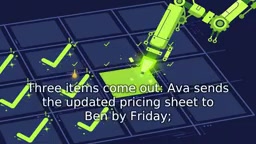
In this workflow, the evidence quote reveals that the owner came from Ava's question rather than Ben's correction, confidence drops sharply, and the item lands in needs-review. Other edge cases are handled the same way: "someone should update the onboarding doc" returns an empty owner with capped confidence; "next Friday" is resolved against the meeting date, and if it can't be resolved, the date is left blank and flagged; "Ava and Ben handle the staging server" is split into two rows with one owner each — because two names on one line means nobody is responsible.
The author's criterion is clear: automation that quietly guesses wrong is worse than no automation, so this system is designed to be "loudly uncertain."
Two Honest Caveats
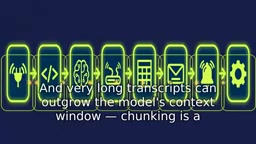
The author closes with two reminders: n8n renames nodes and operations between versions, so verify the labels after importing; and very long transcripts may exceed the model's context window — chunking is a topic for another episode.
A stricter variant, "send and wait for approval," pauses the entire execution until a human clicks approve, but the author has only seen it in third-party tutorials and not in the official docs, so he sticks with the drafts-only design.
Model context window: The context window is the maximum number of tokens (input plus output) a large language model can process in a single pass. Very long meeting transcripts may exceed this limit, preventing the model from seeing the full text and causing it to miss information or make errors. A common strategy is to chunk long text, extract from each chunk, and then merge the results. The author leaves chunking for a follow-up discussion, which also hints at the current workflow's limitation when handling very long meetings.
Scope and Judgment
The value of this approach isn't its technical complexity — eight nodes, no custom models, no external API orchestration — but rather confining automation to "capturing work" rather than "making decisions." It solves the problem of meeting action items evaporating, at the cost of requiring human review of every item. For teams with frequent standups and cross-team collaboration, this combination of "drafts + reminders + evidence chain" is more likely to be used long-term than fully automated sending. Conversely, if a team won't even review drafts, the problem isn't at the tool layer.
The author's closing rule is worth copying down: automate the boring part, keep the human part. The system captures the work; you still make every decision.
One-line Summary
An eight-step n8n workflow turns meeting transcripts into Gmail follow-up drafts with evidence quotes in 10 seconds — and architecturally cannot send email.
Paragraph Summary
This article introduces an n8n-based AI automation workflow that generates Gmail follow-up drafts with owners, due dates, and evidence quotes within 10 seconds of a meeting transcript landing, with no send node anywhere in the flow — structurally eliminating accidental emails. The workflow enforces a five-field structure (owner, task, due date, confidence, evidence quote) to force the model to output verifiable action items, and uses a grounding check to ensure each evidence quote exactly matches the transcript, otherwise routing the item to human review. Through a failure case, the article shows how this design intercepts misattribution and emphasizes the philosophy that "quietly guessing wrong is worse than no automation," ultimately arguing that automation should be limited to capturing work while decisions stay with humans.
Related articles

Cursor AI Programming in Practice: Build a Student Management System from Scratch in 30 Minutes
A Bilibili creator demonstrates Cursor AI programming: generating a student management system in 30 minutes with natural language. Details on Agent mode, Claude selection, prompt techniques, and thresholds.

Top 20 AI Coding Tools Ranking: From Rock-Solid to Lackluster, a Scored Matrix
Bilibili creator releases top 20 AI coding tools ranking, tiered T0–T4 from rock-solid to lackluster, with Claude Code and Codex tied at T0. This article details the scoring dimensions (capability, reliability, robustness, durability, cost, domestic availability) and tool performances to help developers choose the right AI coding assistant.

Vibe Coding Systematic Tutorial: Master AI-Assisted Programming from Zero
A three-month Vibe Coding tutorial from a Bilibili creator covering Codex, ClaudeCode, and Cursor, from core logic to commercial project practice for beginners.