The Complete Claude Code Guide: From Chat and CoWork to Automated Workflows

A complete guide to Claude's three usage levels — Chat, CoWork, and Claude Code — with real automation workflow examples.
This guide systematically covers Claude's full ecosystem from beginner to advanced: the three usage levels (Chat, CoWork, Claude Code), how to configure Projects and Skills, how to connect tools via API/MCP/CLI, and real-world automation cases including a fully automated knowledge video pipeline — turning Claude into a true AI employee.
Many people have used Claude for two years and only tapped into a tenth of its potential — like receiving a Swiss Army knife but only ever using the bottle opener, with the other twenty-plus tools untouched. As Claude has rolled out Claude Code, Skills, CoWork, MCP, and other capabilities, it has evolved from a "web chatbot" into an AI employee that can connect to your computer, tools, and workflows. This guide maps out the complete path from beginner to advanced in the Claude ecosystem.
Three Levels of Use: Chat, CoWork, and Claude Code
There are three main entry points for using Claude: the web interface, the desktop app, and the terminal CLI. For newcomers, the desktop app is the best place to start — it integrates all the features of Claude Chat, CoWork, and Claude Code in one place. Once you open the desktop app, the interface maps to three very different levels of capability.
Level One: Claude Chat — Knowledgeable, But Without Hands
Chat is like a learned librarian with no hands. Ask it to draft an email, and it will — but you still have to copy, paste, and send it yourself. This was the dominant use case for early AI, and it's where the vast majority of people still remain.
Level Two: Claude CoWork — An Organizer in a Restricted Sandbox
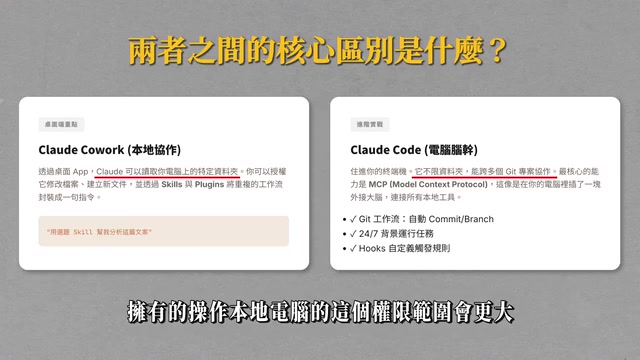
CoWork has partial access to your computer. It can organize specific folders, read Gmail, check Google Calendar, and process Excel files. Think of it as a freelance organizer who can help you sort through existing materials but can't quite "create" yet. Because it runs in a restricted sandbox environment, it will still prompt you for insufficient permissions on certain tasks, and some actions will require you to complete them manually.
A "sandbox" is a system security isolation mechanism: a program can only access resources it has been explicitly authorized to use, and cannot freely read or write system files or make arbitrary network requests. CoWork uses this mechanism precisely to give AI real operational permissions while preventing the security risks of accidental operations or data leaks. This explains why CoWork frequently prompts for additional authorization when handling cross-directory or cross-account tasks.
Level Three: Claude Code — You Describe It, It Creates and Executes
Claude Code is the star of this guide. Its core promise is: you describe what you need, and it creates and executes directly. Unlike chat modes where switching windows means losing memory, Claude Code consolidates all your tools, skills, and memory into a single AI — it knows who you are, understands your habits, and knows which tools to use to get things done. It's like compressing an entire team's AI capabilities into one conversation window.
Claude Code is fundamentally an AI Agent framework with "tool use" capabilities. Unlike traditional conversational AI, the Agent paradigm allows the model to autonomously plan multi-step actions within a single task, call external tools, evaluate intermediate results, and correct course — this "Perception → Reasoning → Action" loop is the underlying reason it can handle complex automation tasks. When you say "help me generate a video and deploy it online," Claude Code isn't just outputting text. It's autonomously breaking that goal down into a dozen subtasks in the background and executing them in sequence until it has a verifiable final result.
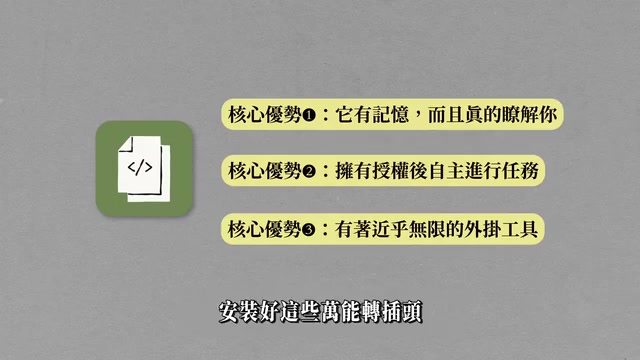
Many people see "Code" and feel intimidated — but there's no need: you don't need to know any code to get great results from Claude Code. It has three core strengths:
- It truly knows you: All your materials, habits, and preferences are stored locally, so every time you open it, it remembers who you are. The key is the
CLAUDE.mdfile, placed in the project root directory — it's like an onboarding handbook for a new employee, and Claude reads it first before every work session. - It has the keys to all your tools: You can authorize it to connect to WordPress, Gmail, Notion, Feishu, and more. It doesn't tell you how to do things — it does them for you.
- Near-unlimited plug-in tools: Via API, MCP, and CLI interfaces, today it can scrape the web, tomorrow it can control a browser, and the day after it can operate Feishu documents.
Underrated Chat Features: Model Selection, Projects, and Skills
Even with basic Chat, most people are only using about thirty percent of what's available.
Choosing the Right Model and Adaptive Thinking
Claude has three main models: Haiku is lightweight and fast, ideal for summarization and simple Q&A; Sonnet is the everyday workhorse that handles 90% of tasks; Opus is the most powerful and most expensive, only worth enabling for complex business decisions requiring deep, multi-layered reasoning.
There's also a frequently overlooked toggle: Adaptive Thinking. With it enabled, Claude internally explores various possibilities before arriving at a conclusion — ideal for situations with conflicting conditions or when you need an analytical framework rather than a single answer.
Adaptive Thinking corresponds to the reasoning model paradigm that has emerged in AI in recent years, with notable examples including OpenAI's o-series and Anthropic's Extended Thinking mechanism. The core principle is that before generating a final answer, the model first produces an internal "chain-of-thought" draft, improving accuracy on complex tasks through self-contradiction and hypothesis testing. The tradeoff is significantly increased response latency and token consumption — a simple summarization task might take 3–5 times longer with this enabled. It's therefore not suitable for routine information retrieval tasks; save it for decision-making scenarios that genuinely require multi-perspective analysis.
Projects: Helping AI Continuously Understand Your Business Context
Projects let you upload brand guidelines, SOPs, product documentation, and past content. All subsequent conversations happen within that context. For example, a content creator could build a "YouTube Script Writing" Project, upload all their past scripts, and the AI will continuously understand their language style and creative habits — no need to re-introduce yourself every time.
Skills: The Real Dividing Line Between Experts and Everyday Users
Skills are the core secret to output quality. They function like a "job description": defining responsibilities, workflows, output format requirements, and error-handling procedures, along with the required tools.
There are three ways to obtain Skills: Anthropic's official Skill library, open-source communities like GitHub, and — the most powerful option — creating your own. Creating one takes just three steps: prepare a standards document containing evaluation criteria and format requirements, have Claude generate a Skill.md from that document, then iteratively test and refine it through conversation. The entire adjustment process requires no manual editing — just tell Claude what outcome you want.
Claude CoWork in Practice: Topic Digests and Scheduled Tasks
CoWork is designed specifically for non-technical users, solving the problem of "using AI automation without knowing how to code."
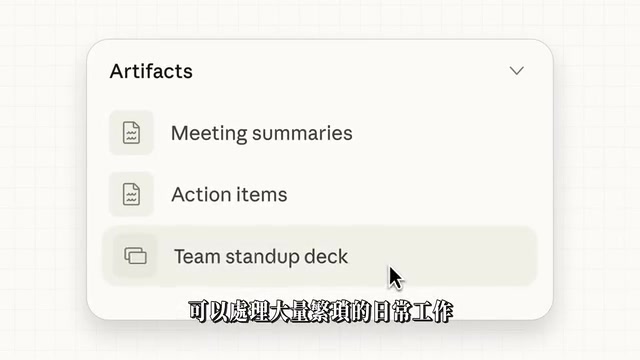
After opening the interface, select a local file directory as your workspace — CoWork has full project-level permissions for that directory. It offers two operating modes: confirm each step manually, or skip permission requests by default.
Take a daily topic digest as an example: through a simple conversation, CoWork first learns about your channel's style, then searches and compiles relevant trending topics, then calls a Skill to generate a visual digest — covering sources like YouTube, WeChat Official Accounts, and Xiaohongshu, complete with trending topic ideas and content frameworks — all done in three to five minutes.
Even more practical are scheduled tasks. Create a new Task in Schedule, fill in the name and prompt, select your workspace, model, and frequency (e.g., every morning at 10 AM), save it, and it runs automatically. Note that you'll need to enable "Keep Awake," since your computer can't run background tasks when the screen is off — a Mac mini or other always-on device is recommended for scheduled automation.
Live Artifacts can connect to data sources like Google Drive, Gmail, Calendar, Zapier, and Slack to create real-time work dashboards for checking new emails, meeting schedules, to-do items, and even new order notifications. Dispatch lets you remotely control Claude on your desktop from your phone.
Claude Code Advanced: Three Real Automation Cases
The biggest difference between Claude Code and CoWork is the scope of permissions — Code is not sandbox-restricted and can do significantly more.
Case One: Social Media Posts and Visual Reports
By calling an IG Skill combined with web information, Claude Code can automatically generate images and copy. Similarly, by calling the corresponding Skill using Feishu document content, it can fetch content, generate an HTML visual report, and deploy it to Vercel with a single prompt — producing a complete, live webpage.
Case Two: A Fully Automated Knowledge Video Pipeline
This is the most impressive case. After calling the corresponding Skill, Claude Code automatically completes the entire chain: scraping web content → writing a three-minute script → generating voiceover → generating an SRT timeline → batch-generating scene images → mixing the audio track → editing and rendering → deploying online.
This pipeline relies on a set of open-source tools working in concert: Whisper handles speech recognition and SRT subtitle generation (open-sourced by OpenAI, runs offline locally); FFmpeg is the industry-standard cross-platform command-line tool for audio and video processing, supporting transcoding, editing, stream merging, and virtually every other audio/video operation; TTS (text-to-speech) services can connect to ElevenLabs, Azure, or local models; Vercel is an edge deployment platform for frontend developers that supports one-click deployment of static web pages to global CDN nodes. Claude Code plays the role of "head dispatcher," orchestrating the execution order and parameter passing for all of these tools via CLI commands — you just state the goal, and it finds every piece of the puzzle and assembles them.
What used to take a full week to produce a 5–8 minute knowledge video (topic selection, scripting, sourcing materials, rough cut, fine cut) can now be done with a single prompt and a Skill, with no human intervention required. This isn't a party trick — it's an approach already being used and validated by a growing number of channels.
Giving AI Hands and Feet: API, MCP, and CLI Explained
To have Claude Code call external tools, you need to understand three types of interfaces:
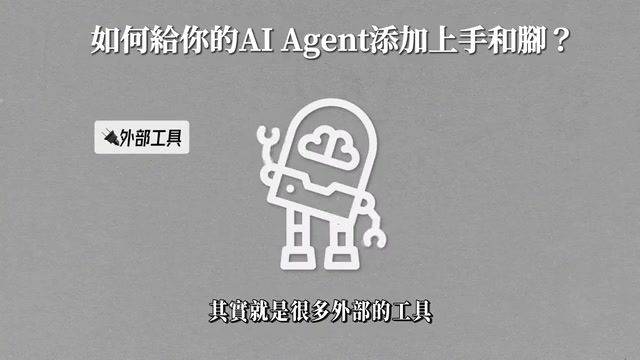
- API: The agent accesses external services via HTTP requests — for example, checking the weather means sending a GET request to a weather service.
- MCP: A standardized "tool socket" protocol proposed by Anthropic. It wraps tools in a unified format so the AI can directly understand what a tool does and what parameters it needs, without having to write integration logic from scratch each time. Think of it as a standardized packaging layer on top of APIs.
- CLI: Command-line interface tools — the most machine-friendly interaction method. Claude Code itself is a CLI program.
MCP (Model Context Protocol) is an open standard protocol proposed by Anthropic in late 2024, and its industry significance deserves a dedicated note. Before MCP, every developer had to write custom tool-calling logic for Claude, integration code couldn't be reused across different platforms, and maintenance costs were extremely high. MCP standardizes this process: a tool developer publishes once according to the protocol spec, and any MCP-compatible AI client can immediately recognize and call it — like a "USB port" for the AI ecosystem. You don't need to develop separate drivers for each device; just plug in and use. GitHub, Notion, Slack, Brave Search, and other major platforms have already launched official MCP server implementations, which means Claude's tool ecosystem is expanding at a pace that exceeds expectations.
In practice: installing the Firecrawl CLI gives Claude Code web scraping capabilities; installing the Google Workspace CLI enables control over Drive, Sheets, and Docs; installing the Feishu CLI enables control over Feishu documents and messaging. Commonly used local tools also include FFmpeg (video editing), Whisper (speech-to-text), and Vercel (frontend deployment).
Installation is extremely simple: just say "help me install [X] CLI and tell me how to use it," and Claude Code will find the installation files, complete the installation, and walk you through the next steps.
CLAUDE.md: The Onboarding Handbook for Your AI
The design philosophy behind CLAUDE.md comes from "Context Engineering," an emerging field of practice. Large language models have no persistent memory — every conversation starts from a blank state. No matter how many times you've chatted before, the next time you open a new window it won't remember who you are. CLAUDE.md is fundamentally about encoding human knowledge, preferences, and work standards as structured text, which gets injected into the model's context window at the start of every session to simulate a "memory" effect.
A good CLAUDE.md typically contains: your identity and business background, the tools you commonly use and notes on access credentials, output format preferences, prohibited actions and error-handling rules, and a project-specific glossary. The more precise the file, the closer Claude's output will be to your expectations on every run, and the less time you'll spend course-correcting. Write it like a real employee onboarding document — whatever you'd want a new hire to know on day one, put it in.
Where Are You? Three Steps to Get Started
Ask yourself honestly: are you a basic user (using Chat like a search engine), an intermediate user (using Projects, CoWork, and Skills to boost productivity 3–5x), or an advanced user (understanding API/CLI/MCP and mastering automated deployment workflows)?
Starting today, here's a pace to follow:
- Take action now: Download the desktop app, create your first Project, and upload your most important work files — brand materials, SOPs, or past scripts.
- First week: Identify the most time-consuming and repetitive task in your week, run it through CoWork once, and log how much time you saved.
- First month: Learn to configure a
CLAUDE.mdfile, install one CLI or MCP tool, and build your first Skill.
You don't need to do everything at once. But every step forward widens the gap between you and everyone still stuck at the Chat Q&A stage. A daily topic digest, a landing page deployment, a fully automated knowledge video pipeline — these aren't distant showcases of technical wizardry. They're things you can start executing right now.
Related articles
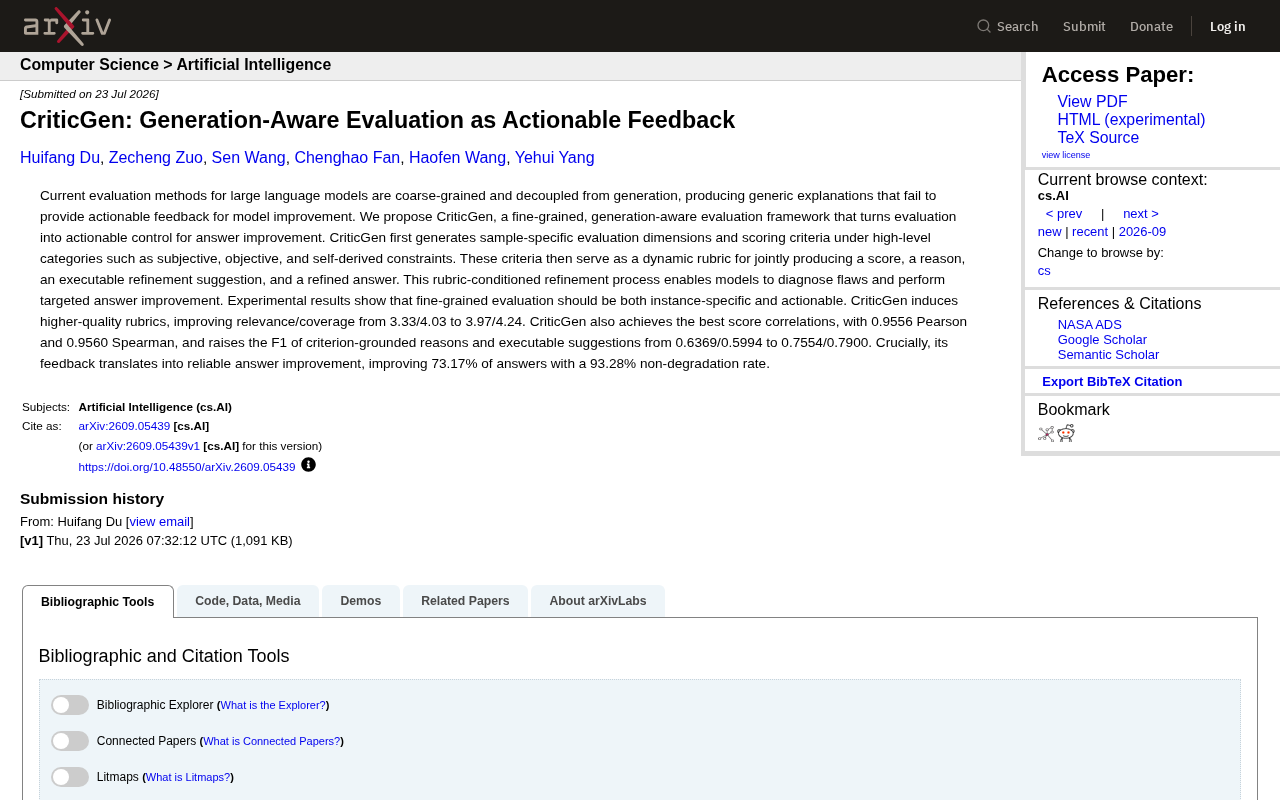
CriticGen: A New Framework That Transforms AI Evaluation into Actionable Improvement Feedback
CriticGen proposes a generation-aware evaluation framework that transforms AI assessment from passive scoring to an active optimization loop, achieving 73.17% answer improvement and 93.28% non-degradation rate.
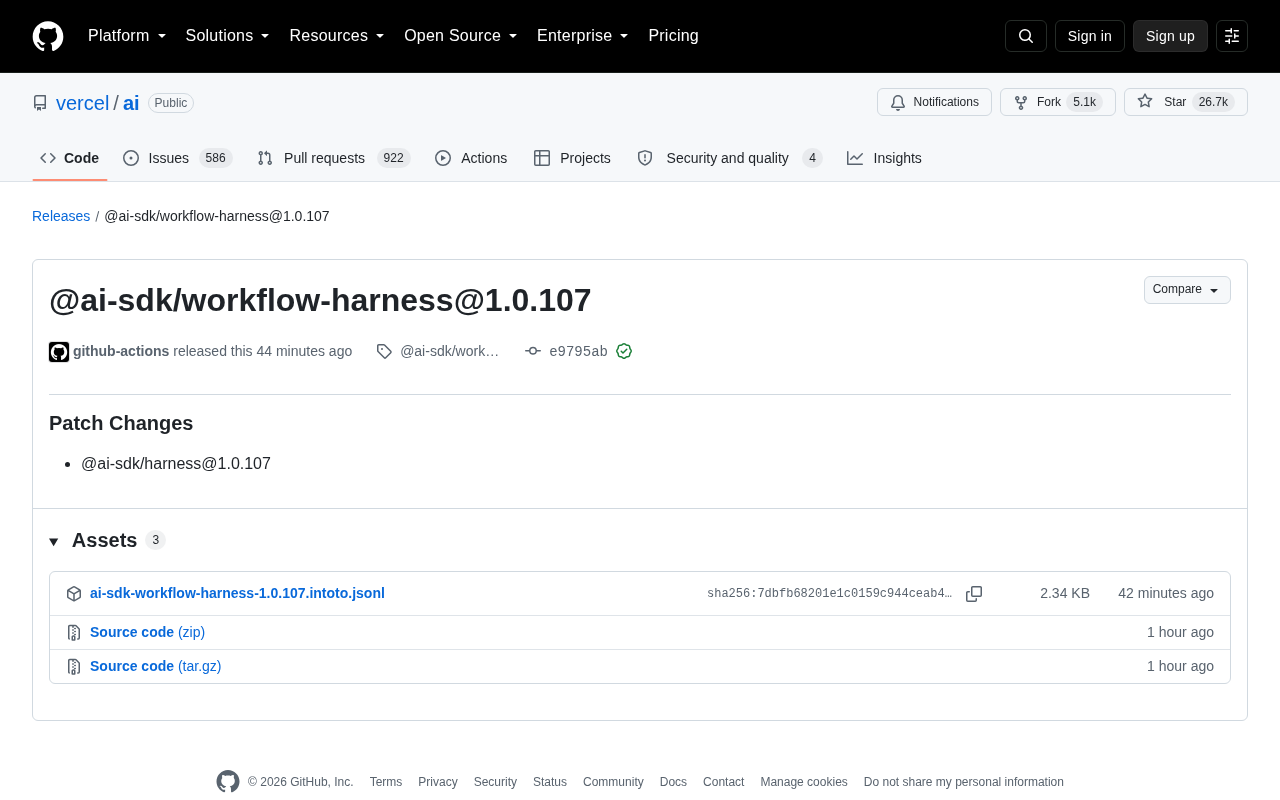
Vercel AI SDK workflow-harness Update Analysis
Deep analysis of Vercel AI SDK workflow-harness 1.0.107 update: architecture design, engineering practices, and developer value for building reliable AI apps.
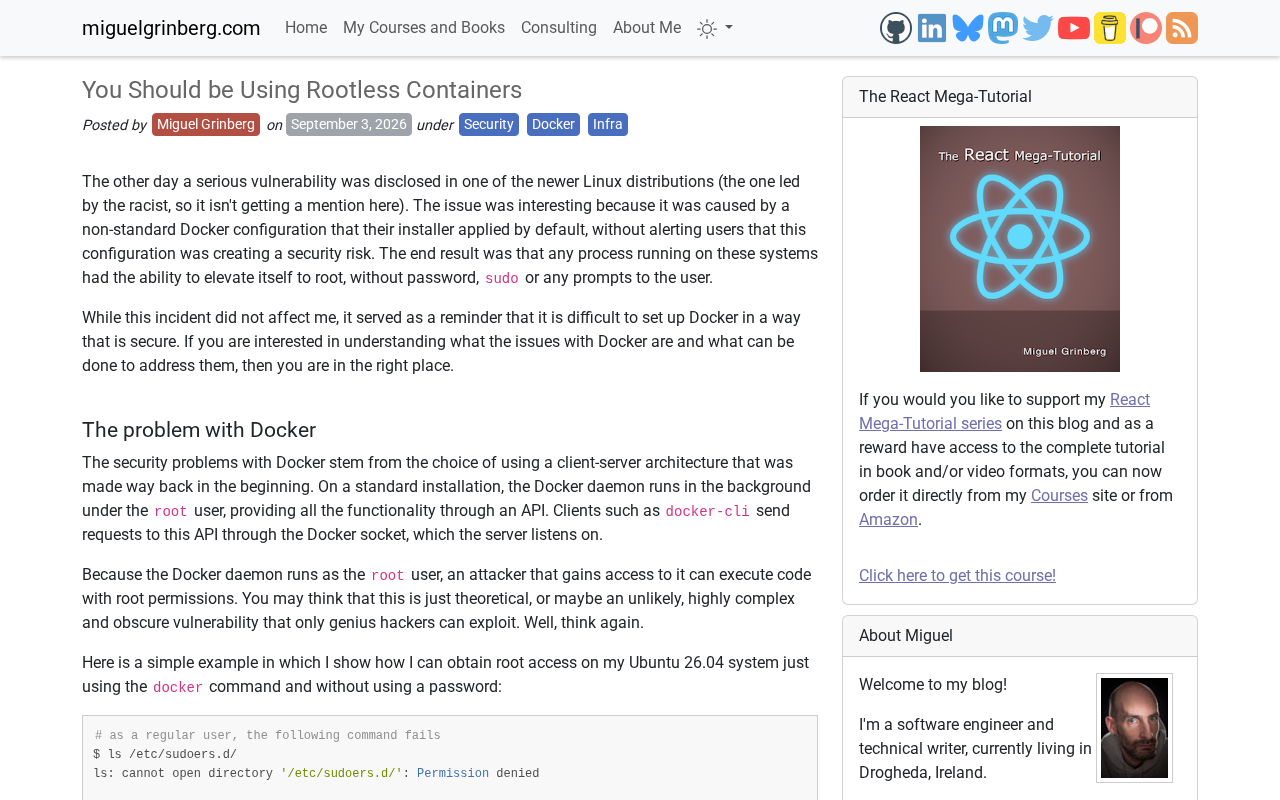
Rootless Containers Explained: Principles, Benefits, and Leading Implementation Approaches
A deep dive into rootless container principles and security benefits, comparing Podman, Docker Rootless mode, and Kubernetes integration with practical migration advice.