Three Stages of AI LLM Testing: A Practical Guide from Core Concepts to API Calls
A three-stage LLM guide for testers: from web UI to prompt engineering to code-based SDK calls and agents.
This article walks testing professionals through three progressive stages of LLM usage: basic text input, prompt engineering for better AI outputs, and code-level SDK calls using the Python OpenAI library. It clarifies key concepts like API Key vs. Token, message roles (user/assistant/system), and streaming output — all from a testing perspective. It also introduces RAG and Agent as the two primary directions for real-world LLM deployment, and explains why understanding these principles is essential for testing AI applications beyond simple black-box methods.
For software testing professionals, AI large language models represent not just a new set of tools, but a clear path to leveling up your skills. This guide — drawn from a teaching series on Bilibili — breaks down LLM testing and application into three progressive stages: from basic text input, to prompt engineering, and finally to advanced code-based API calls. Understanding this path will help you move from "using AI" to "testing AI-powered applications."
How Large Language Models Work: Text In, Text Out
Setting aside the complexity of multimodal systems, the core behavior of a large language model can be summarized in one sentence: input a piece of text, output a piece of text. The "transformation" happening in between is essentially a pre-trained model using a self-attention mechanism to calculate the most probable output via statistical inference.
A key concept here is Token (tokenization). Text is split into the smallest processing units by a dedicated tokenizer. In practice, we rarely handle tokenization manually — for three reasons: the LLM comes with its own tokenizer; different models use different tokenizers, so manual splitting is largely pointless; and character-by-character processing is simply too inefficient. Understanding this mechanism explains why models process "a chunk at a time" rather than responding character by character.
From this simple structure, two classic use cases emerge naturally. Translation was the original problem Transformers were designed to solve — input text in one language, output the equivalent meaning in another. Chat is another prime example: a back-and-forth exchange where the model always responds to your input. As the original video wryly notes, "even if you tell it to shut up, it will still output something" — content generation is its most fundamental characteristic.
Three Stages: From Manual Input to Prompt Engineering
Once you understand the underlying principles, three distinct levels of usage become apparent.
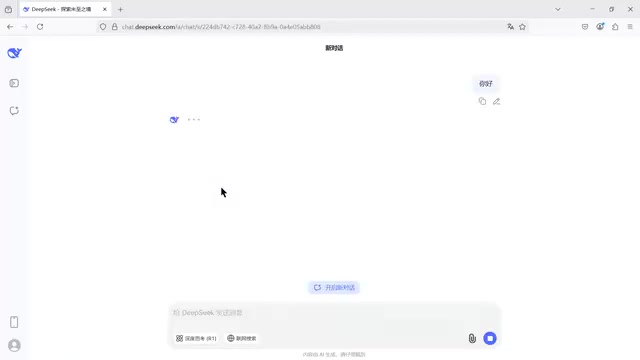
Stage 1: Basic text input. Whether you open the DeepSeek website, download the app, or use an automation script to fill in the input field, the model doesn't care — give it input, and it produces output. But aimless chatting won't deliver real value for testing work.
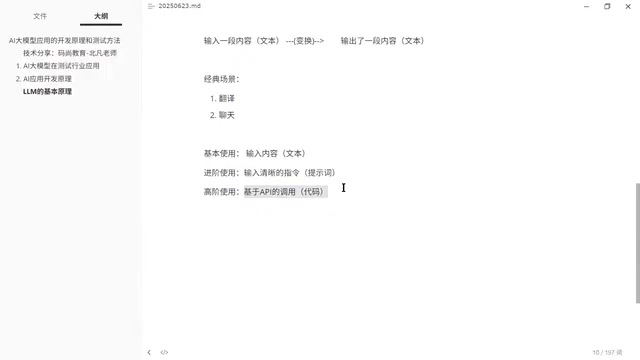
Stage 2: Prompt engineering (intermediate). The key here is not just entering content, but crafting clear, precise instructions. The original video gives a concrete example: ask a model to chat freely and you get long-winded responses; but issue a specific instruction like "keep every reply to no more than two words" and the output immediately becomes concise. The process of crafting high-quality, efficient instructions that consistently produce better results is what we call prompt engineering. For testers, this means you can ask AI to help analyze test points, design test cases, or even generate code — far more effectively than casual conversation.
Both of these stages share a common ceiling, though: you're still dependent on the DeepSeek website or app. The moment you want to package AI capabilities into a team tool or a product you charge for, those third-party logos plastered across the interface become a problem. That's where Stage 3 comes in.
Advanced Usage: SDK Calls via API
Stage 3 is API-based calling — and it marks the dividing line between functional testing and interface/automation testing. Calling an LLM through code means the code is entirely yours: you control how it looks, how it runs, and what it outputs. You can also wrap your own frontend around it, hiding the underlying model provider.
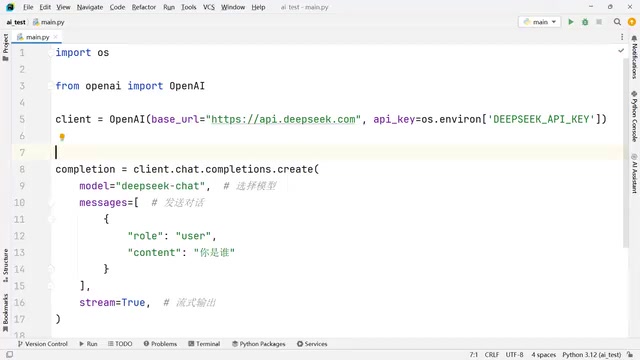
The industry standard today is the OpenAI library. OpenAI — the company behind ChatGPT — provides a Python-based toolkit for calling large language models. While you could technically make API calls with something like Postman, the real power only comes through working at the Python code level.
In practice, the core workflow involves importing the OpenAI module and instantiating a client with two key parameters:
- base_url: points to the LLM API endpoint you want to call
- API Key: your authentication credential
The original video draws an important distinction between API Key and Token — a common interview question. Tokens have an expiration time and require you to log in again once they expire. API Keys, by design, don't expire — they're generated once and remain valid indefinitely. Since an API Key is tied to your billing wallet, best practice is to store it in an environment variable and retrieve it from there when constructing your API call.
This approach is called SDK calling — it still runs over HTTP, but the usage patterns are richer and more sophisticated than traditional interface testing. The original video notes that many job postings specifically ask for "SDK testing experience," which confuses testers who haven't worked with it before. In reality, it simply refers to this code-driven style of API interaction.
Key Parameters: Model, Role, and Streaming
When calling a chat completion endpoint, there are several parameters you must understand:
Model selection: DeepSeek has two models; ChatGPT, Google, and Alibaba Qwen each offer multiple models. You need to specify the correct one.
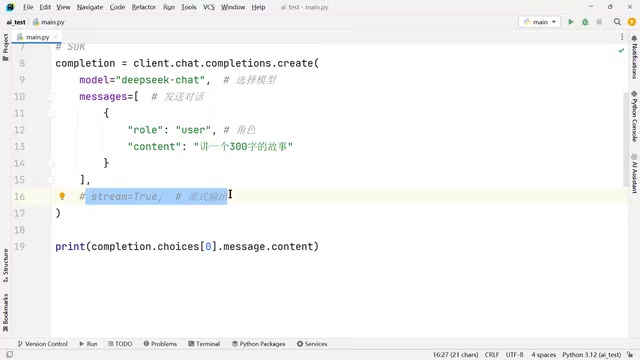
Message content and role: This is a level of control that the web interface simply can't offer. At the SDK level, you can set the role of each message — user (the human asking a question), assistant (the AI), or system (a system-level prompt). Each serves a different purpose. On the web, you can only type text into the input box — you can't choose a role, making code-based control far more powerful.
Streaming output (stream): An optional parameter. When enabled, the model streams output as it generates it (like the character-by-character effect you see on web interfaces). When disabled, the model waits until the full response is ready and returns everything at once. The original video uses a police analogy: streaming is like broadcasting case updates in real time; non-streaming is like waiting until the case is solved to hold a press conference.
This has direct implications for testing strategy: if you're testing user experience, you typically want streaming enabled to prevent users from thinking the app has frozen; if you're verifying functional completeness, you may need the full output before running assertions. Neither mode is inherently better — it depends on your testing objective.
SDK (Software Development Kit) is a collection of pre-packaged code libraries provided by vendors. Once installed via pip install openai, developers can call the API directly in Python without manually constructing HTTP headers, handling authentication, or parsing JSON responses. Compared to making raw HTTP requests with Postman or the requests library, SDKs offer more semantically expressive method signatures (e.g., client.chat.completions.create()), built-in handling of streaming response iterators, and library-managed edge cases like error retries.
It's worth noting that because OpenAI was first to establish the industry's interface standard, most major Chinese LLM providers — including DeepSeek, Alibaba Qwen, and Moonshot AI — have chosen to adopt a compatible interface format. This means the same SDK code can switch between different vendors' models by simply changing the base_url and model parameters, dramatically reducing migration costs.
The system role deserves special attention in real-world engineering. Unlike user and assistant messages, system messages don't appear in the visible conversation thread. Instead, they act as a "hidden global instruction" that persists throughout the session, defining the model's identity, tone, and behavioral boundaries — for example: "You are a professional API testing engineer. Only answer questions related to testing and decline all other topics." This is the core mechanism behind differentiated commercial AI products: two products might run on the same underlying model, but entirely different product personalities can be crafted through different system prompts.
From a testing perspective, the robustness of the system prompt — specifically, whether users can bypass system-level constraints through carefully crafted user inputs (i.e., "jailbreaking") — is a critical area of AI application security testing.
From API Calls to Agents: Where AI Testing Is Headed
Once you can call LLMs through code, the basic chat interface starts to feel limiting. The original video offers an inspiring scenario:
In the past, when you used AI to generate interface test code, you still had to manually copy it, paste it into a file, and run it. But at the code level, AI-generated code can be executed directly — have the AI generate code, automatically save it to a file (e.g., AAA.py), then use Python to run that file. This creates a fully automated loop: design test cases → execute test cases → generate reports — with the report automatically emailed to the right people.
This logic points directly to the hottest concept in AI right now: Agents (智能体). Mastering code-based LLM usage puts you at an advanced level of LLM application development — a fundamentally different tier from simply "embracing AI" or "using AI."
The original video identifies two major directions for LLM application deployment: RAG (knowledge base) and Agent (intelligent agent). It also emphasizes that a simple chatbot doesn't really count as an AI application — models can chat by default, and DeepSeek has even open-sourced its models for free. What has real value and can be monetized is the application capability built on top of these foundational models. For testing professionals, understanding LLM development principles is what enables you to properly test AI applications — rather than treating them like ordinary web pages or mobile apps and doing pure black-box testing.
RAG (Retrieval-Augmented Generation) is currently one of the most widely adopted engineering patterns for LLM deployment. The core idea: before calling the model, retrieve the most relevant content from an external knowledge base (such as internal company documents, test case libraries, or API documentation), then inject those retrieved snippets into the prompt sent to the model. This lets the model "know" private information that wasn't part of its training data. RAG addresses two classic LLM limitations: the knowledge cutoff date causing information staleness, and the inability to directly access proprietary enterprise data.
Agent takes this further — rather than just answering questions, the model gains the ability to call external tools (execute code, read/write files, make API calls) and autonomously decide its next action based on execution results, forming a "perceive → plan → act → feedback" loop.
For testing engineers, being able to distinguish whether an AI product is a simple chatbot, a RAG application, or an Agent system directly determines which testing strategy to apply — and that distinction is becoming a core competency in AI application testing.
Related articles
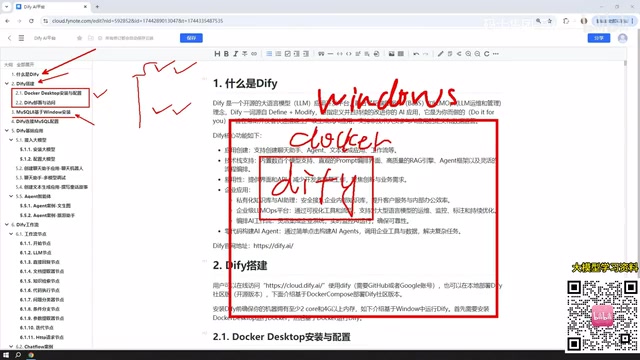
Dify from Beginner to Production: A Complete Learning Roadmap for Building AI Applications
Complete Dify tutorial: Windows Docker deployment, MySQL setup, five app types (Chat/Agent/Workflow), model integration, and publishing — build enterprise AI apps fast.
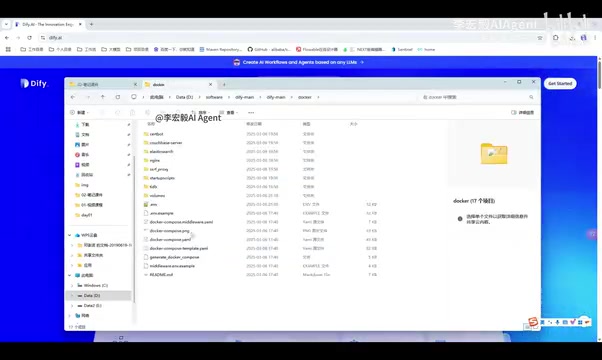
Dify Local Deployment Guide: From Docker Installation to LLM Integration
Step-by-step guide to deploying Dify locally: Docker and Docker Compose setup, pulling source code, starting containers, and admin initialization on Linux, Mac, and Windows.
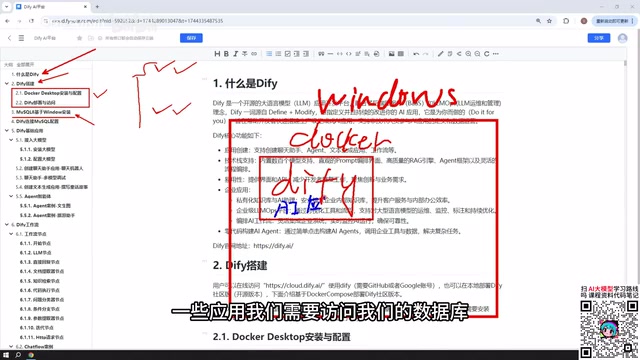
Complete Guide to Building AI Apps with Dify from Scratch: Five App Types and Workflows Explained
Complete guide to building AI apps with Dify: covers Docker deployment, MySQL integration, five app types (Chatbot, Text Gen, Agent, Chatflow, Workflow), model connection, and publishing.