What Is an AI Agent? Build Your First Intelligent Agent for Free with Zero Code
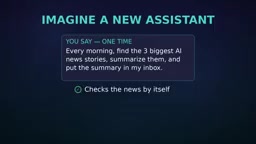
Chatbots passively answer; Agents proactively execute. Build a research assistant for free with zero code.
The article explains the difference between Chatbots (passive Q&A) and AI Agents (goal-driven execution). A true Agent consists of four elements: goal, brain, tools, and steps. Using examples like daily AI news delivery and weekend trip planning, it shows how Agents break down tasks, call external tools, and deliver results. It then provides a zero-code path: use free ChatGPT as the brain, set a fixed instruction, and connect Google Sheets with ChatGPT on Make or n8n to build a research assistant. Key principles: start small, supervise throughout, and never grant sensitive permissions.
Have you ever wondered what the real difference is between a Chatbot and an AI Agent? It seems like a simple question, yet it confuses many people. Put simply, a Chatbot is "you ask, it answers," while an AI Agent is "you give a goal, it does the work itself." This distinction is driving the biggest shift in AI today—from passive response to proactive execution. Even better, you can build your own AI Agent right now using free tools and zero code. This article, based on a tutorial from the YouTube channel "AI Tech Tutorials," breaks down the core logic and hands-on steps of AI Agents.
Chatbot vs. AI Agent: The Essential Difference
A Chatbot operates in a passive mode: you type a question, it gives an answer, and then it stops. It doesn't proactively do anything. An AI Agent is entirely different—you give it a goal, and it plans steps, calls tools, checks its own progress, and keeps executing until the task is complete.
For example: tell a Chatbot "find me three AI news stories," and it might offer some suggestions or just generate content, but it can't actually search, summarize, and send them to your inbox. An Agent can. You only need to say it once: "Every morning, find the three most important AI news stories, summarize them, and send them to my inbox." It will then automatically search, read, summarize, and send—every single day.
Behind this difference lies AI's leap from a "conversation tool" to an "execution tool." An Agent not only understands your intent but also breaks down tasks, uses external tools, and takes responsibility for results. That's why Agents are considered one of the most important directions in AI today.
The Four Core Elements of an Agent
A true Agent cannot exist without four key parts:
- Goal: The clear outcome you want to achieve, such as "plan a weekend trip" or "compile a research brief."
- Brain: An AI model that can think and make decisions, such as ChatGPT. It understands the goal and plans the steps.
- Tools: External applications the Agent can call, such as email, calendars, web search, or databases. Tools enable the Agent to interact with the real world.
- Steps: The Agent breaks a big goal into small steps, executes them one by one, and checks the results after each step to stay on track.
All four are indispensable. With a goal, the Agent knows what to do; with a brain, it can think and decide; with tools, it can act; with steps, it can proceed in an orderly way. Understand this framework, and you've grasped the entire secret of Agents.
Tool Calling / Function Calling is the technical foundation that lets an Agent "take action." A large language model on its own can only generate text—it cannot directly access the internet, send emails, or query databases. Tool calling allows the model, when generating a response, to output a structured "call request" that an external program executes and returns the result to the model, which then continues reasoning based on that result. Common tools include web search APIs, calendar interfaces, code execution sandboxes, and database queries. On no-code platforms (like Make or n8n), these tools are packaged as visual modules—you just configure parameters to let the Agent call them, without writing any API request code. It is tool calling that turns a "chat model" into an "execution Agent."
From Chat to Action: A Travel Planning Example
For a more intuitive understanding, let's look at a second example. Suppose you tell an Agent: "Plan my weekend trip, find the cheapest train tickets, don't book yet, and list five places worth visiting."
A Chatbot might give you some travel suggestions or draft an itinerary. But an Agent will actually compare train ticket prices, read timetables, and compile a checklist ready for your confirmation.
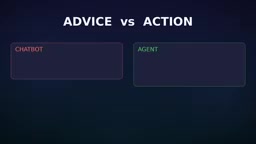
This is the difference between "suggestion" and "action." A Chatbot provides information; an Agent completes tasks. This example clearly shows the Agent's proactivity—it doesn't just answer, it actually does.
Hands-On: Build Your First Research Assistant with Zero Code
Now let's build an AI Agent. Our goal is to create a personal research assistant: give it any topic, and it will search for the latest information, compare multiple sources, and generate a concise brief.
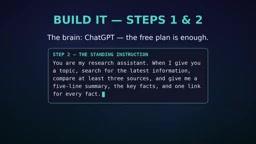
Step 1: Prepare the Brain
Open ChatGPT—the free version is enough to serve as your Agent's brain. You don't need a paid subscription or any programming background.
Step 2: Set a Fixed Instruction
Give your Agent a standing instruction that remains in effect long-term. You can copy the following prompt directly:
You are my research assistant. When I give you a topic, please search for the latest information, compare at least three sources, and then give me a five-sentence summary, key facts, and one link for each fact.
This instruction defines the Agent's workflow and output format—it's the "constitution" for its subsequent actions.
Step 3: Connect Tools
To let the Agent act outside the chat window, you need to connect an automation tool. Create a free account on Make or n8n—both platforms support connecting various apps through simple modules, with no coding required.
Build a simple flow: when a new topic is added to a Google Sheet, send the topic to ChatGPT, then save the generated brief back to the sheet. This way, you just enter a topic in the sheet, and the Agent automatically handles the rest.
Make and n8n are both visual automation platforms that use a "trigger + action" flow model: a trigger listens for an event (such as a new row in a Google Sheet), and an action calls the corresponding service (such as the ChatGPT API or writing back to the sheet). Make offers a drag-and-drop canvas and many pre-built connectors, ideal for quick builds; n8n is an open-source solution that can be self-hosted for greater flexibility. Both have free tiers sufficient for low-frequency flows like a personal research assistant. The key point: they package complex steps like API calls, authentication, and data passing into modules, enabling non-developers to orchestrate multi-step automation—which is exactly what makes "zero-code Agent building" possible.
Step 4: Test with a Small Topic
Test your Agent with a small topic, such as "the best free AI tools for students." Watch closely at every step it takes. If the generated brief isn't high quality, don't blame the tool—improve your instructions. Like humans, Agents learn and improve through clear instructions, iteration after iteration.
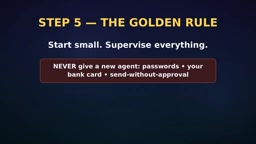
Step 5: Start Small and Supervise Throughout
This is the most important principle: always start small and stay in control. Never give a brand-new Agent your passwords, bank card information, or permission to send anything without your approval. A good Agent prepares the work and lets you approve it. This keeps you efficient while staying safe.
Conclusion: The Agent Era Has Arrived
Chatbots answer questions; Agents execute tasks. Every Agent consists of a goal, a brain, tools, and steps. Through this tutorial, you've built a research assistant with free tools while staying in control the whole time.
AI Agents are changing the way we collaborate with AI. From passively waiting for instructions to proactively completing work, Agents make AI a true productivity partner. And all of this requires no code and no payment. Are you ready?
One-line Summary
Chatbots passively answer questions; Agents proactively execute tasks. Build a research assistant for free with zero code.
Paragraph Summary
The article starts with the essential difference between Chatbots and AI Agents: the former is a passive "you ask, I answer" responder, while the latter is a proactive "you give a goal, it does the work" executor. A true Agent consists of four indispensable elements: goal, brain, tools, and steps. Using two examples—"daily AI news push" and "weekend trip planning"—the article intuitively shows how an Agent breaks down tasks, calls external tools, and delivers results. It then provides a zero-code hands-on path: use the free version of ChatGPT as the brain, set a fixed instruction to define the workflow, and connect Google Sheets with ChatGPT on Make or n8n to build a research assistant that automatically searches, compares sources, and generates a brief when you input a topic. Finally, it emphasizes the golden rules: start small, supervise throughout, and never grant sensitive permissions.
Related articles

One Person Producing 90 Episodes of AI Anime Shorts: The Complete Production Workflow in 10 Hours for 10 Yuan
No screenwriting experience needed for AI anime shorts: 10 hours and 10 yuan in costs, 4,200 yuan earnings per work on Hongguo. This article breaks down the complete six-step workflow from AI-generated scripts and storyboard scripts to the finished film, with a universal questioning formula and beginner pitfall guide.
Build a Quote Calculator with Doubao Agent: Stop Guessing Your Freelance Rates
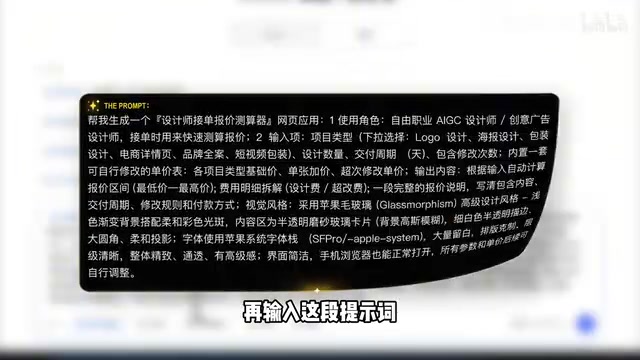
A Bilibili creator uses Doubao Agent to build a no-code quote calculator that auto-generates itemized quotes with rush and copyright buyout rates, one-click copy, and mobile quoting.
WorkBuddy Hands-On Tutorial: 10 Agent Projects from Beginner to Resume-Worthy
WorkBuddy tutorial: a Chinese-language AI work assistant with simpler setup than Codex or Claude Code. 10 hands-on Agent projects for beginners, resume-ready.