5 AI Developer Tools Roundup: Code Review and Model Marketplace

A roundup of five Microsoft AI developer tools covering the full chain from code review to model deployment.
Based on tech blogger Karleeov's compilation and official documentation, the article reviews five Microsoft developer tools worth trying: AI code review in GitHub Copilot Studio auto-generates structured PR feedback as a mechanical check before human review; the Azure AI Foundry model marketplace lowers model discovery and evaluation costs, with selection focused on inference latency, fine-tuning cost, and data compatibility; Bicep 2.0 upgrades Azure IaC syntax expressiveness and requires small-scale compatibility testing before migration; the Microsoft Agent Framework SDK targets custom AI agents and recommends constraining capability boundaries first; new VS Code and Visual Studio 2026 extensions strengthen TensorFlow and PyTorch support. All five point to AI capabilities sinking from standalone products into default components of development tools, and the author suggests starting from the most painful single point in the workflow.
Title
5 AI Developer Tools Roundup: Code Review and Model Marketplace
Meta Description
A roundup of five AI developer tools worth trying: AI code review in GitHub Copilot Studio, the Azure AI Foundry model marketplace, Bicep 2.0, the Microsoft Agent Framework SDK, and AI development extensions for VS Code and Visual Studio 2026, with difficulty assessments and getting-started steps.
Article Content
The developer toolbox is being refilled by AI. From code review to model deployment, Microsoft's product line in this round of updates covers almost every key node in the daily development workflow. Based on a compilation by tech blogger Karleeov and cross-referenced with each product's official documentation, this article sorts out five tools and accompanying learning paths worth investing time in.
GitHub Copilot Studio: Handing Code Review to AI
The newly added AI code review feature in Copilot Studio analyzes changes in a Pull Request and generates structured feedback. Unlike traditional static checks, it attempts to understand the intent of the changes rather than just matching rules.
The toggle is buried deep in settings: go to Settings > Advanced Settings and turn on the Enable AI Code Review switch. In daily use, you can click "Enable AI" directly on the PR page to trigger a review.
The value of this feature is not in replacing human review, but in front-loading mechanical checks—formatting consistency, potential edge cases, and obvious logic flaws can all be flagged before a human reviewer steps in. For small teams, this amounts to an extra tireless junior reviewer.
Difficulty: Intermediate. It's recommended to trial it for two weeks in a non-critical repository first, get a feel for its false-positive patterns, and then roll it out.
A Pull Request (PR) is a core collaboration mechanism on code hosting platforms such as GitHub: a developer branches off from the main branch, completes changes, and then opens a PR requesting that the code be merged back into the target branch. The PR page centrally displays the code diff, commit history, and comment threads, and is where teams conduct code review. In traditional workflows, reviewers need to read the diff line by line in the PR and leave comments manually, and mechanical issues often take up a lot of time. AI code review tools are embedded precisely in this process, automatically generating line-level comments or overall summaries on the diff, thereby freeing human reviewers' attention for architecture design, business logic, and other areas that require more judgment.
Azure AI Foundry: How to Choose in the Model Marketplace
The AI model marketplace in Azure AI Foundry brings pre-trained models and customizable models together into a single entry point, where developers can browse, test, and deploy directly.
The real change lies in the cost of discovery. In the past, integrating a model required reading docs, comparing APIs, and building a test environment yourself; now the marketplace provides a standardized evaluation entry point, so similar models can be compared side by side before a decision is made.
When selecting a model, it's advisable to focus on three dimensions: whether inference latency meets the lower bound of your scenario, whether fine-tuning costs fit within budget, and whether the model's input/output constraints are compatible with your data structures. The marketplace page provides basic metrics, but real performance still requires a round of testing with your own data.
Difficulty: Intermediate. Suitable for teams that already have an Azure subscription and are looking for a model implementation plan.
Bicep 2.0: A Syntax Upgrade for Infrastructure as Code
Bicep 2.0 is the latest version of the Azure resource deployment DSL, with core improvements in syntax expressiveness and support for complex deployments. For teams already using Bicep to manage cloud resources, this is a version iteration worth following.
Getting started only takes two commands: install with az bicep install, and initialize a project with bicep init. After that, you can write, validate, and deploy templates.
Compared with the previous generation, 2.0 is more concise when handling nested modules and multi-environment parameters. If your IaC templates have already swollen to the point of being hard to maintain, migrating to 2.0 is a good opportunity to do a round of structural cleanup—but be careful to verify syntax compatibility in a small-scale environment first, to avoid production deployments getting stuck at the compilation stage.
Difficulty: Intermediate. Suitable for engineers with experience in Azure resource management.
Infrastructure as Code (IaC) refers to describing the configuration of cloud resources (virtual machines, storage, networking, etc.) in version-controllable code files, and then having tools automatically execute deployments, thereby replacing the manual approach of clicking through a console. Its core benefits are repeatability, reviewability, and rollback capability: once environment configuration enters a Git repository, changes go through the code review process, avoiding "snowflake server"-style configuration drift. Bicep is Microsoft's declarative IaC language for Azure. Compared with writing lengthy ARM JSON templates directly, its syntax is closer to a programming language and supports modular organization. Understanding IaC's declarative model (describing the "final state" rather than "execution steps") helps grasp the significance of Bicep 2.0's improvements in nested modules and multi-environment parameters.
Microsoft Agent Framework: An SDK for Building Your Own AI Agents
The newly released SDK targets developers who need to build custom AI agents, providing a toolchain for connecting to Azure AI services and covering the integration of natural language processing capabilities.
Its positioning is not an out-of-the-box chatbot, but rather to let developers embed agent capabilities into existing systems. Typical scenarios include intent routing in customer service workflows, conversational retrieval over internal knowledge bases, and automated orchestration of multi-step tasks.
It's recommended to run through the minimal example in the official documentation first, and then gradually add tool calling and state management. Agent complexity can easily spiral out of control; constraining what it can do is more important than first imagining what it could do.
Difficulty: Intermediate. The SDK can be downloaded from Microsoft's documentation site.
An AI agent refers to a software entity that uses a large language model as its reasoning core and can autonomously plan steps and call external tools (search, databases, business APIs, etc.) to complete multi-step tasks. Unlike single-turn Q&A, an agent usually includes loops such as task decomposition, tool selection, result observation, and state maintenance, which makes it more capable but also more prone to going off track—errors accumulate across steps, and tool calls may produce side effects. An SDK (software development kit) encapsulates the underlying logic of communicating with model services, tool registration, session state management, and so on, letting developers focus on business orchestration. Understanding the basic agent loop of "reason—act—observe," as well as why tool-call boundaries and state management are critical, is the prerequisite for evaluating the applicability of Microsoft Agent Framework.
VS Code and Visual Studio 2026: AI Development Extensions
The new extensions for both IDEs strengthen support for TensorFlow and PyTorch. Take the TensorFlow extension for VS Code as an example; it can be installed from the Visual Studio Marketplace.
The practical benefit of such extensions is reducing context switching—model training, debugging, and visualization no longer require leaving the editor. For projects that maintain both training scripts and inference services, environment consistency can also be improved this way.
When choosing extensions, prioritize maintenance activity and issue response speed. AI frameworks iterate quickly, and extensions that can't keep up with versions will bring more trouble.
Difficulty: Intermediate. It's recommended to install selectively according to the frameworks actually used in your project, to avoid extension stacking slowing down the IDE.
TensorFlow and PyTorch are currently the two mainstream deep learning frameworks: the former is led by Google, with a mature ecosystem and a complete deployment toolchain; the latter is led by Meta, known for its dynamic computation graphs and Pythonic debugging experience, and is widely used in the research community. IDE extensions usually provide syntax highlighting, code completion, debugger integration, and training metric visualization, and their value lies in consolidating framework-related operations within the editor. It should be noted that extensions lag behind framework version adaptation, and deep learning framework APIs iterate quickly, so the maintenance activity of an extension directly determines its usability; at the same time, loading multiple extensions in parallel consumes IDE resources, so selective installation based on the frameworks actually used in a project is more prudent than installing everything.
The Common Signal in This Round of Updates
The five tools point to the same trend: AI capabilities are sinking from standalone products into default components of development tools. Code review, model selection, agent building, IDE assistance—these areas were originally siloed, but are now connected by the Azure and GitHub product lines.
For developers, more choices also mean learning costs are spread out. A more pragmatic strategy is to pick the most painful part of your current workflow and start there—if code review takes the longest, start with Copilot Studio; if model integration keeps hitting pitfalls, first get a feel for the model marketplace.
Source: The tool information in this article is compiled from Karleeov's tech blog, with cross-references to public update notes from the Azure Blog, GitHub Blog, Microsoft Agent Framework documentation, and Visual Studio Blog.
Which AI tools are you currently using? Have they really changed the way you work?
One-line Summary
A roundup of five Microsoft AI developer tools, covering the full chain from code review to model deployment.
Paragraph Summary
Based on a compilation by tech blogger Karleeov and combined with official documentation, the article reviews five Microsoft developer tools worth trying: AI code review in GitHub Copilot Studio can automatically generate structured feedback in PRs, positioned as a mechanical check before human review; the Azure AI Foundry model marketplace lowers the cost of model discovery and evaluation, and selection should focus on inference latency, fine-tuning cost, and data compatibility; Bicep 2.0 upgrades the syntax expressiveness of Azure IaC, and compatibility should be verified on a small scale before migration; the Microsoft Agent Framework SDK targets building your own AI agents, and it's recommended to constrain capability boundaries first; the new extensions for VS Code and Visual Studio 2026 strengthen TensorFlow and PyTorch support. Together they point to the trend of AI capabilities sinking from standalone products into default components of development tools, and the author suggests starting from the most painful single point in the workflow.
Related articles
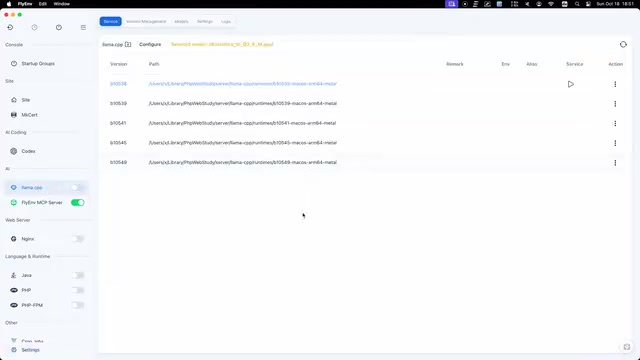
FlyEnv Plugin Review: Visually Running llama.cpp and Managing GGUF Models
FlyEnv launches the official llama.cpp plugin with side-by-side Metal runtime management, public GGUF repository indexing with file type labels, and visual configuration of context, threads, and GPU layers—saving templates and speculative decoding with each model for one-click local LLM inference.
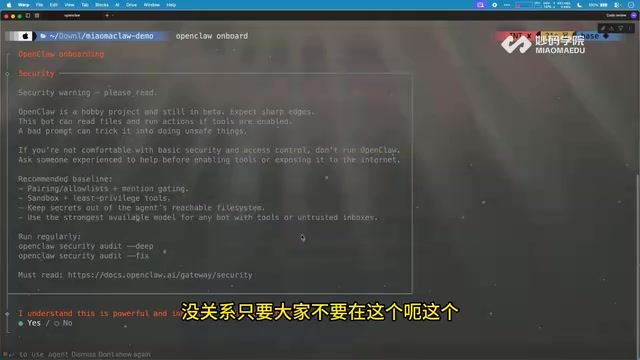
How Can Frontend Developers Advance into AI Agent Development? Deconstructing System-Level Agent Architecture from OpenClaw
Starting from the OpenClaw demo in a Bilibili open class, this article breaks down the three-layer architecture and universal formula of system-level AI agents, and analyzes the path for frontend developers to enter agent development based on TypeScript, including plugin-based design and security/memory layer challenges, with an interview answer framework.

WorkBuddy in Action: How AI Agents Automate Batch File Conversion and Archiving
Bilibili creator Teacher Shanyao tests WorkBuddy vs. Doubao on batch file conversion, showing how AI Agents move from "giving solutions" to "direct execution," with a full workflow and credit cost reference.