A Developer's Hands-On Test of Doubao Phone Assistant: AI Phones Are Evolving from Chatbot to Agent
Doubao Phone Assistant moves mobile AI from Q&A chatbot to a true task-executing Agent.
A developer tests Doubao Phone Assistant across four dimensions — entry point, context, memory, and execution. The dedicated AI button with fingerprint auth collapses multi-step workflows into one press; screen Q&A understands intent beyond simple repetition; calendar actions mark the leap from answering to acting. A dual-track engine combining system tool calls and GUI Agent handled everything from port detection to compiling FFmpeg patches from source on a real server, while a memory layer enables natural-language recall of saved content to generate PPTs on demand.
As a developer who works with AI every day — using AI Coding to write code, using AI to organize materials for videos — I've always had mixed feelings about AI on mobile. The AI on my computer feels more and more like a colleague; the AI on my phone still feels like a customer service rep: it only responds when you ask. If I actually want it to help me get something done, I have to take screenshots, copy text, and switch apps — manually moving all the context over myself.
This time, I put Doubao Phone Assistant through its paces with one question in mind: has AI finally started to genuinely integrate into how we actually use our phones?
The Bottleneck Isn't Model Capability — It's Context and Execution Permissions
After a year of creating content, my biggest takeaway is this: model capability is no longer the bottleneck. What truly holds mobile AI back is that it can't access the context of what you're currently working on, and it doesn't have permission to act on your behalf. It doesn't know what you're trying to accomplish, and it can't see the task through to completion.
These are exactly the two things that AI apps installed on a phone inherently lack. Traditional mobile AI is stuck in a "you ask, it answers" loop. To become a genuinely useful assistant, it needs to solve two things: knowing what I'm looking at, and being able to finish the job for me.
At the interaction level, Doubao Phone Assistant addresses the "entry point" problem first. There's a dedicated orange AI button on the right side of the phone body. A long press brings up the assistant without leaving your current screen. See something, ask about it — collapsing the three-step "switch app → paste → ask" flow into a single action, which genuinely feels much smoother.
The security design is worth highlighting as well: the AI button has a built-in independent fingerprint authentication. Even on the lock screen, one press wakes the assistant for direct conversation. But if the task involves personal information like SMS or contacts — or requires operating the phone — only the verified owner who passes fingerprint authentication can proceed. Convenience and security are well balanced here.
Screen Q&A: Understanding Intent, Not Just Copying Parameters
During my lunch break, I came across a deep-dive article about Volcano Engine's large models. It mentioned that Doubao 2.1 Pro had crossed a "production-grade qualitative threshold" — scoring 59.8 on SciCode (a scientific computing code evaluation) and 47.0 on a repository-level code generation benchmark.
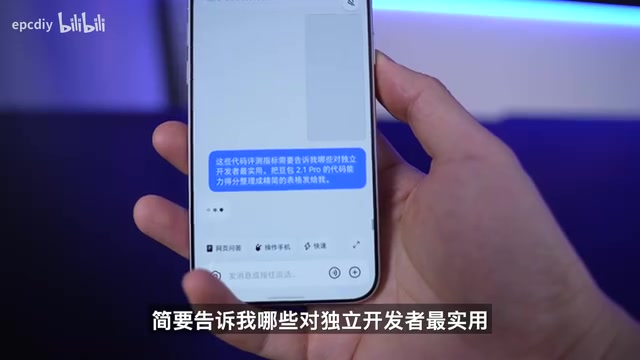
I was curious what those scores meant for me personally, so I long-pressed the AI button and asked directly: Among these code evaluation metrics, which ones are most practical for independent developers? Summarize Doubao 2.1 Pro's code capability scores into a concise table for me.
The response came in two parts: first, a written explanation of the value each benchmark item holds for independent developers; then, a neatly organized table of the code capabilities for direct comparison. It didn't just copy the numbers and throw them back at me — it deeply understood the instruction and delivered information I could actually use.
From "Answering" to "Acting": The First Leap with Calendar
While recording a video, I happened to scroll past an article about ByteDance's Force Conference. I found the content interesting, took a long screenshot, and saved it to memory. It also reminded me of the WAIC World Artificial Intelligence Conference — but I couldn't remember the exact date.
So I simply said: Add the WAIC conference to my calendar, and set reminders 7 days and 1 day in advance to follow Volcano Engine's updates. It automatically found the conference date and set reminders for 9 AM, seven days out and one day out.
With this step, Doubao Phone Assistant made its first leap from "answering questions" to "acting on my behalf." What I valued most wasn't the time saved — it was that the process didn't interrupt what I was already reading at all. For technical people, constant task-switching is the most expensive cost there is.
System Tools + GUI Agent: Two Execution Strategies Working in Tandem
How does it actually get things done? By choosing different execution methods depending on the task.
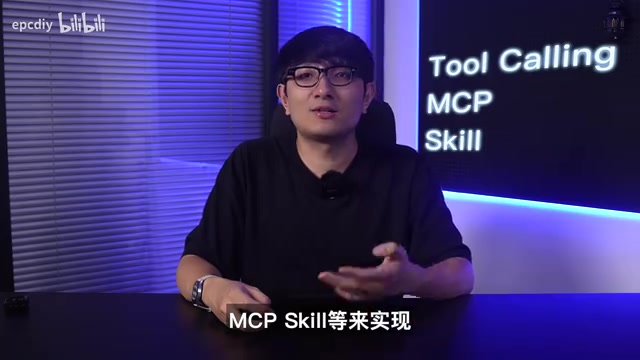
For high-frequency functions that most users need — like voice recording, meeting notes, and calendar entries — it prioritizes calling underlying system tools (such as MCP and other system capabilities) for higher efficiency. Third-party services like ride-hailing and flight booking are being integrated progressively. For more complex requests or niche apps, it activates the GUI Agent — using multimodal capabilities to directly read the screen, understand the interface like a human would, plan the steps, and simulate taps.
To test this "general-purpose fallback" capability, I chose Termius — a niche professional tool that almost certainly has no custom API integration built for it. I set up the host connection details and started with a simple task.
A note on MCP and GUI Agent: MCP (Model Context Protocol) is an open protocol introduced by Anthropic in late 2024. It's designed to give large models a standardized interface for tool invocation and context access — think of it as a "USB port" for the AI world. It lets models call capabilities like calendars, file systems, and external services in a unified way, without needing custom integration for each app. GUI Agent takes a different approach: instead of relying on an interface, the model directly "sees" screenshots and identifies buttons, input fields, menus, and other UI elements — then plans its steps and simulates clicks. The former is efficient and stable but requires upfront API integration; the latter is more generalizable and theoretically works with any app, but demands strong multimodal understanding and tends to operate more slowly. Running both in parallel is essentially a strategy of "use the API if one exists, look at the screen if not" — maximizing the range of tasks an Agent can handle.
From Port Detection to Vulnerability Patching: Testing the Agent's Professional Chops
The first task was simple: check whether the business ports on this host are open. It logged into the host, tested port 80, and returned the results. Solid performance.
Then I pushed harder: create a conditional automated job to inspect host R25 every night at 11 PM, check whether memory usage exceeds the 80% warning threshold and whether services like Apache are running normally, then send an inspection report. It created the scheduled task and even generated a shortcut on the home screen. When the time came, it knew which app to open to log into the server and delivered a detailed, professional inspection report.
I wasn't satisfied — I went straight to the hard stuff: check whether R25 has any recently disclosed FFmpeg-related vulnerabilities, and if so, fix them. It actually found a vulnerability on the host, explained the detection method, and then began the remediation — and it even knew that simply upgrading the package through APT wouldn't work, so it compiled and installed the fix directly from source.
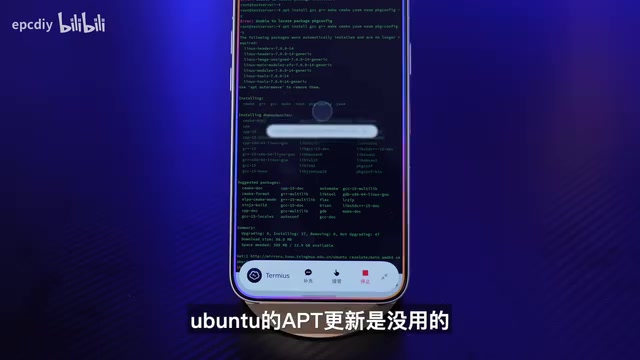
From simple commands to vulnerability remediation requiring real professional expertise, its approach increasingly resembled a genuine specialist assistant: first understanding what I'm trying to accomplish, then independently breaking down the goal, planning the steps, and dynamically choosing execution methods based on the phone's current state. When it encounters an unfamiliar app, it figures things out on its own; when one approach fails, it proactively tries another. Most critically, for multi-step tasks like vulnerability patching, it never loses track of the original goal halfway through — it executes the entire workflow with the end result always in focus.
For developers, this is what a real Agent looks like: I state the requirement, it breaks it into steps and executes them, and it lands on a result. That means you no longer have to tell it how to do something — you just tell it what you want.
A note on FFmpeg vulnerabilities: FFmpeg is a widely used open-source audio/video processing library present in virtually every server environment that handles media transcoding. Precisely because of its massive footprint, every CVE vulnerability disclosure affects a huge number of systems. The tricky part of patching such vulnerabilities is that the FFmpeg versions packaged in official Linux distro APT/YUM repositories are often severely outdated. Simply running
apt upgradeonly updates to whatever old version is already in the repository — it doesn't actually fix the latest vulnerability. This is a trap that many junior sysadmins fall into. The correct approach is to compile and install the latest stable version from source, which involves handling dependency libraries, compile flags, and overwriting the old version — a series of non-trivial steps. The fact that the Agent independently determined that "going through APT won't work" and switched to compiling from source shows that it didn't just mechanically execute commands — it applied genuine domain expertise rather than simply translating user instructions word for word.
Memory: The Key to Whether It Grows to Understand You Over Time
Beyond "asking" and "doing," there's a third layer: "remembering." This is what determines whether it can truly understand my intent and get smarter about me with use.
With my authorization, it can search local information — voice recordings, photo albums, and notes all count. You can also actively tell it to remember scattered bits of information. Remember that Force Conference article? I asked it to summarize the AI model information mentioned in the event and generate a PPT. I didn't need to search for it or reopen the article — using the memory saved from my earlier long screenshot, it went straight to summarizing the key points and generating the PPT. Maximum efficiency.
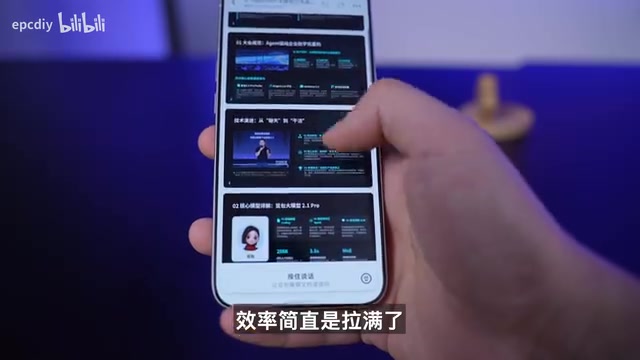
While viewing the PPT, I came across an open-source project that caught my interest. I long-pressed the AI button and used voice to tell it to remember this for future tool comparisons. The real challenge isn't "storing it" — it's being able to retrieve past information accurately with a single natural-language phrase when you need it. Of course, this kind of understanding must have clear boundaries, always built on user awareness and explicit authorization.
A note on mobile AI "memory": Technically, mobile AI memory typically takes one of two forms: structured storage, where user-flagged information (like preferences, to-dos, or screenshot summaries) is written to a database and retrieved via semantic matching; or implicit memory based on long context windows, where conversation history is fed directly into each request's prompt. The former is durable and reliable but requires active management; the latter feels more natural but is limited by the token window length. The real challenge lies in recall precision: storage is easy, but accurately locating a specific piece of information saved days ago when a user phrases a query vaguely — without returning a pile of irrelevant results — demands both strong vector retrieval and intent understanding. At the same time, access to local information must strictly respect user authorization boundaries; otherwise, "getting smarter about you over time" can easily become a privacy liability.
The Four Layers of AI on Mobile: Entry, Context, Memory, Execution
In my view, mobile AI has four layers: entry point, context, memory, and execution. For users, these translate to: it can be summoned at any moment, it knows what I'm doing, it remembers what I've told it before, and it can see the task through to completion.
Doubao Phone Assistant is quite solid on the first three layers, and its execution capability is covering more and more real-world scenarios. This is precisely the fundamental difference between a Chatbot and an Agent: a Chatbot answers; an Agent gets things done. The future competition among AI phones won't be about who can answer questions most human-like — it'll be about who can participate most naturally in users' real, everyday phone workflows.
My benchmark for whether an AI product earns a permanent place in my workflow is simple: will I still reach for it instinctively a week later? Over the past week, pressing the AI button has already become muscle memory for me. If you're curious about how far AI phones have come, it's worth trying one yourself.
Related articles
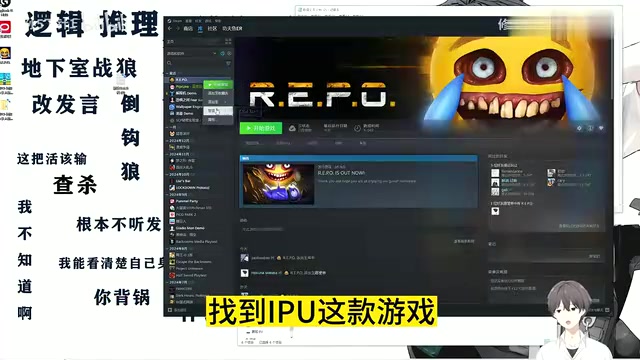
R.E.P.O Chinese Localization Guide: Install the Patch in Three Simple Steps
A beginner-friendly R.E.P.O Chinese localization guide: browse local files, paste the patch, and verify in three steps. Includes troubleshooting tips and backup advice.
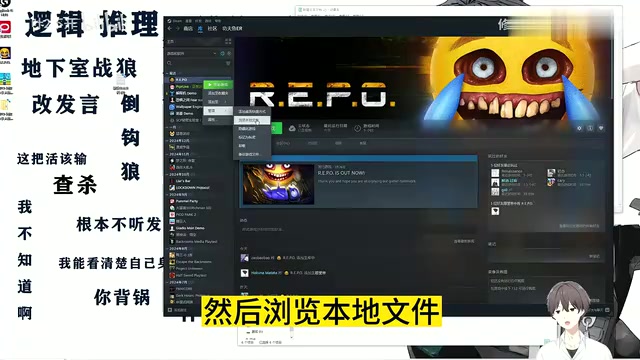
R.E.P.O Chinese Localization Patch Installation Guide: Step-by-Step Full Chinese Interface
Step-by-step guide to installing a Chinese localization patch for R.E.P.O. From browsing local files to Ctrl+V overwrite — get a full Chinese UI in minutes.
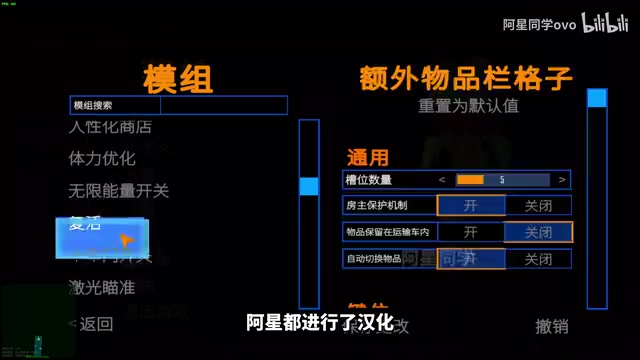
REPO Game 60+ Mod Pack Breakdown: Dancing, Localization, and Save Protection All in One
A complete breakdown of the REPO game 60+ mod pack: dancing, Chinese localization, item shrinking, shared upgrades, password skip, and F7 save protection — with easy install guide.