Dify × RAG in Practice: Build a Delta Force Game Assistant from Scratch

Build a Delta Force game RAG assistant with Dify as a beginner, then advance to code frameworks.
The article covers a livestream course for beginners on building a Delta Force game assistant with Dify. The instructor recommends starting with drag-and-drop tools to grasp agents, knowledge bases, and RAG, then advancing to LangChain, LangGraph, and Deep Agent. The course includes Dify local deployment, LLM integration, RAG knowledge base construction, vector retrieval configuration, and web embedding delivery, along with a staged learning path and noted limitations.
The livestream opened with the instructor asking viewers to type "1" in the chat to confirm they could hear the audio—an immediate sense of interaction that mirrors the goal of this session: enabling people with zero LLM development experience to build a working AI assistant by hand using a visual tool.
Why Dify Is Recommended Even for Complete Beginners
According to the instructor, if you've already spent some time with LLMs or AI, this lesson's content may seem fairly basic; but for complete beginners, it's a great introduction. The reason is that once you move into engineering-grade development, you can't avoid frameworks like LangChain, LangGraph, and Deep Agent, and sooner or later you'll need to understand the Harness architecture—and further down the road, even Agent Scope.
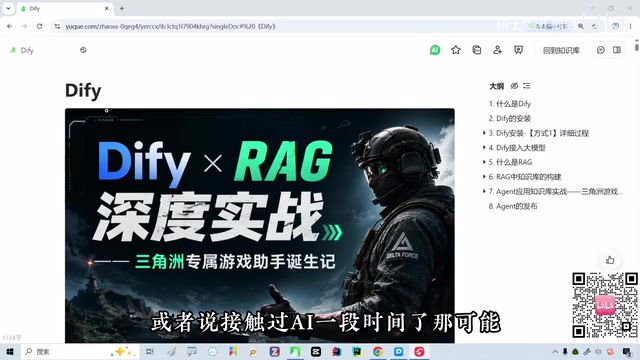
But jumping straight into writing code isn't friendly to beginners. The instructor emphasizes that before touching code, using an intuitive tool to make abstract concepts like "agent" and "knowledge base" concrete makes it easier to build an overall mental model. Dify plays exactly this role—through drag-and-drop workflow orchestration, beginners can experience how RAG and agents work without writing code.
Tools in the same category as Dify include Coze (referred to as "Codes" in the instructor's narration); both are well suited as a first stop for LLM beginners. In the instructor's own words, Dify is something he "strongly recommends everyone learn" when first getting into LLMs.
This lesson will produce a fairly comprehensive set of notes, and all materials used in class will be provided to students.
Where LangChain, LangGraph, and Deep Agent Fit
LangChain is an open-source framework for building LLM applications; its core value lies in abstracting "model calls, prompt templates, tool calls, memory management" and other pieces into reusable components that developers compose to build applications. LangGraph goes further, targeting stateful, multi-step agent workflows by describing nodes and edges in a graph structure, supporting loops, branching, and human intervention—well suited for complex multi-agent collaboration. Deep Agent is a community framework for deep task planning and execution, emphasizing task decomposition and toolchain orchestration. What all three share: they require writing code and understanding abstract interfaces, which raises the barrier for beginners—hence the instructor's suggestion to first build intuition with Dify, then migrate to these frameworks.
From Concept to Implementation: What This Course Actually Does
The course is titled "Dify × RAG Deep Practice—The Birth of a Delta Force Exclusive Game Assistant." Broken down, it has two main threads:
The tool thread: local deployment of Dify, LLM integration, RAG knowledge base construction, vector retrieval configuration, and finally delivering the assistant via web embedding.
The scenario thread: using the game "Delta Force" as the knowledge domain, feeding game-related documents into the knowledge base so the model answers questions based on retrieval results rather than making things up.
This approach of "limited knowledge domain + retrieval augmentation" is the most typical and practical form of RAG. A game assistant has the advantage of clear requirement boundaries and easily collected corpus, making it very suitable as a first hands-on project.
The instructor repeatedly mentions in the course that these framework-level topics are directions for deeper study later, but for now, get the flow working with Dify first.
Basic Principles of RAG and Vector Retrieval
RAG (Retrieval-Augmented Generation) works like this: before the model answers a question, it first retrieves the most relevant snippets from an external knowledge base, splices them into the prompt as context, and then has the model answer based on that material. This both mitigates the model's hallucination problem—making things up—and keeps answers aligned with private or up-to-date materials. The retrieval step typically relies on vector retrieval: split documents into chunks, use an embedding model to convert each chunk into a vector stored in a vector database, then at query time convert the question into a vector as well and recall the closest chunks by similarity. The "vector retrieval parameters" configured in the course mainly involve chunk size, recall count, and similarity thresholds, which directly affect the accuracy and coverage of question answering.
A Reusable Learning Path
From the livestream content, a clear learning sequence emerges:
- Build intuition: Use a visual tool like Dify to drag out an agent workflow and understand the roles of nodes, variables, and knowledge base retrieval.
- Get the loop working: Integrate an LLM API, upload game documents to build a knowledge base, configure vector retrieval parameters, and test Q&A performance.
- Deliver for use: Embed the assistant on your own page or community via web embedding.
- Advance to frameworks: When the visual tool hits its limits, move on to code frameworks like LangChain, LangGraph, and Deep Agent.
The value of this path is that it splits "learning frameworks" and "building things" into two stages, preventing beginners from being scared off by code details right away.
Delivery via Web Embedding
An assistant built with Dify can be made accessible externally through web embedding; the common form is generating an iframe or chat widget script that you paste into your own webpage, blog, or community page to produce a conversational entry point. This approach requires no separate front-end development and no self-maintained server, making it suitable for quick validation and sharing. For a hands-on project, web embedding completes the full loop of "building a working AI assistant"—from knowledge base to retrieval to user interface, everything goes through, which is exactly where the course's emphasis on "practice" lands.
Some Judgments Worth Noting
The instructor positions Dify and Coze as "peer tools" without elaborating on their differences—this point is not sufficiently covered in the original text, and actual selection requires your own evaluation based on deployment method, model support, and extensibility. Additionally, the course's emphasis on "deep practice" is more about getting through the complete flow than tuning complex RAG strategies; for developers already familiar with RAG, the depth may be limited.
For beginners or those just getting into AI application development, the significance of such a course isn't how many techniques it teaches, but rather building the confidence that "I can build an AI assistant" and a complete cognitive framework in the shortest time possible.
One-line Summary
Build a Delta Force game RAG assistant with Dify's drag-and-drop interface as a beginner, then advance to code frameworks.
Paragraph Summary
The article introduces a livestream course for complete beginners on building a "Delta Force exclusive game assistant" with the visual tool Dify. The instructor recommends that beginners first use drag-and-drop tools like Dify to make abstract concepts such as agents, knowledge bases, and RAG concrete, then advance to code frameworks like LangChain, LangGraph, and Deep Agent. The course covers local Dify deployment, LLM integration, RAG knowledge base construction, vector retrieval configuration, and web embedding delivery, using a game knowledge domain as a hands-on scenario with clear corpus boundaries. The article also outlines a learning path of "build intuition—get the loop working—deliver for use—advance to frameworks," and notes limitations such as the course not covering differences between Dify and Coze and limited depth on RAG tuning.
Related articles

Andrew Ng Teams Up with Anthropic: A Complete Walkthrough of the Claude Code Hands-On Tutorial
Andrew Ng and Anthropic launch a Claude Code short course covering clear context, parallel sessions, MCP servers, and three hands-on projects: a RAG chatbot, Jupyter data analysis, and Figma-to-frontend.

Only Three Agent Recommendations for Beginners: ZeroStack, Claude Code, and DeepSeek Harness
Bilibili creator recommends three beginner Agents: ZeroStack for lightweight devices, Claude Code with a mature ecosystem, and DeepSeek Harness for easy plugin integration. This article outlines use cases and practical tips for each tool.

How Does an AI Agent Control Your Computer? A Full Breakdown of Hermes' Three-Layer Toolchain
Bilibili creator Xiaoyou breaks down Hermes' three-layer toolchain for operating a computer: the built-in Terminal, file modification, and code execution foundation; optional web search, vision analysis, speech synthesis, and browser/desktop control; and an external ecosystem freely extended via CLI and MCP—plus why SSH connects but still can't operate.