#Claude Code desktop
806 related articles

·3 min
Lumichats Desktop: A Claude Code Alternative Without the Terminal
Lumichats Desktop is an AI coding tool for non-technical users, offering local file operations and command execution through a GUI—no terminal required.
Read more →

·1 min
Navi: The Open-Source Desktop Assistant That Alerts You When Claude Code Needs Attention
Navi is an open-source MCP-based tool for Claude Code users. It alerts developers with tri-color status indicators and the classic "Hey! Listen!" sound when AI tasks need attention.
Read more →

·7 min
Complete Guide to Claude Code Desktop: Access DeepSeek Domestic Models Without an Account
Step-by-step guide to installing Claude Code Desktop, enabling developer mode for account-free use, integrating DeepSeek via CC Switch, Chinese localization, and custom Skills in ten minutes.
Read more →

·3 min
Step-by-Step Guide: Connecting DeepSeek to Claude Code Desktop
Step-by-step guide to connecting DeepSeek and other domestic AI models to Claude Code Desktop — covers no-account setup, CC Switch config, Chinese localization, and custom Skills.
Read more →
·4 min
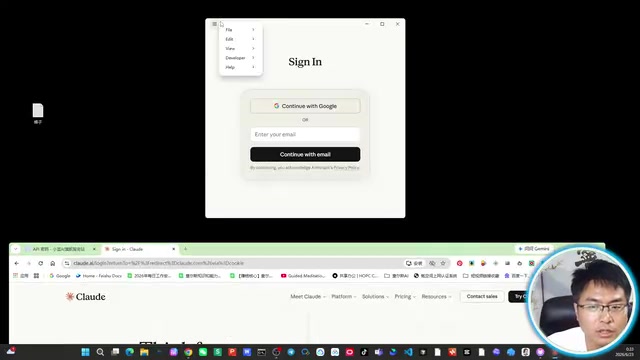
Tutorial: Configuring Claude Code Desktop to Use Third-Party API Proxy Services
Step-by-step guide to configuring Claude Code desktop with third-party API proxy services, including Developer Mode setup, API Key creation, Gateway configuration, and cost control tips.
Read more →

·3 min
Complete Guide to Claude Code Desktop: No Account Required + Chinese Localization + DeepSeek Integration
Complete guide to Claude Code Desktop setup: account-free usage, DeepSeek integration via CC Switch, Chinese localization, and custom Skill import for low-cost AI coding.
Read more →

·3 min
Claude Code Desktop Hands-On: Transparent Context Window & CC Switch for Compute Freedom
Hands-on review of Claude Code Desktop's transparent context window, multi-project heatmap, efficiency panel, and CC Switch open-source routing gateway for model freedom.
Read more →

·3 min
Claude Code Desktop Installation Guide: Connect DeepSeek & Other Chinese AI Models + Chinese Localization
Step-by-step guide to installing Claude Code Desktop, connecting DeepSeek models via CC Switch, enabling account-free usage, and applying Chinese localization.
Read more →

·3 min
Claude Code Desktop Without an Account: Connect DeepSeek Models + Full Chinese Localization Guide
Step-by-step guide to using Claude Code Desktop without an account, connecting DeepSeek models via CC Switch, and applying Chinese localization patches.
Read more →

·2 min
Claude Code Desktop Configuration Guide: No Account Required + DeepSeek Integration + Chinese Localization
Complete guide to configuring Claude Code Desktop: account-free setup, DeepSeek integration via CC Switch, Chinese localization, and custom Skill import for a low-cost AI coding environment.
Read more →
·3 min
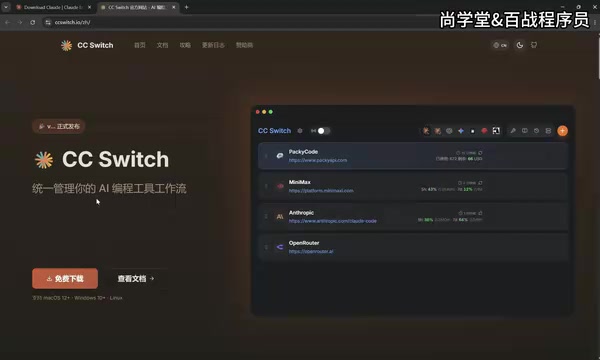
Claude Code Desktop Configuration Guide: Login-Free Setup + Chinese Localization + DeepSeek Integration
Complete guide to configuring Claude Code Desktop: login-free setup via Developer Mode, DeepSeek integration through CC Switch, Chinese localization, and custom Skill loading.
Read more →

·2 min
Claude Code Desktop Status Capsule: An Open-Source Widget for Real-Time AI Coding Status Monitoring
An open-source desktop status capsule that monitors Claude Code's idle, working, and completed states in real time, with multi-conversation management, memos, and music control for developers.
Read more →

·3 min
Complete Guide to Installing and Configuring Claude Code Desktop: Connecting to DeepSeek Models
Complete guide to Claude Code Desktop setup: installation, account-free usage, Chinese localization, connecting DeepSeek models via CC Switch, and custom Skills for cost-effective AI coding.
Read more →

·3 min
Complete Guide to Claude Code Desktop: Direct Access in China + Chinese Localization + DeepSeek Integration
Step-by-step guide to installing Claude Code Desktop with DeepSeek integration for direct China access, Chinese localization, and custom Skill setup.
Read more →
·2 min
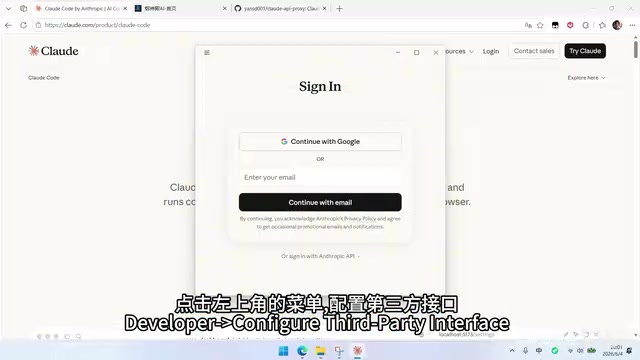
Complete Guide to Connecting Third-Party APIs in Claude Code Desktop
Step-by-step guide to configuring third-party APIs in Claude Code Desktop via Developer Mode, covering both Claude model access and GPT integration through a proxy tool to reduce AI coding costs.
Read more →
 Tutorials
·2 min
ESP32+OLED Desktop Gadget for Monitoring Claude Code Status
Build a desktop gadget with ESP32C3 and 0.96-inch OLED to monitor Claude Code status in real time, with flashing alerts for authorization waits. Under $4 in hardware.
Read more →
 Tutorials
·3 min
Claude Code Desktop Installation & Configuration Guide: No Account Required + DeepSeek Integration + Chinese Localization
Step-by-step guide to install Claude Code Desktop, use it without an account via Developer Mode, integrate DeepSeek models through CSwitch, add Chinese localization, and configure custom Skills.
Read more →
 Tutorials
·3 min
Complete Guide to Connecting Claude Code Desktop with DeepSeek: Zero-Barrier AI Programming Setup Tutorial
Step-by-step guide to connecting Claude Code Desktop with DeepSeek via CCSWitch middleware. No VPN or Claude account needed — set up your AI programming environment in 10 minutes.
Read more →
 Tutorials
·3 min
Claude Code Desktop Installation Guide: No Account Required + Full DeepSeek Integration Tutorial
Step-by-step guide: Install Claude Code Desktop, use it without an account via Developer Mode, integrate DeepSeek models through CC Switch, and set up custom Skills for low-cost AI coding.
Read more →
 Tutorials
·2 min
Claude Code Desktop: AI Programming for Everyone, No Terminal Required
Claude Code Desktop has the same full functionality as the terminal version. Get started in 3 steps with zero barriers — the best entry point for AI programming beginners.
Read more →